DAM Library and Navigation
TABLE OF CONTENTS
- Global Content Library
- Key Capabilities
- Browse Collections
- Global Search Bar
- Faceted Filtering
- Asset Cards with Preview, Metadata, and Actions
Global Content Library
The Global Content Library serves as the primary hub for storing, managing, and interacting with all digital assets within the DAM. It provides a fast, intuitive, and scalable interface that supports diverse user workflows—from simple browsing to advanced retrieval via search and faceted filters.
The library consolidates all approved assets into a single, governed, and searchable repository, enabling teams to find, preview, and reuse content efficiently.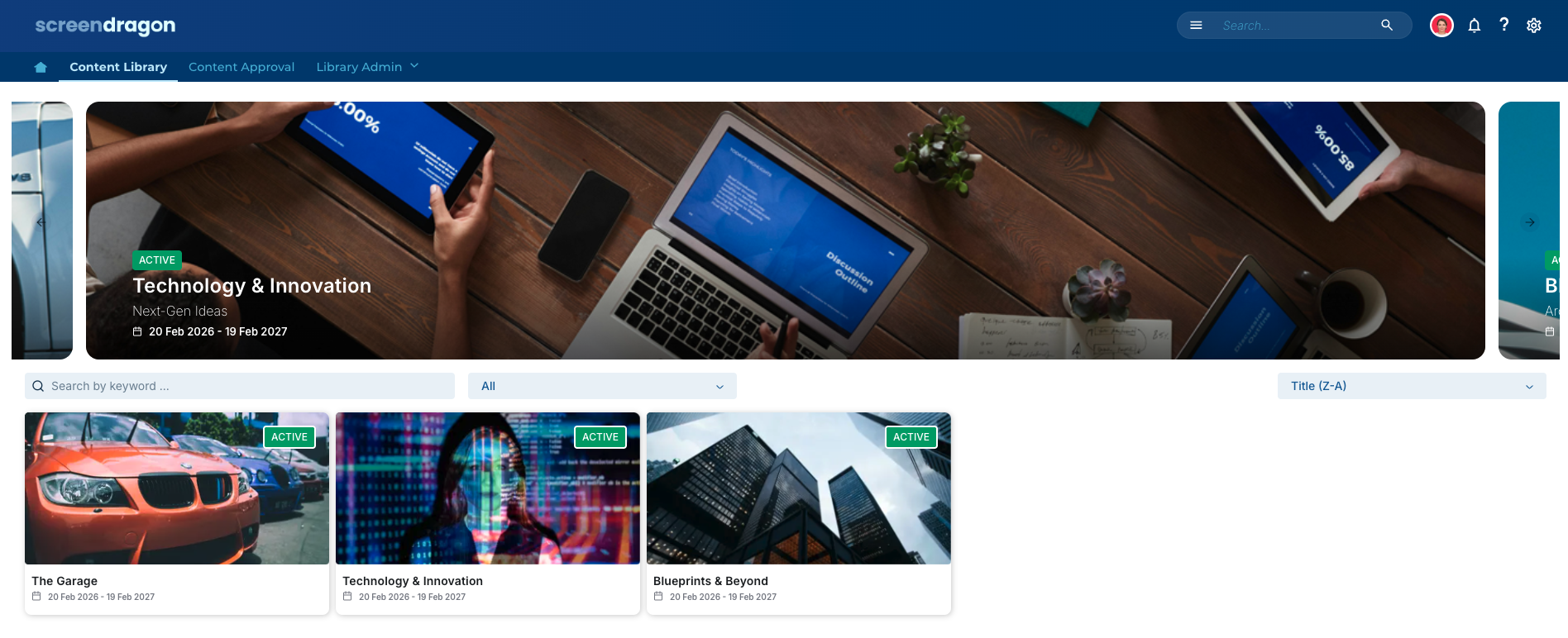
Key Capabilities
Browsing Assets
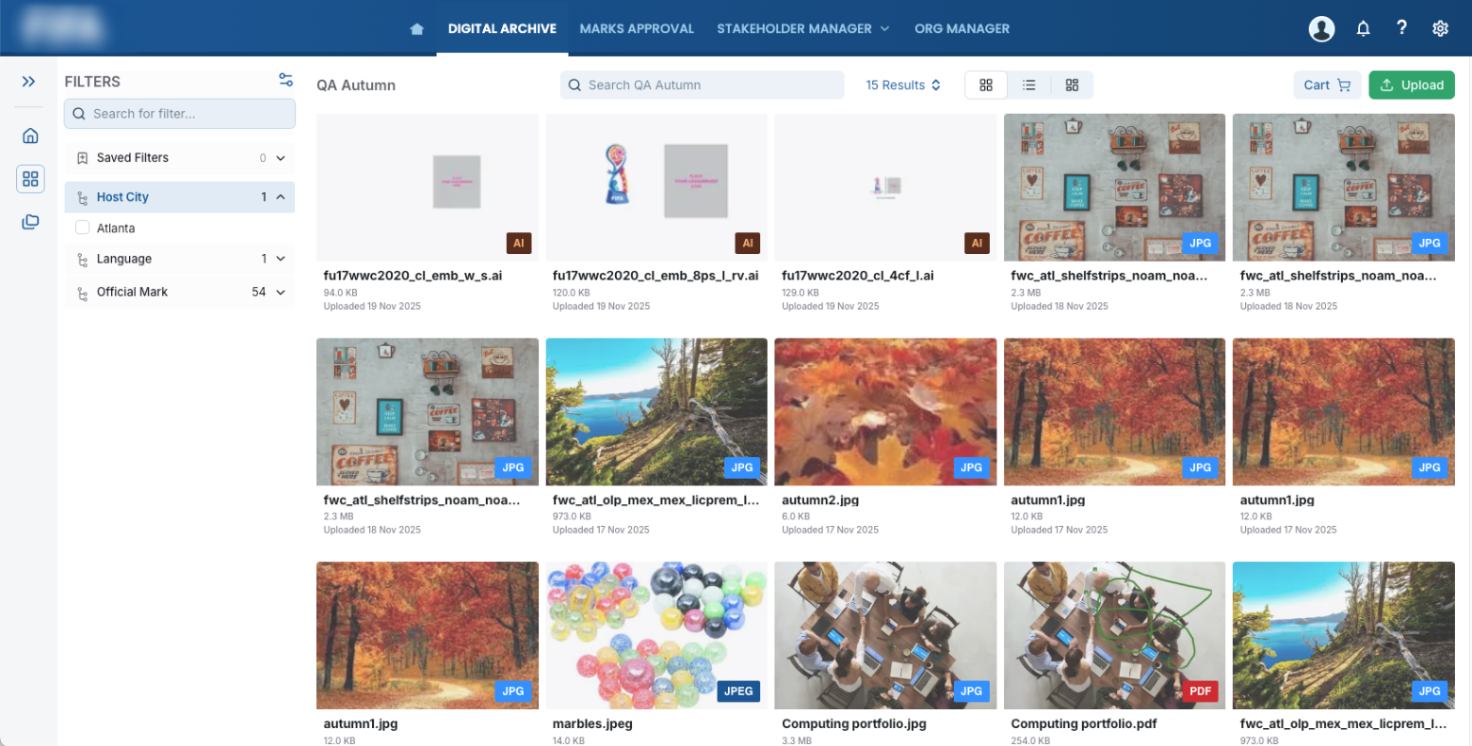
Users can explore assets visually through grid or list layouts. Each asset displays key information to support quick decision-making, including:
Asset thumbnail or file-type icon
File name
Metadata overlays such as file type, owner, and last modified date
Asset count when browsing folders
Both views allow users to drill into folders and subfolders, open asset detail pages, and perform supported bulk actions.
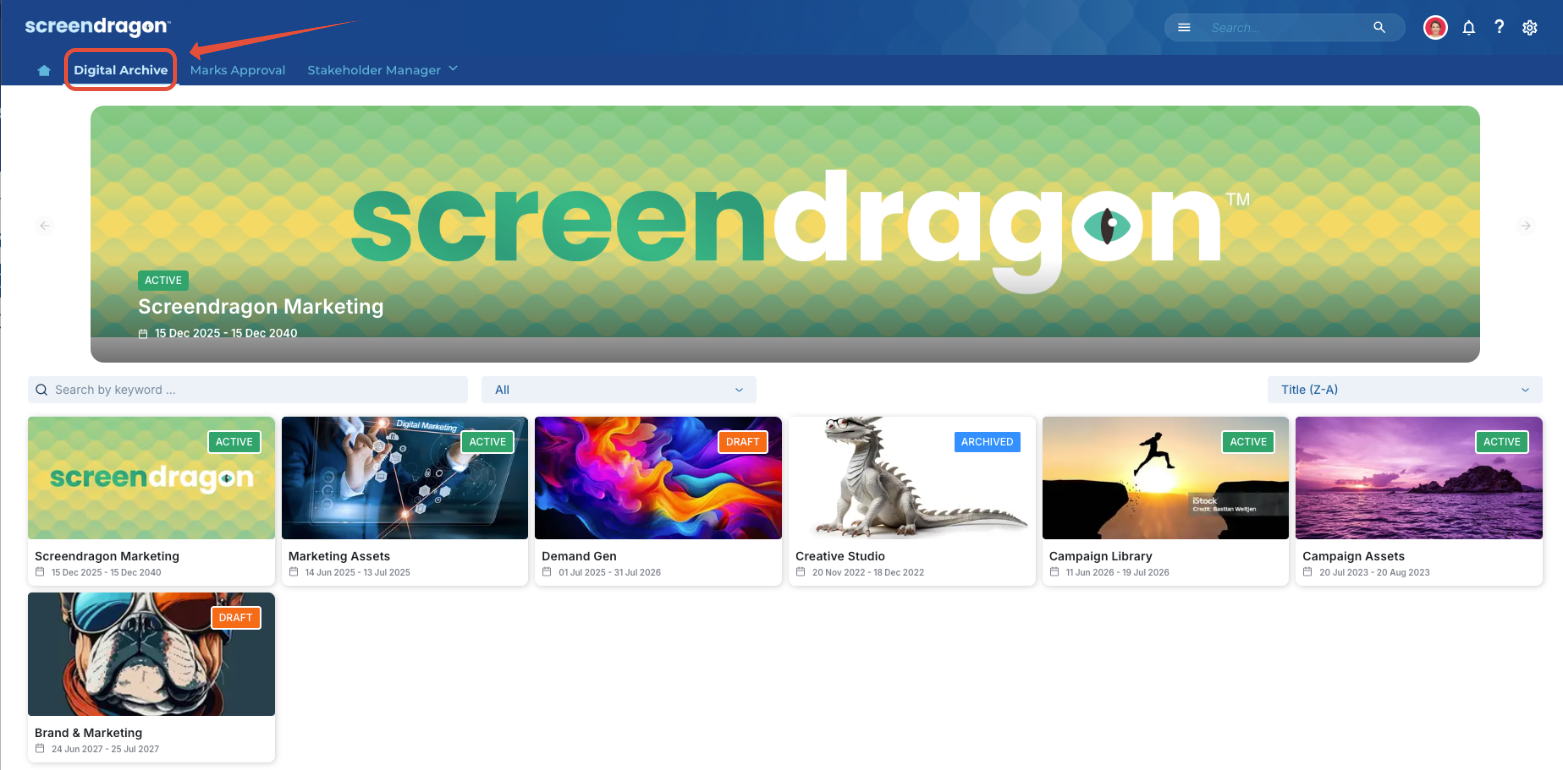
Browse Collections
Collections allow users to group related assets without affecting folder structure. Collections may include a mix of file types (e.g., video, imagery, documents) and are helpful for campaigns, project handovers, or external sharing.
Users can:
Open Collections directly from the Library or via a shared link.
View assets in thumbnail or list format.
Perform bulk actions (e.g., download, add to cart, add to another collection).
View or add comments if collaboration features are enabled.
Collections behave as curated sets rather than physical folders—they reference assets stored elsewhere in the library.
Global Search Bar
A persistent Global Search is available at the top of the library, enabling users to locate assets across the entire repository. Search supports:
Keyword matching against filenames, metadata, and supported embedded content (e.g., text extracted from Office documents)
Result sorting by relevance, newest first, oldest first, or alphabetically
Paginated or lazy-loaded results for optimal performance on large libraries
The search results page displays thumbnails, metadata, and available user actions, ensuring a consistent browsing experience.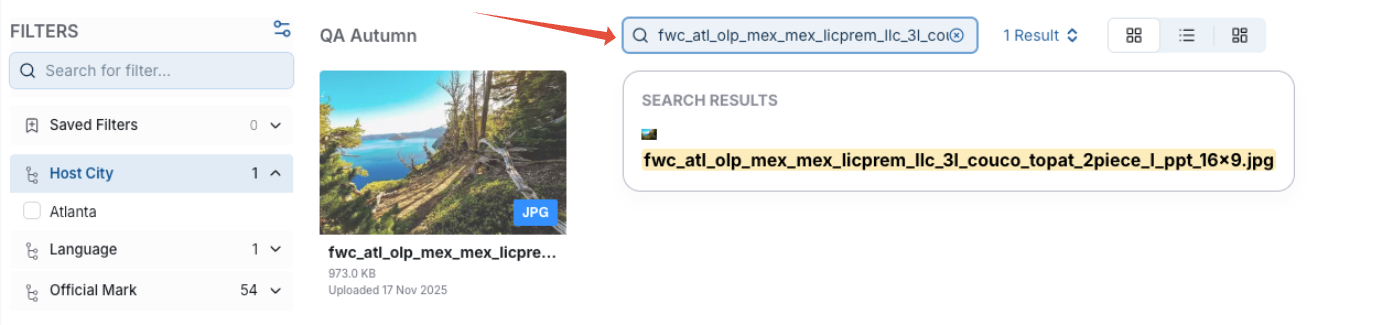
Faceted Filtering
A left-hand filter panel lets users progressively refine results with stackable, real-time filters.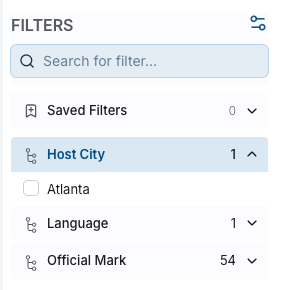
Supported filter types include:
File Type (e.g., image, video, document, audio, PDF)
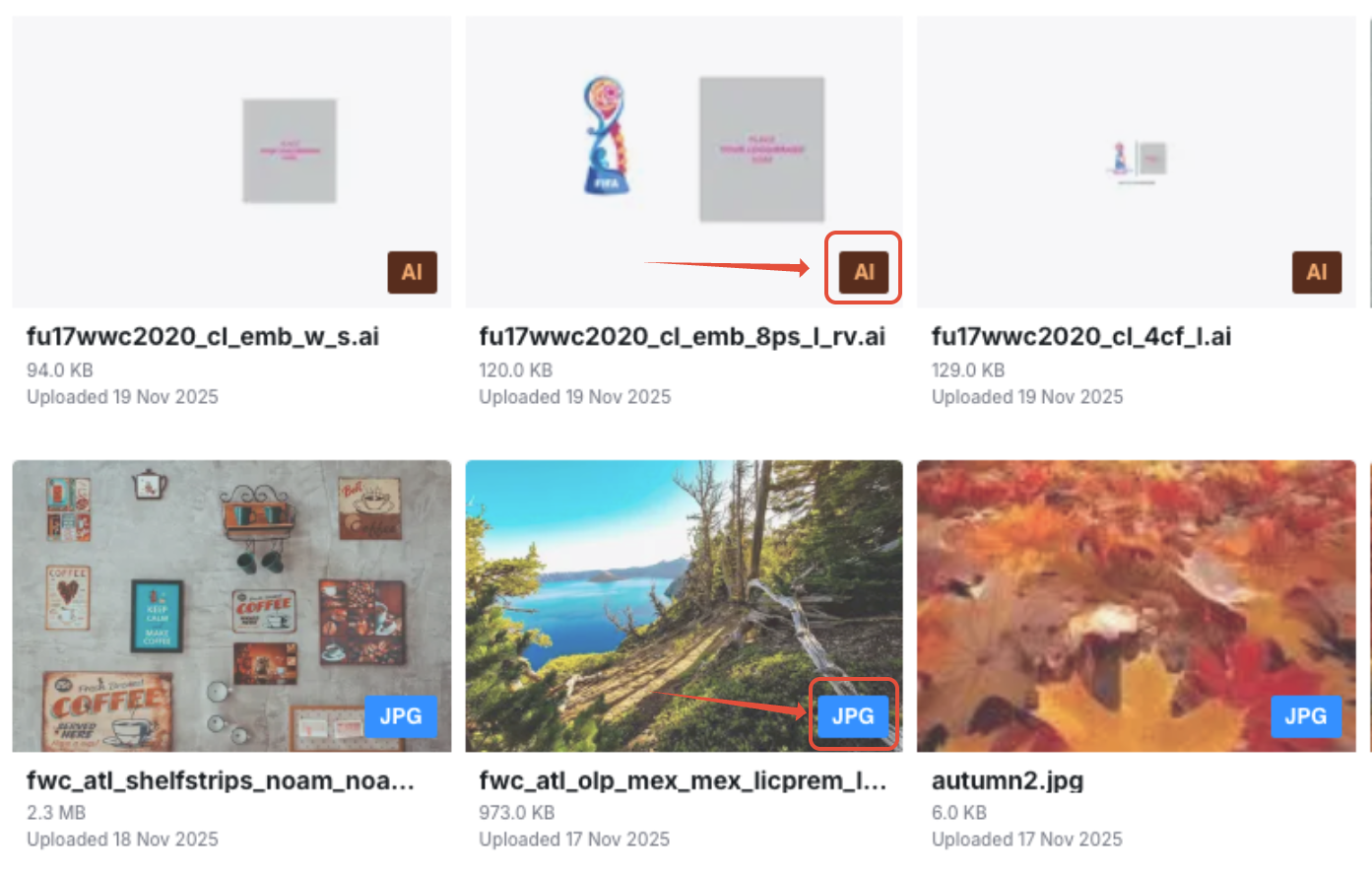
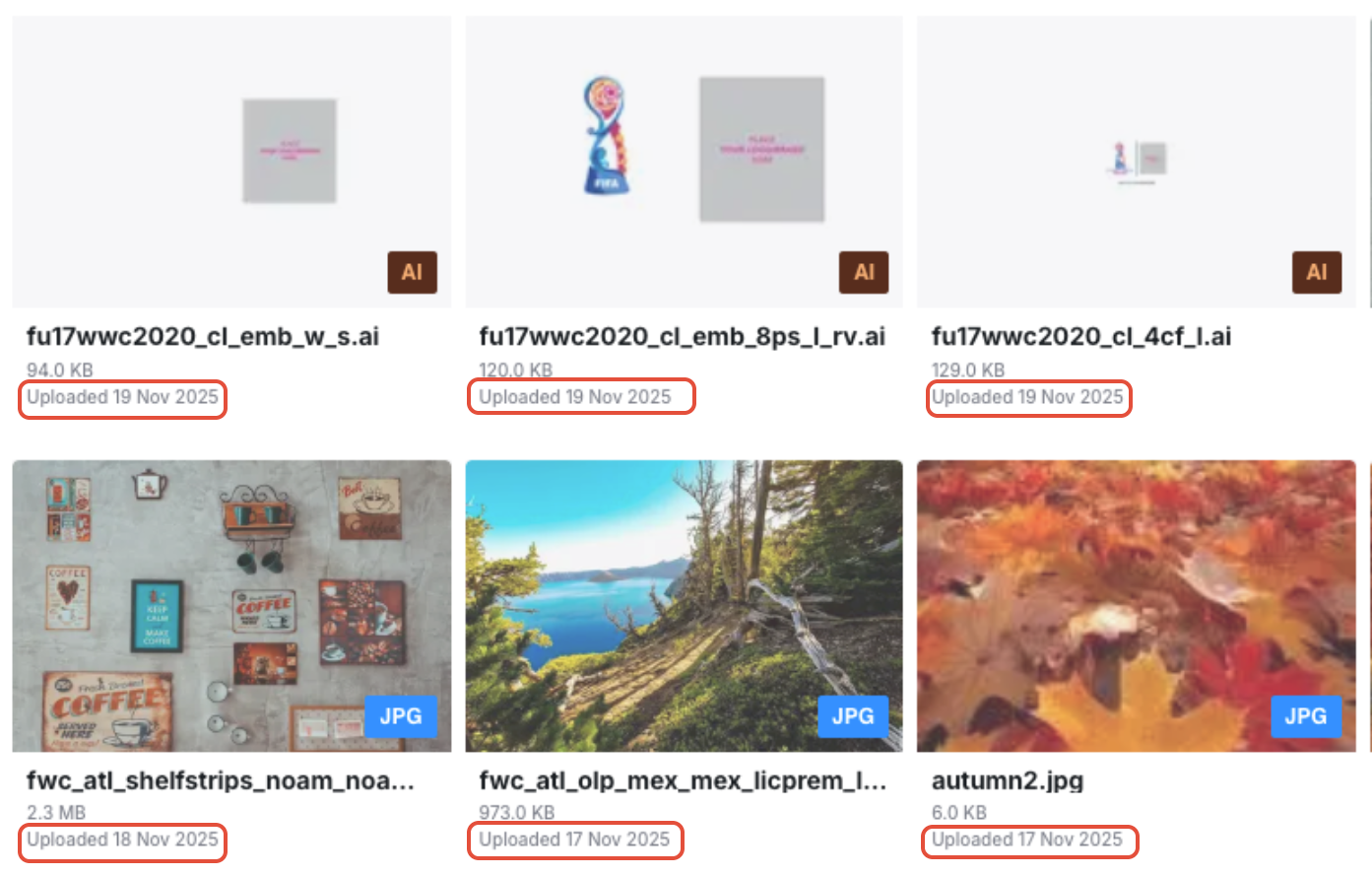
Upload Date
Preset ranges (e.g., last 7 days, last 30 days)
Custom date range
Tags / Metadata
Tag assets using custom fields such as campaign, product, region, usage rights, and content type.
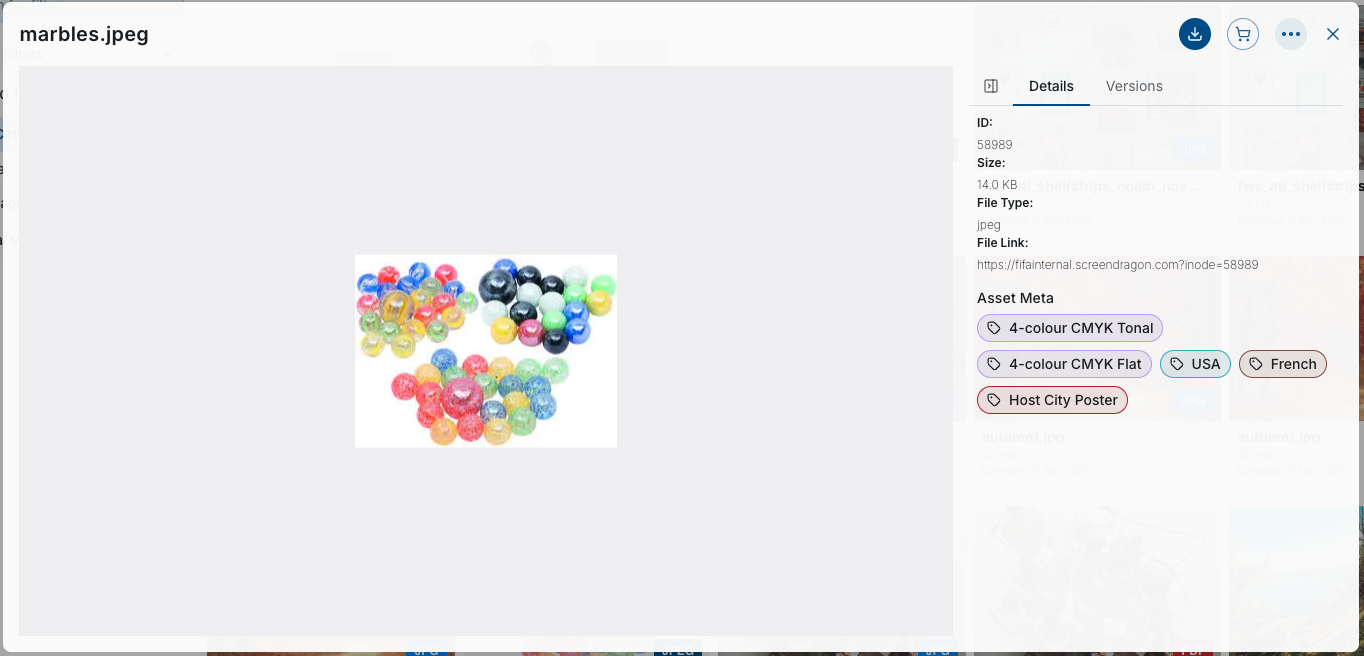
Filtering updates the asset view instantly, and multiple filters can be combined to further narrow results.
Asset Cards with Preview, Metadata, and Actions
Each asset in the Global Content Library is represented as an asset card. Asset cards provide a quick, visual summary of the asset and offer direct access to everyday user actions.
Asset Card Elements
Asset cards display the following information and controls:
Thumbnail Preview
A visual representation of the asset (image or video frame). Non-visual assets use a file-type icon.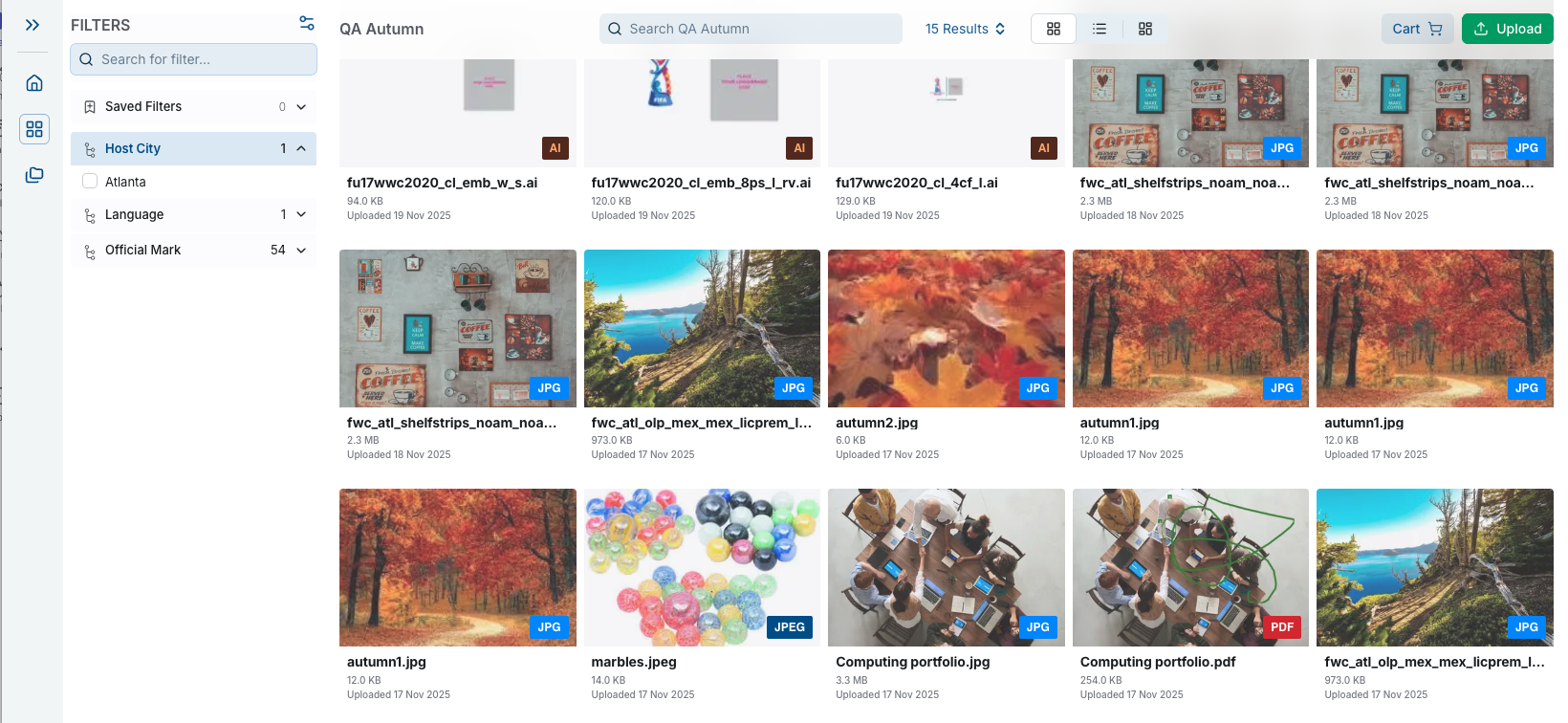
File Name
Displayed below the thumbnail, with truncation and a tooltip for long filenames.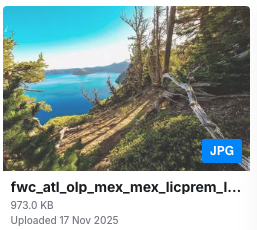
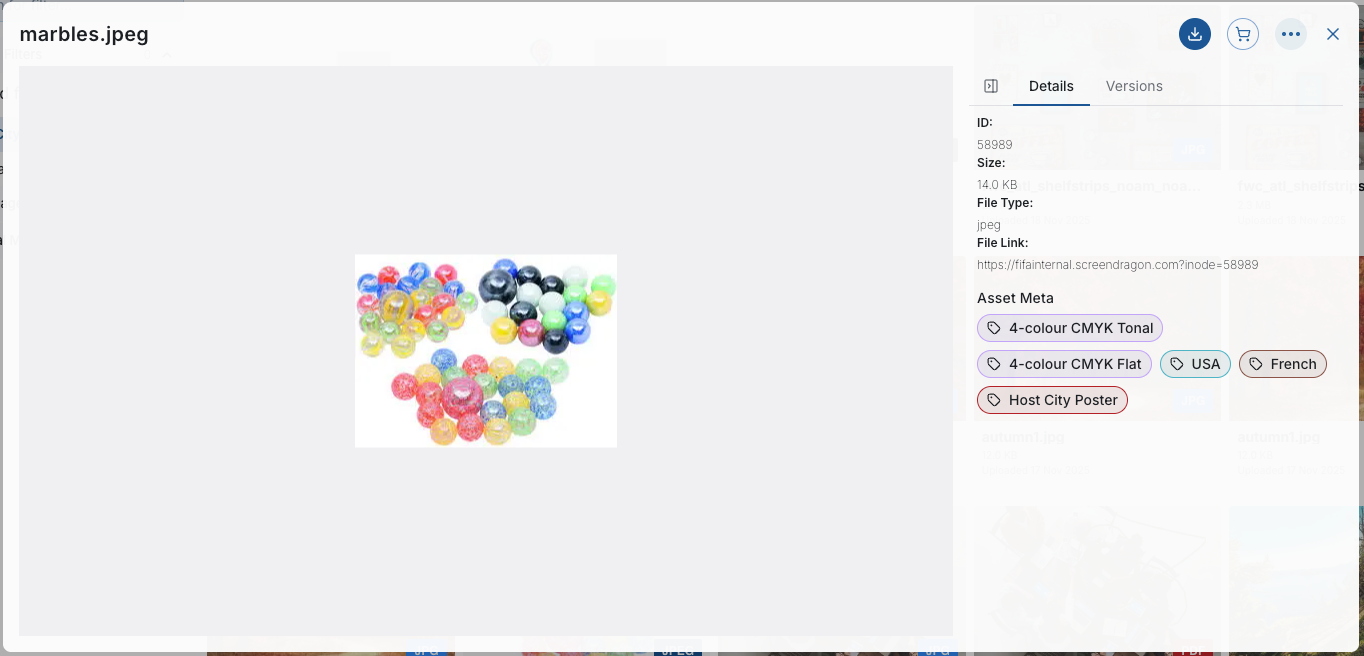
Metadata Overlay
Configurable metadata fields may include:
File type
Version number
Owner or uploader
Last modified date
Campaign, product, region, and other custom metadata
Quick Actions
Hovering over the card and selecting the box exposes available actions, such as:
Download
Add to Collection
Add to Shopping Cart
Add to Favorites
View Details
Share (if permissions allow)
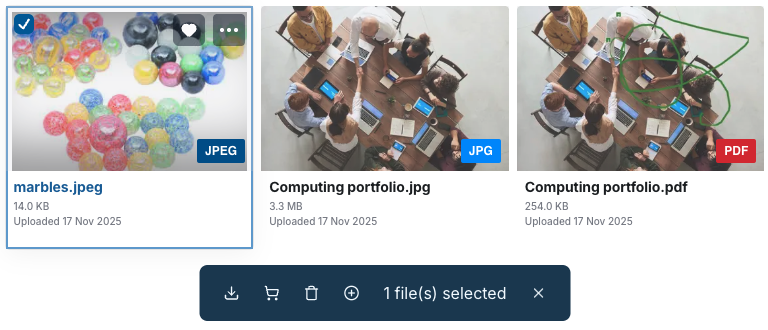
Selection Checkbox
Allows users to select one or multiple assets for bulk actions.
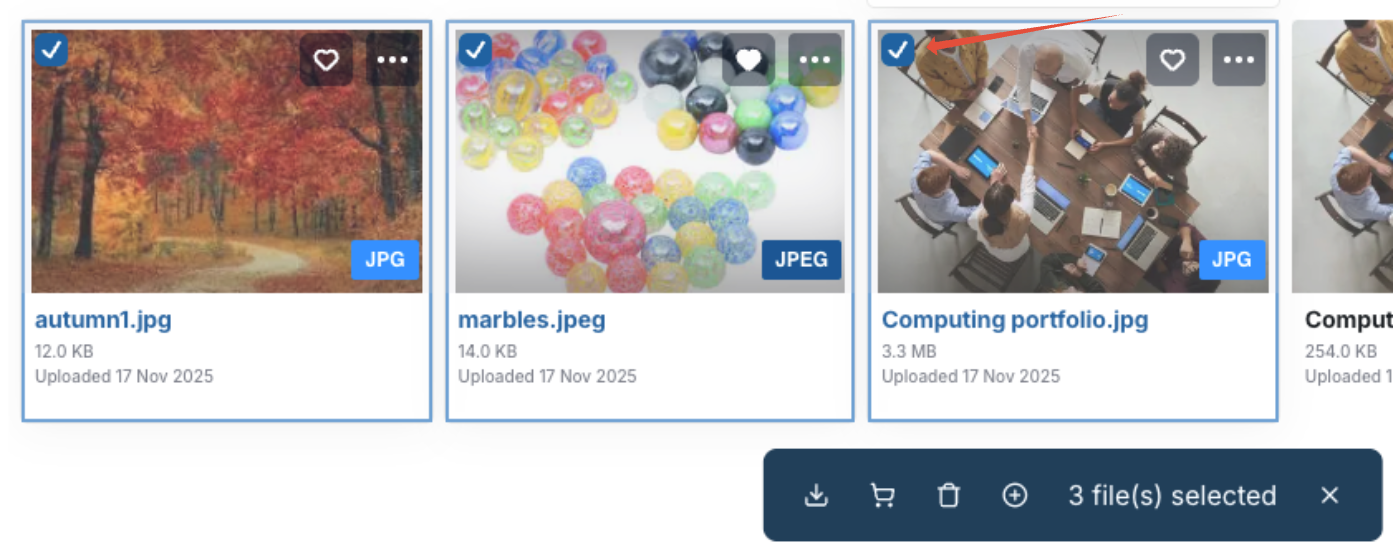
Click here for a comprehensive explanation of Quick Actions.
Was this article helpful?
That’s Great!
Thank you for your feedback
Sorry! We couldn't be helpful
Thank you for your feedback
Feedback sent
We appreciate your effort and will try to fix the article