Similarity Search uses AI-powered image recognition to identify visually similar assets within your Digital Asset Management (DAM) library. Rather than searching by metadata or keywords, Similarity Search compares the visual characteristics of an image to find related assets.
You can access Similarity Search from the asset lightbox or directly from an asset's actions menu.
View Similar Assets
To view visually similar assets:
- Navigate to the folder and select an asset in the DAM.
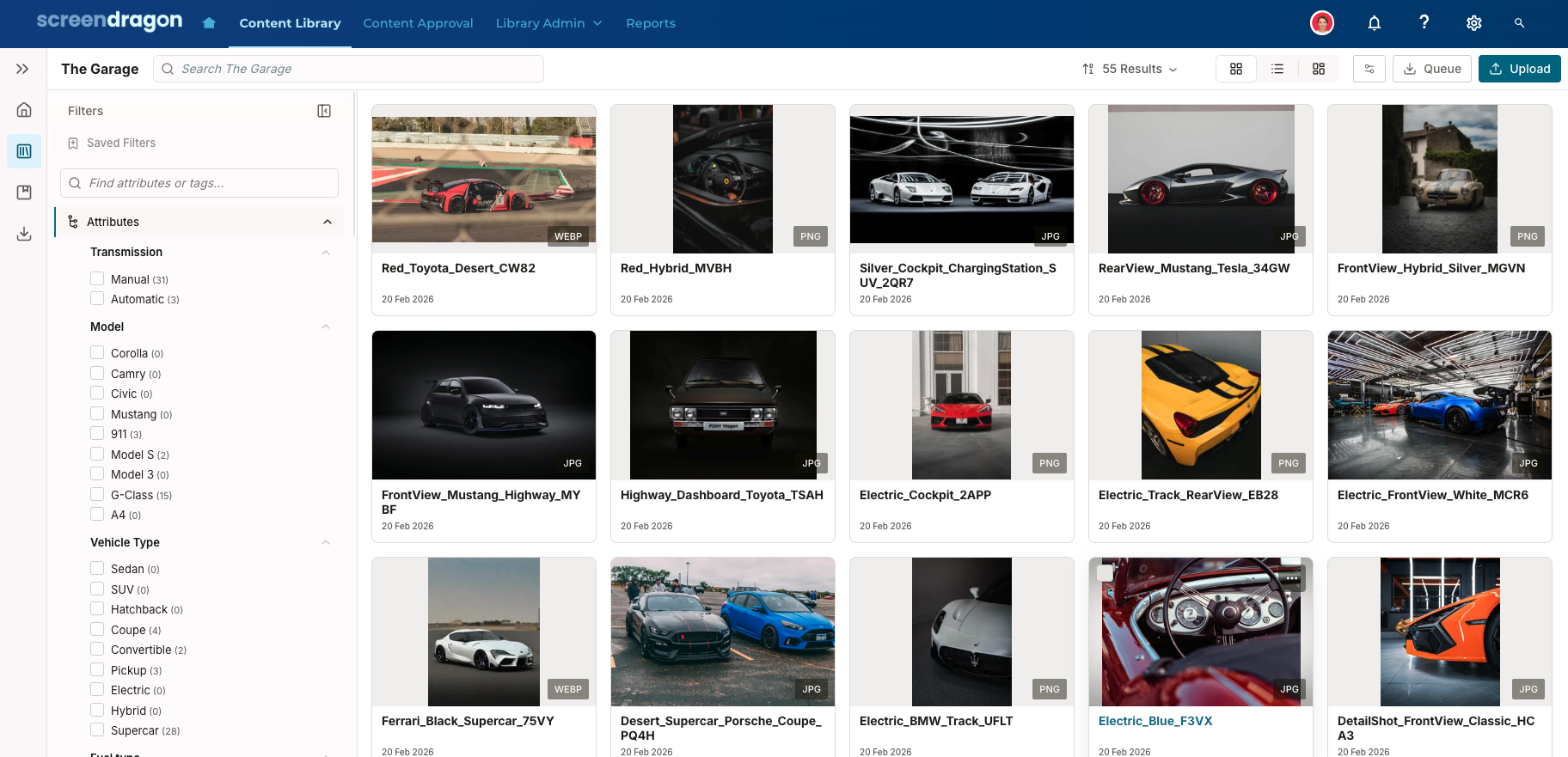
- Click the asset to open the Asset Lightbox. Then, click Similar.
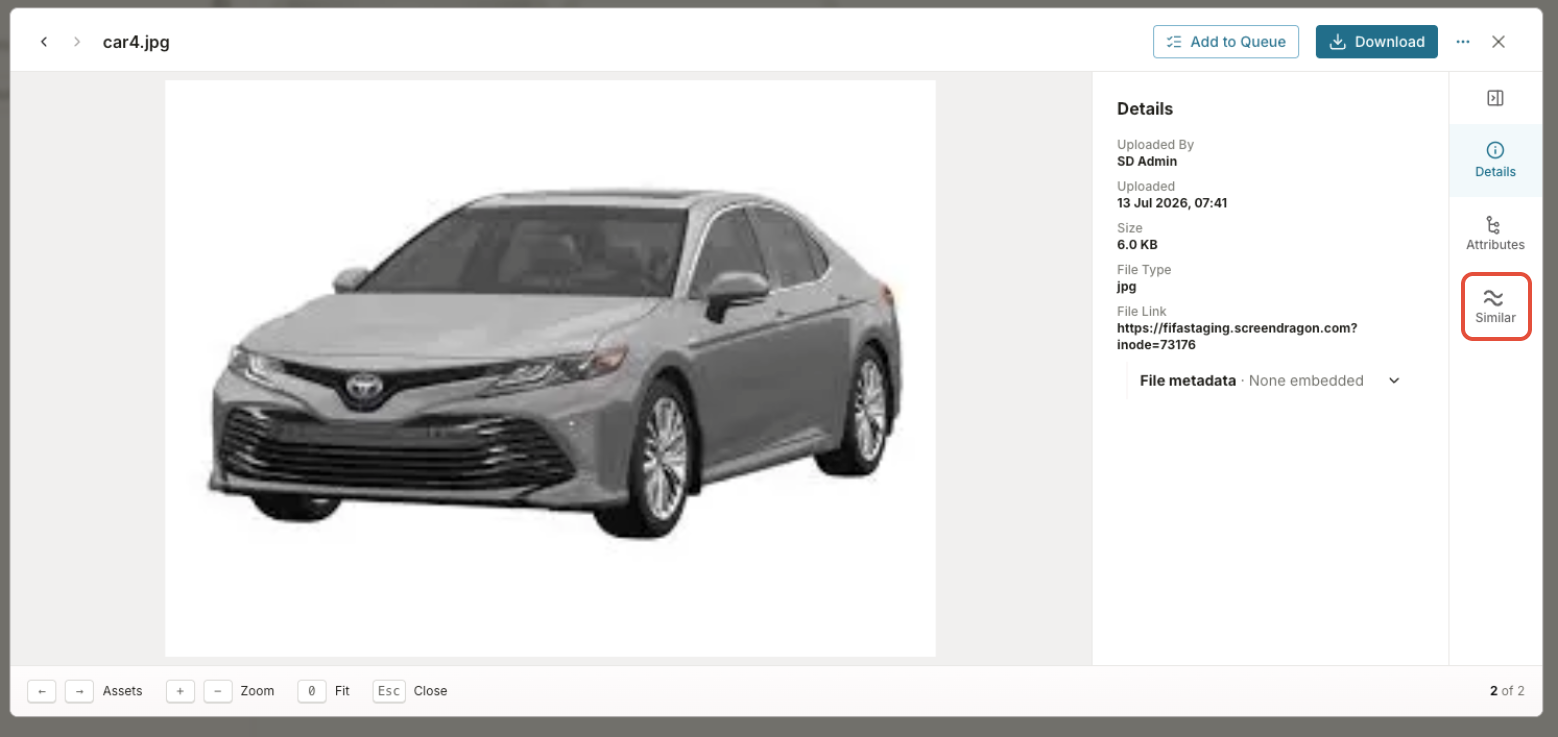
- If there are similar assets that are tagged in the DAM, they appear in the box.
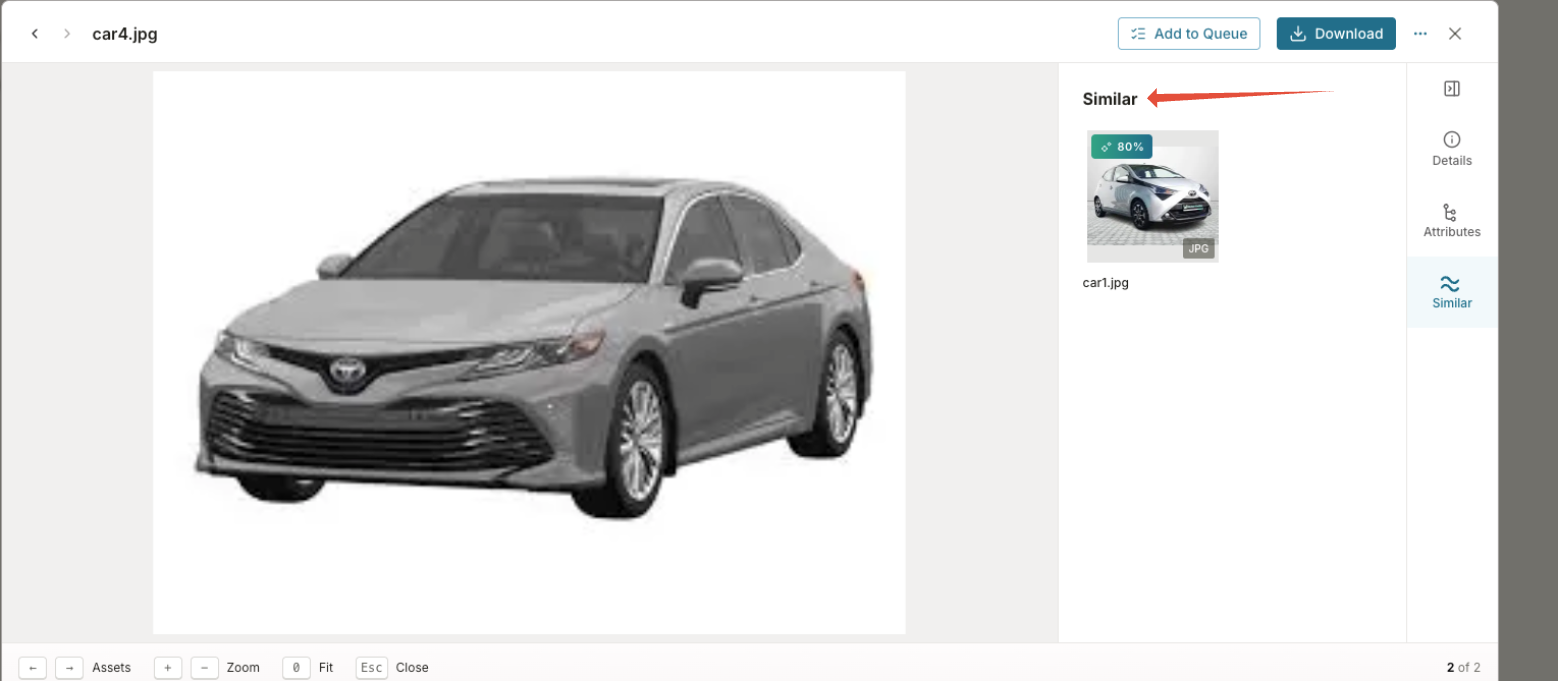
If the selected asset is supported and has completed processing, the Similar tab displays visually related assets ordered by similarity, with the closest matches displayed first.
The initial view displays up to 12 results. Select Load More to display additional matches in groups of 12, up to a maximum of 50 results.
After 50 results have been displayed, select See all similar in full view to open the complete list in the library.
Find Similar Assets from the Library
You can also launch a similarity search directly from the library.
- Select an asset.
- Navigate to the More Actions (three-dot) menu.
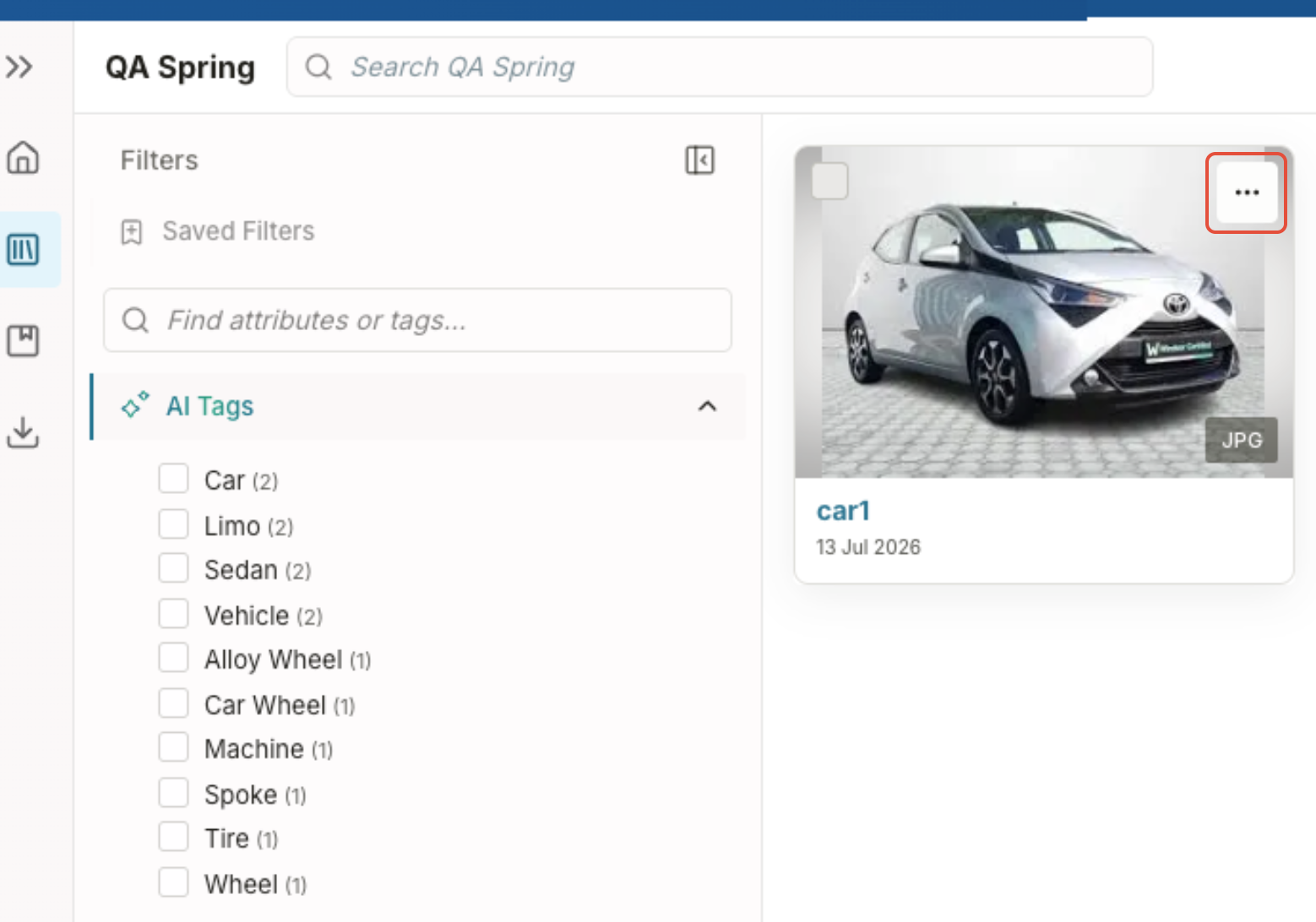
- Select Find Similar Assets.
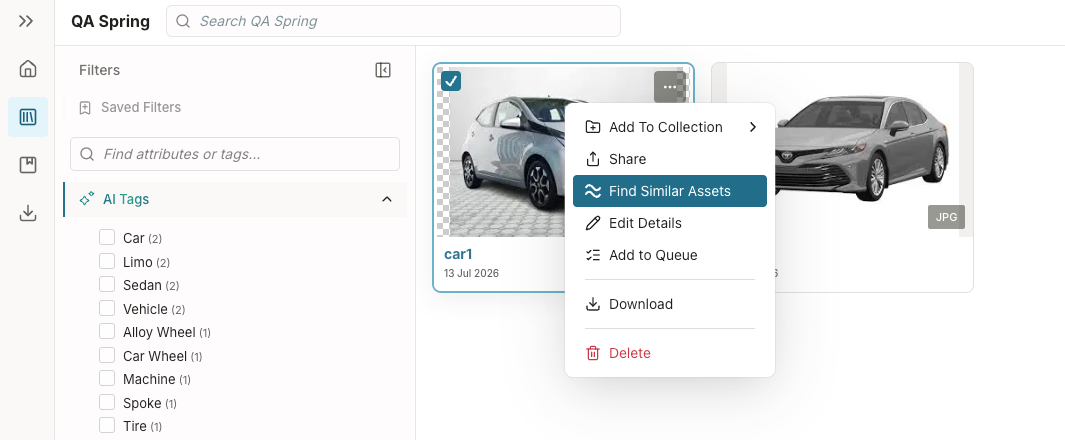
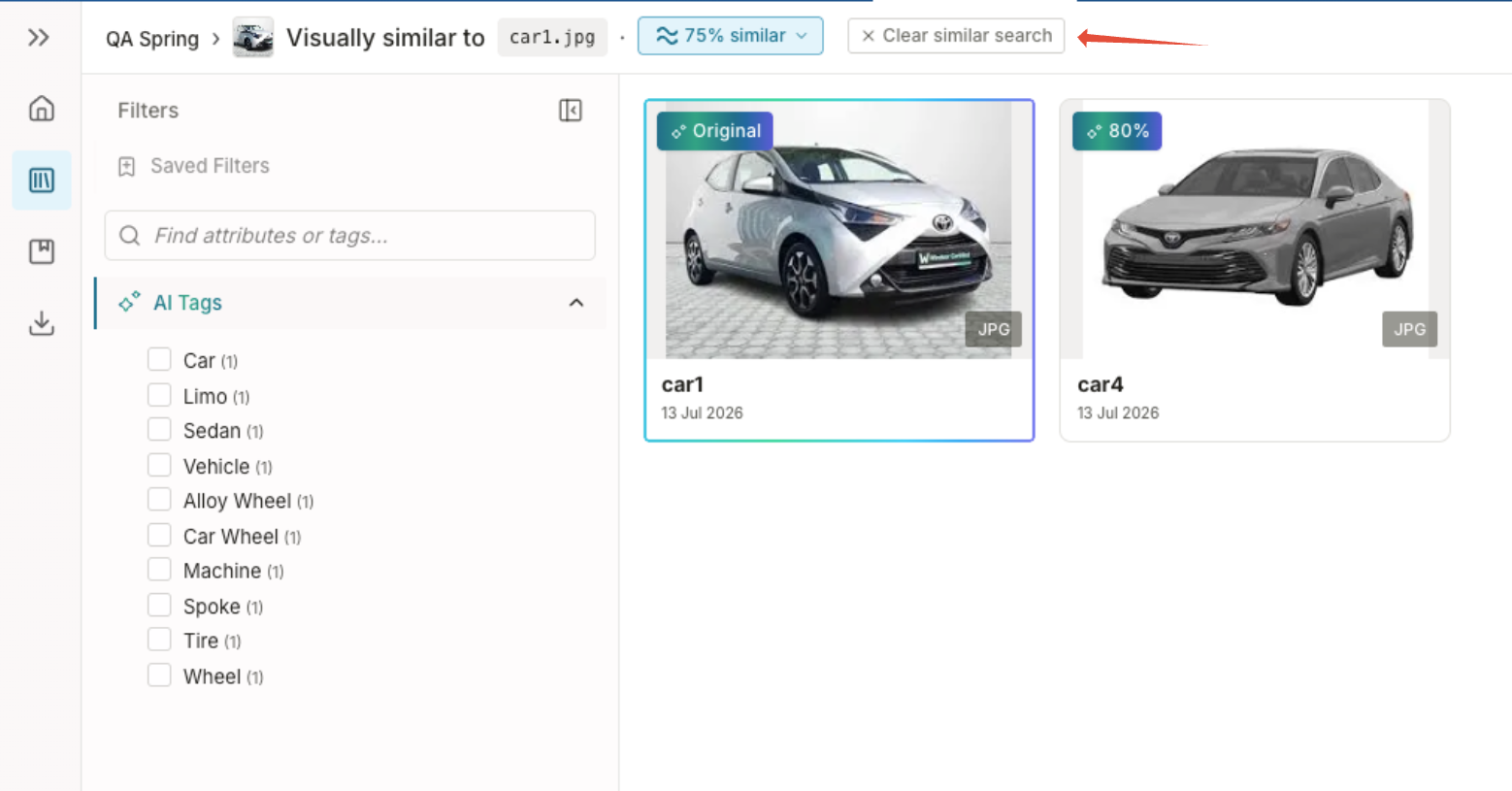
The library opens, displaying only assets that are visually similar to the selected asset.
Similarity Search Results
Similarity Search uses the standard library interface, allowing you to continue working with assets while viewing similar results.
When viewing similarity results, you can:
- Sort results using existing library sorting options.
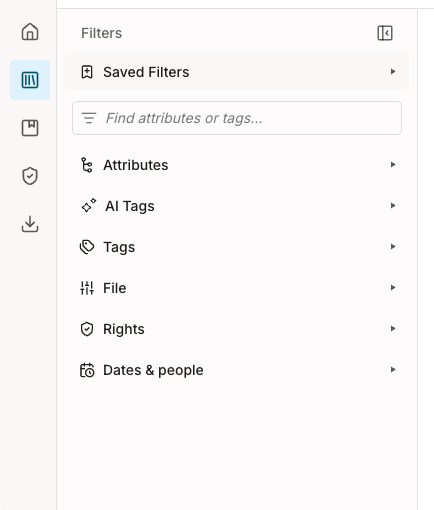
- Apply additional metadata filters to further refine results.
- Switch between available library views.
- Perform supported bulk actions.
- Remove the similarity filter to return to the full library.
Was this article helpful?
That’s Great!
Thank you for your feedback
Sorry! We couldn't be helpful
Thank you for your feedback
Feedback sent
We appreciate your effort and will try to fix the article