AI Auto-Tagging helps accelerate asset classification by automatically generating metadata tag suggestions upon asset upload. Instead of manually creating every tag, users receive AI-generated suggestions that can be reviewed and approved before they become searchable metadata.
This approach improves searchability while ensuring users remain in complete control of the metadata stored against their assets.
Configuring AI-Generated Tag Suggestions
When a new asset or version is uploaded, the AI service automatically analyzes the asset and generates a list of suggested tags.
- Navigate to the landing page in the DAM and click the Manage DAM Settings icon.
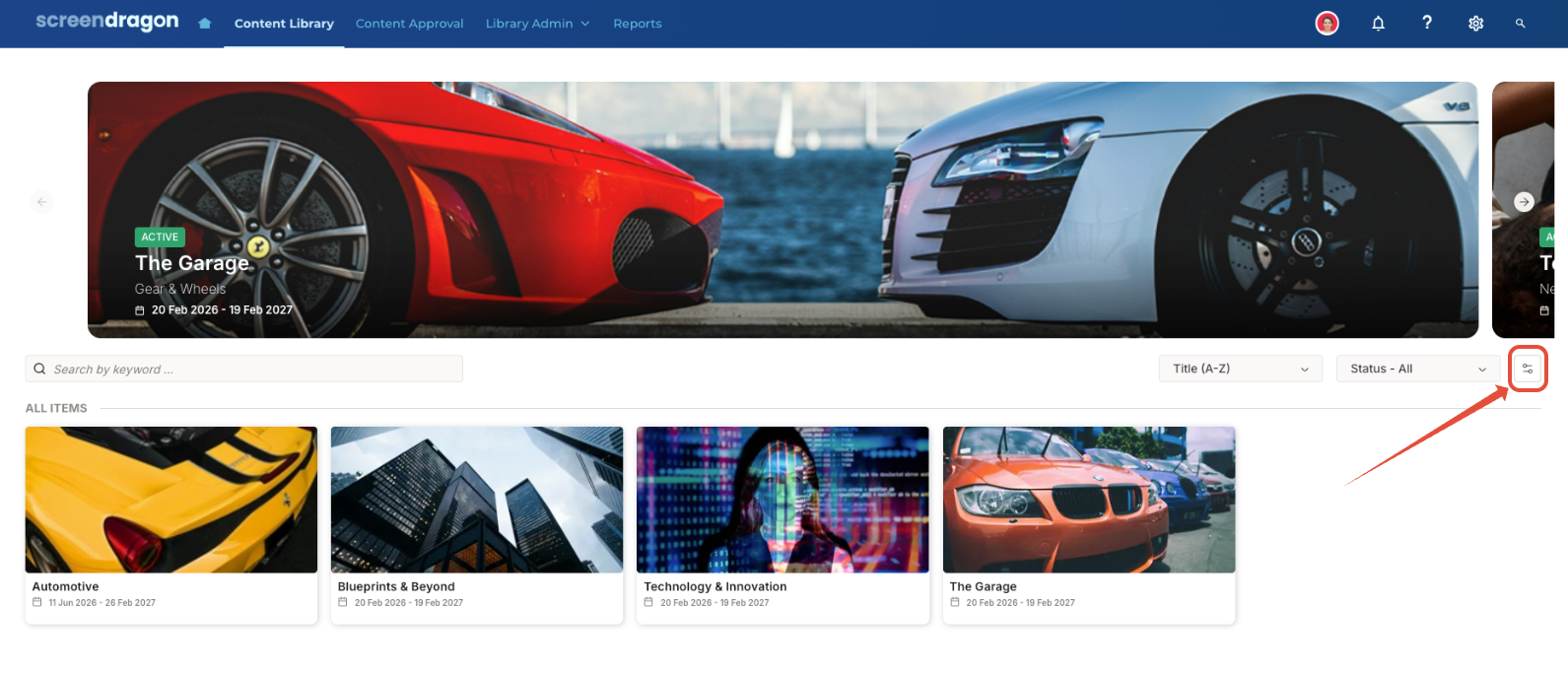
- Here are several settings that need to be enabled.
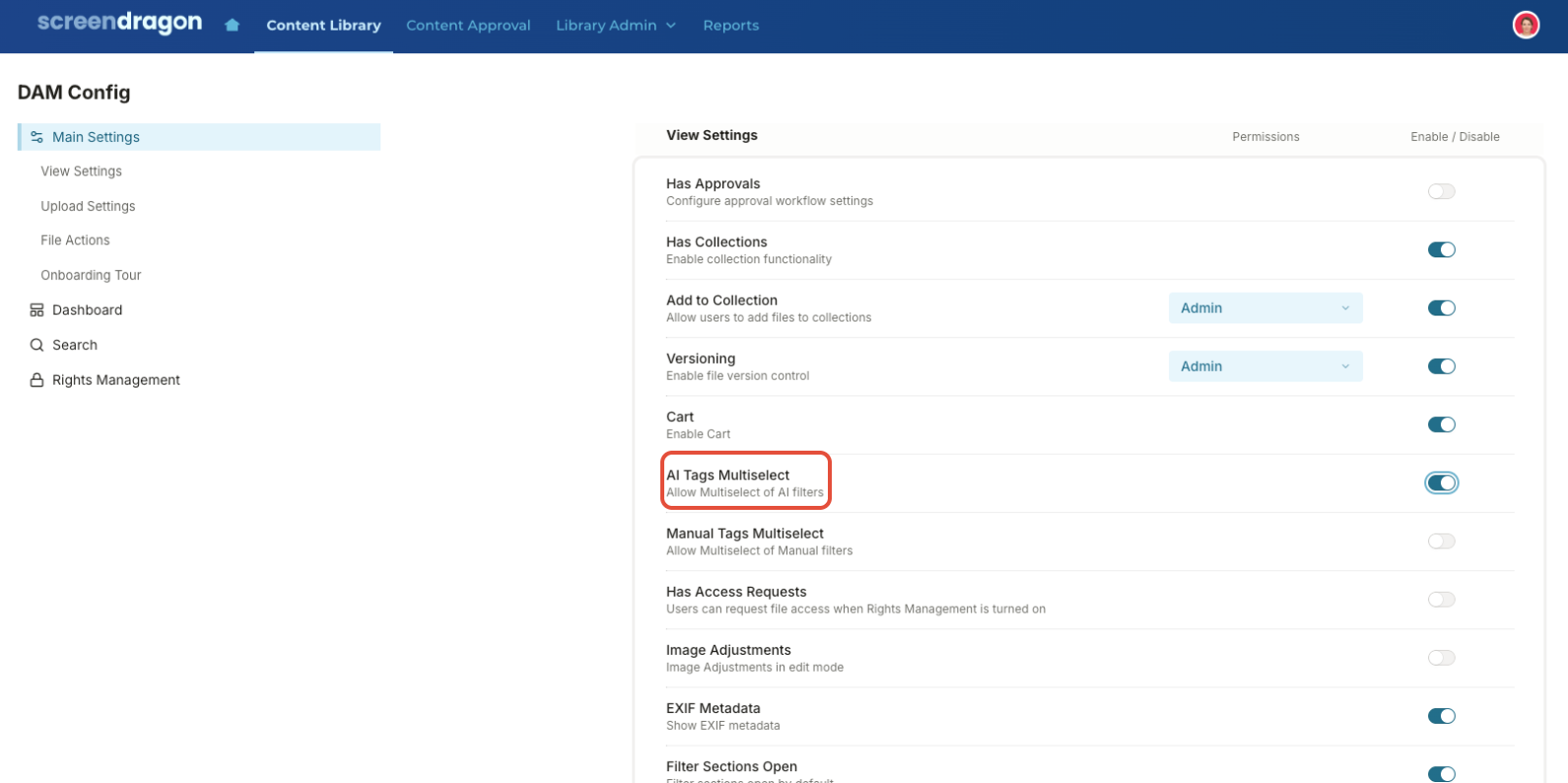
- First, toggle on AI Tags Multi-Select. Enable users to review and approve multiple AI-generated tag suggestions before adding them as searchable asset metadata.
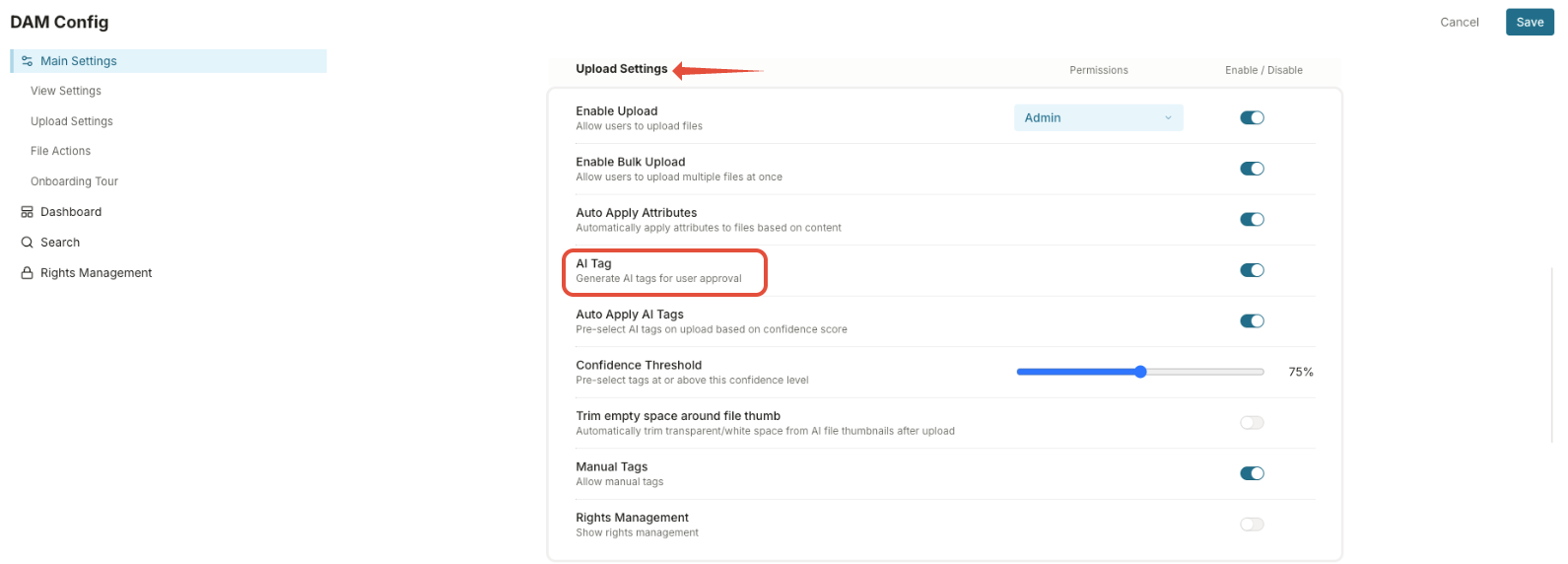
- Next, scroll down to the Upload Settings area and enable AI Tags.
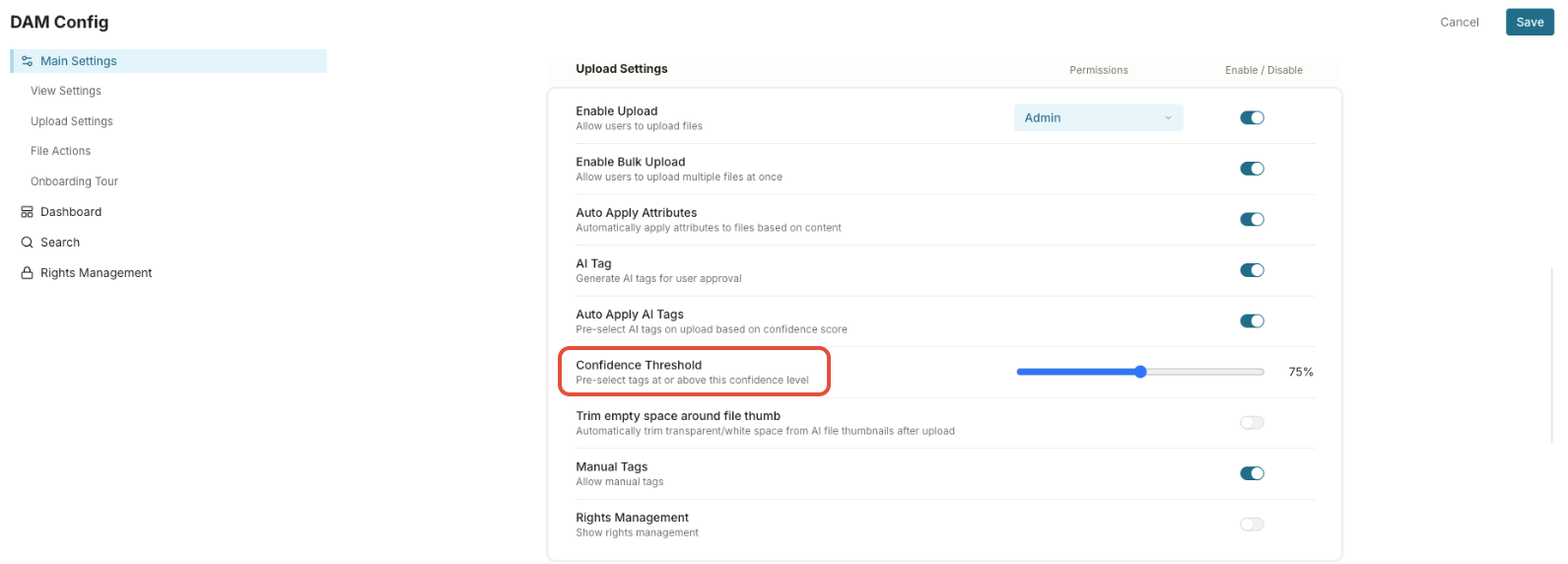
- Specify the Confidence Threshold. Enter the minimum confidence percentage required for AI-generated tag suggestions to be displayed (for example, 75%).
- Click Save to apply your configuration changes.
Note: AI Tagging settings must be enabled in both the global DAM settings and the individual Event settings for the feature to be available. While the global DAM setting enables the feature across the system, each section has its own configuration that can override it. If AI Tagging is disabled at the section level, it will not be available, even if it is enabled globally.
Was this article helpful?
That’s Great!
Thank you for your feedback
Sorry! We couldn't be helpful
Thank you for your feedback
Feedback sent
We appreciate your effort and will try to fix the article