AI Document Comparison allows you to automatically compare multiple supported documents during a workflow using a configured Connection Manager trigger. The selected documents are sent to an external AI comparison service, which analyzes the content and returns any detected differences as System Annotations. After the comparison is complete, the workflow automatically advances to the next configured step.
Before You Begin
Speak to your system administrator to ensure the following prerequisites are met:
- A Connection Manager integration has been configured for the AI comparison service.
- The workflow includes the appropriate Connection Manager trigger.
- The documents to be compared are attached to the workflow.
- The documents are one of the supported file types.
Run an AI Document Comparison
When the workflow reaches the configured Connection Manager trigger:
- The trigger sends the selected documents to the configured AI comparison service.
- Once all details are entered on the form and reviewers are assigned, click Submit to initiate the content approval workflow.
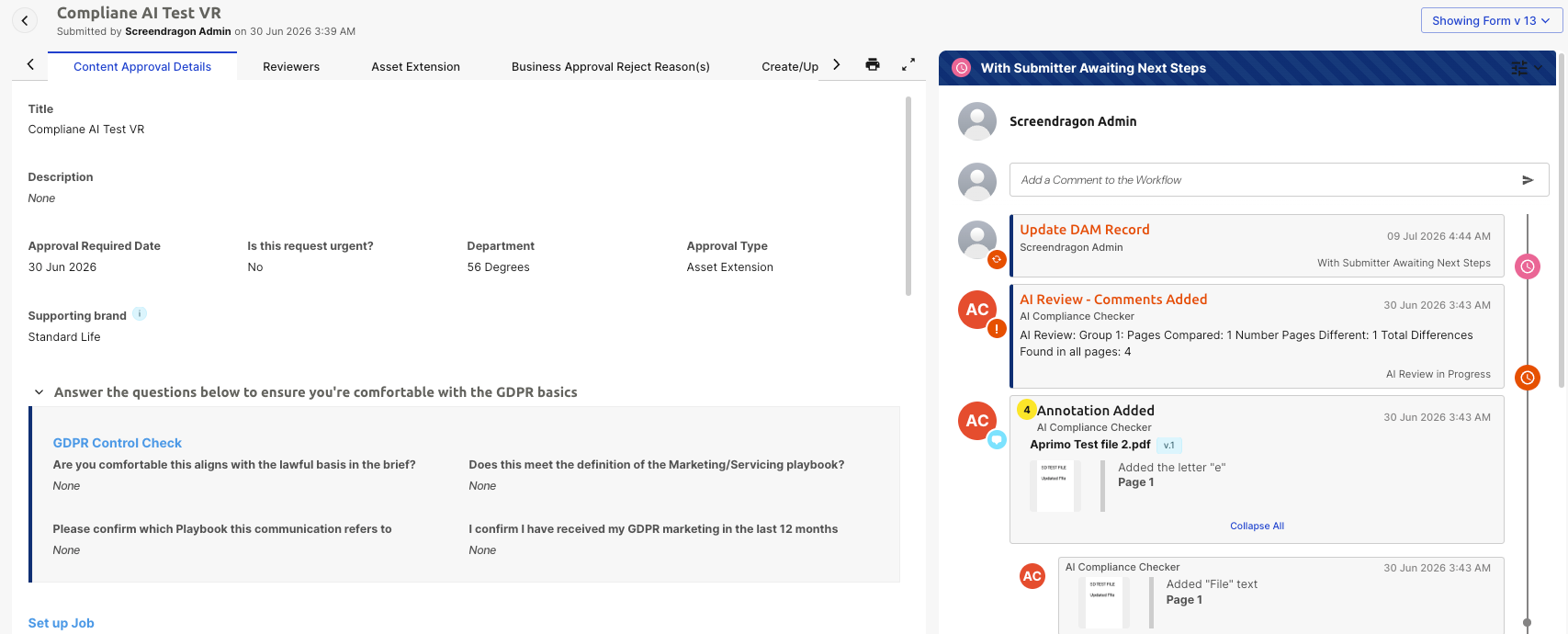
- AI compares the documents and identifies any differences.
- Detected differences are returned to Screendragon as System Annotations. The annotations are added directly to the compared documents.
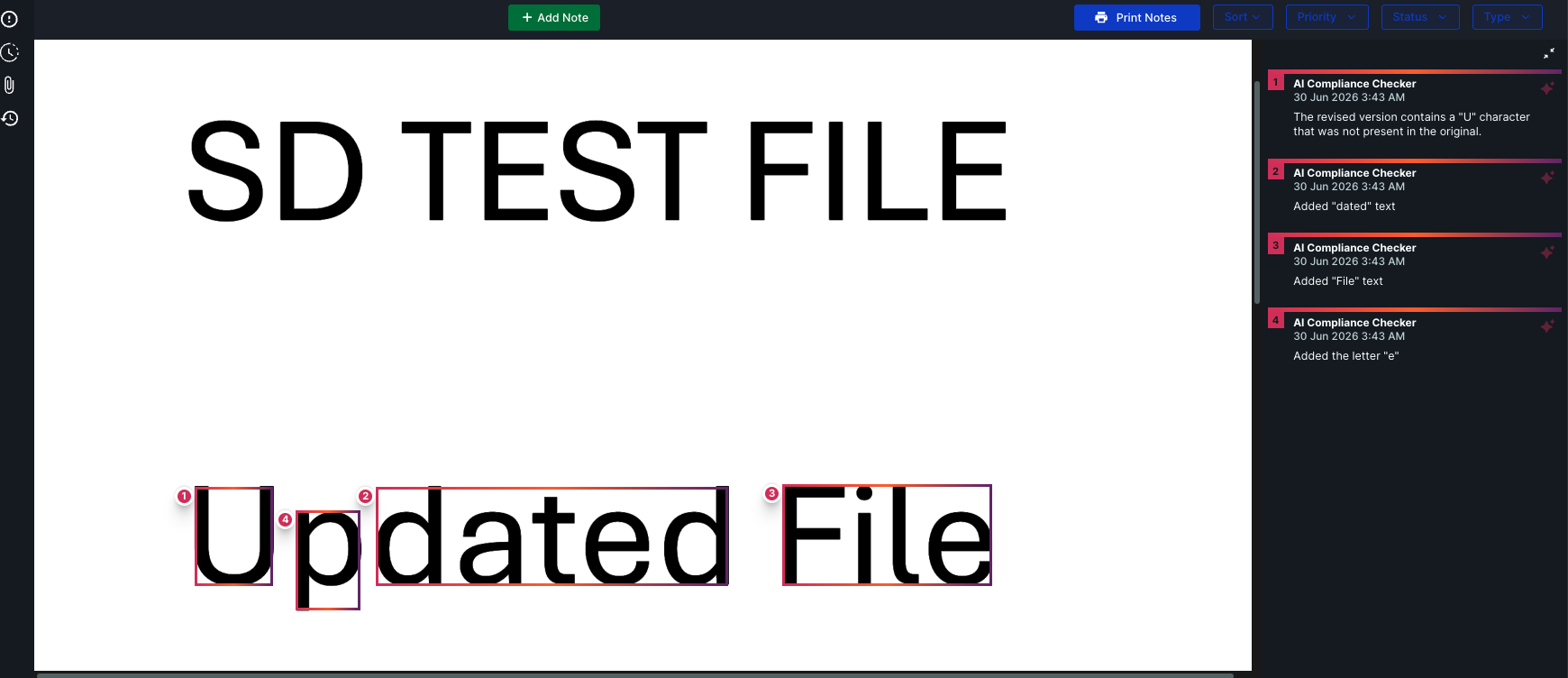
- After processing completes, the workflow automatically progresses to the next workflow step.
No user interaction is required while the comparison is being processed.
Supported File Types
AI Document Comparison supports the following file types:
- PDF (.pdf)
- Microsoft Word (.docx)
- Microsoft PowerPoint (.pptx)
Files in unsupported formats are not processed by the AI comparison service.
Notes
- AI Document Comparison is initiated through a configured Connection Manager trigger.
- The workflow automatically continues after the comparison has completed successfully.
- Comparison results are displayed as System Annotations within the supported documents.
- The accuracy of the comparison depends on the capabilities of the configured AI service.
Was this article helpful?
That’s Great!
Thank you for your feedback
Sorry! We couldn't be helpful
Thank you for your feedback
Feedback sent
We appreciate your effort and will try to fix the article