OCR (Optical Character Recognition) Content Search extends search capabilities within the Digital Asset Management (DAM) library by indexing text contained inside supported files. In addition to searching filenames, metadata, and tags, you can now search for text that appears within documents and images.
OCR processing is performed automatically when supported assets are uploaded, making document content searchable without requiring manual tagging.
Search Document Content
Use OCR Content Search to locate assets based on text contained within supported files.
For example, you can search for:
- Contract numbers contained within a PDF.
- Text inside Microsoft Word documents.
- Content within presentations.
- Printed text contained in images.
Matching assets are returned alongside standard search results.
OCR Search Results
When a search result is returned based on text identified through OCR:
- The asset is marked with an In-document match indicator.
- Matching text is highlighted within the search results where applicable.
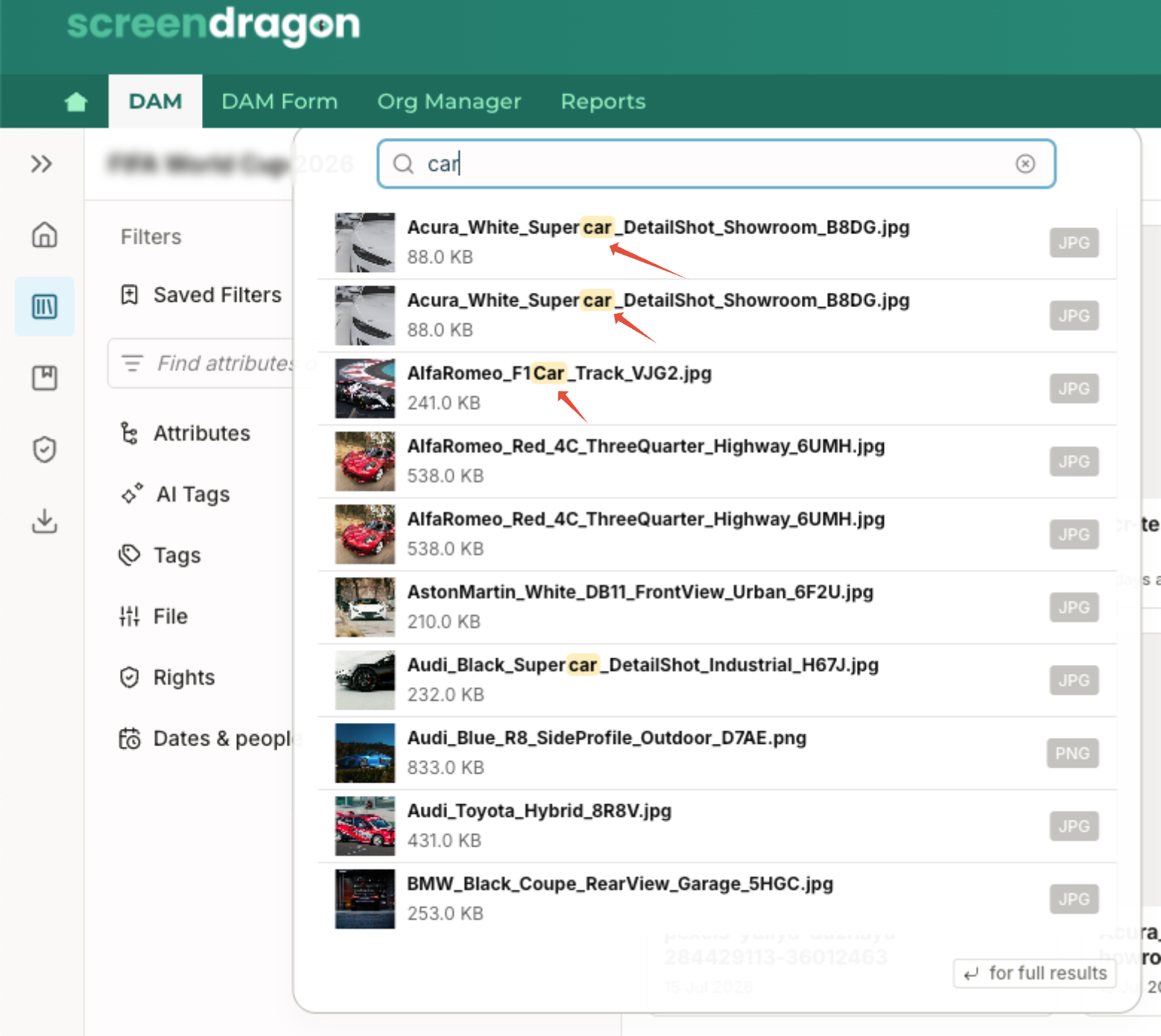
- OCR matches appear alongside standard metadata and keyword matches.
To prioritize the most relevant results, matches found in an asset's title, filename, or metadata are displayed before OCR-only matches.
Refine OCR Search Results
OCR Content Search works with existing DAM search filters, allowing you to narrow results using additional criteria.
For example, you can combine OCR searches with:
- Asset type
- Metadata filters
- Categories
- Existing search keywords
This enables searches such as locating documents containing a specific contract number while limiting results to a particular document type or metadata value.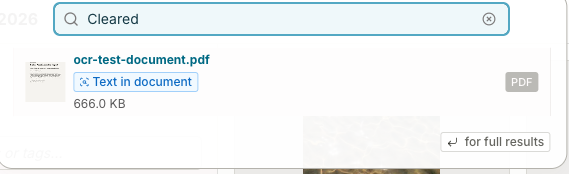
How OCR Content Search Works
When a supported asset is uploaded:
- The system automatically performs Optical Character Recognition (OCR) on the asset.
- Text identified within the file is indexed for search.
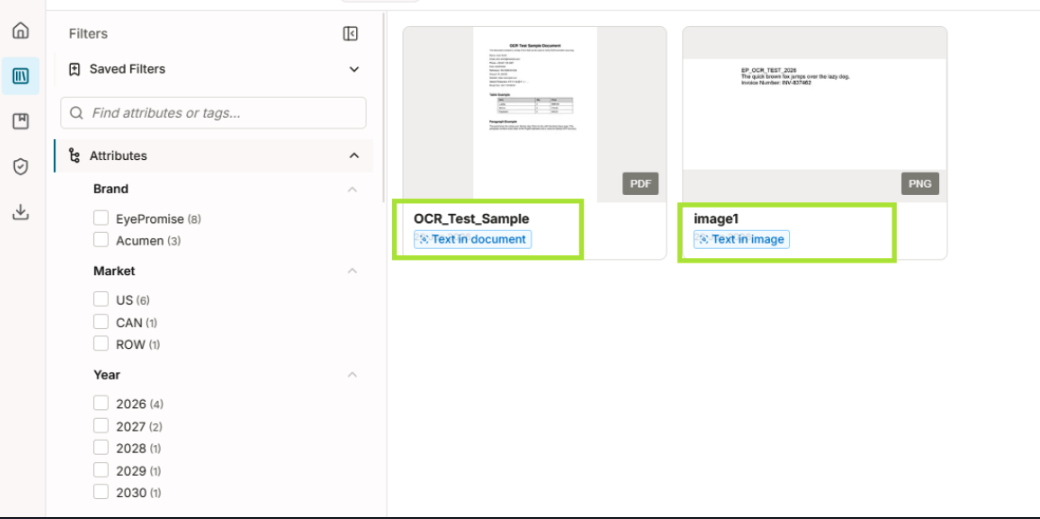
- The indexed content becomes available through the standard DAM search experience.
- Assets containing matching text are identified with an In-document match indicator in the search results.
No additional configuration or manual indexing is required.
Supported File Types
OCR Content Search supports text recognition for the following asset types:
- PDF documents
- Microsoft Word documents
- Microsoft PowerPoint presentations
- Image files containing readable text
Only assets that have completed OCR processing are searchable by their document content.
Was this article helpful?
That’s Great!
Thank you for your feedback
Sorry! We couldn't be helpful
Thank you for your feedback
Feedback sent
We appreciate your effort and will try to fix the article