TABLE OF CONTENTS
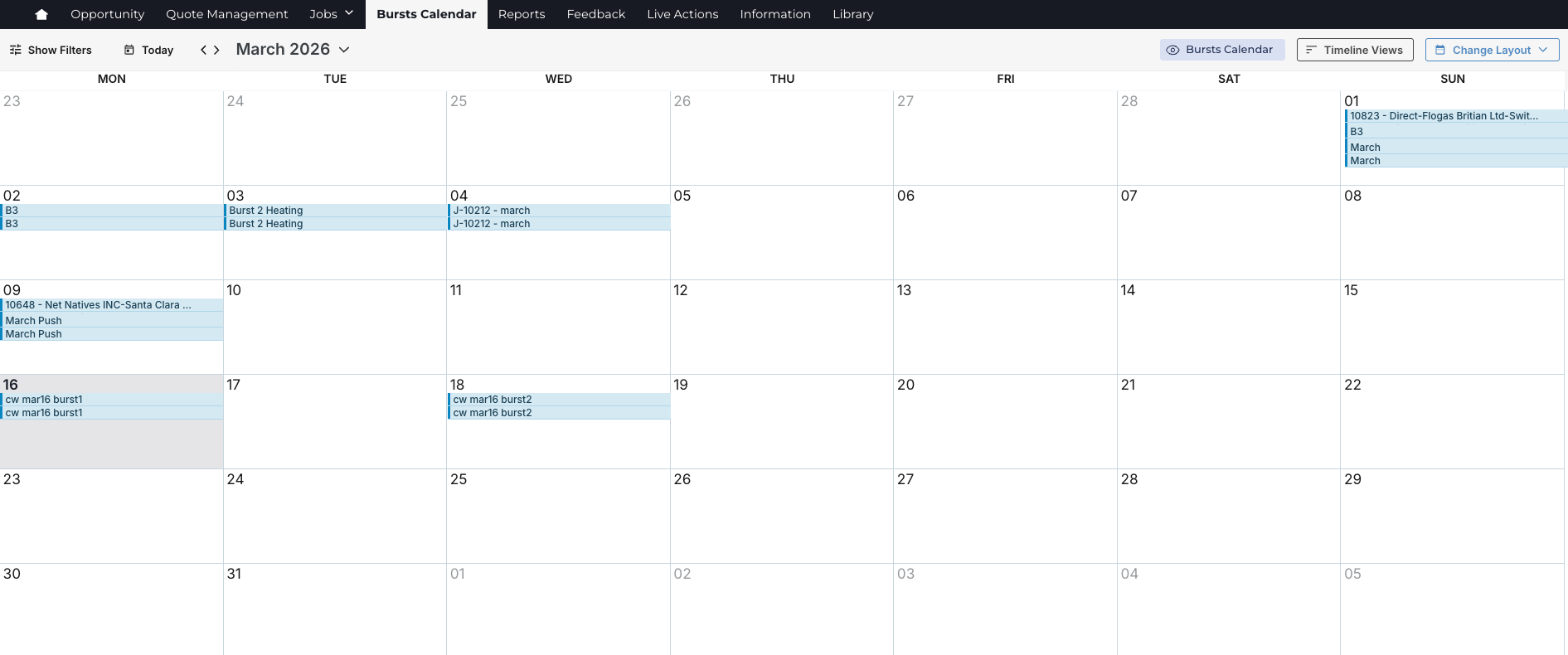
The Marketing Calendar provides a centralized visual timeline of marketing activities, campaigns, events, and project milestones.
It allows teams to plan, coordinate, and track work across multiple projects and workflows in a clear calendar format. By surfacing key dates and activities in one place, the Marketing Calendar improves visibility, alignment, and confidence in delivery across marketing operations.
Users can view scheduled work, identify overlaps or gaps, and take quick action to update or progress calendar items without navigating into individual projects.
Accessing the Marketing Calendar
- Navigate to the calendar from the navigation menu. (An admin must configure this feature.)

- The calendar displays scheduled activities based on your permissions and configuration.
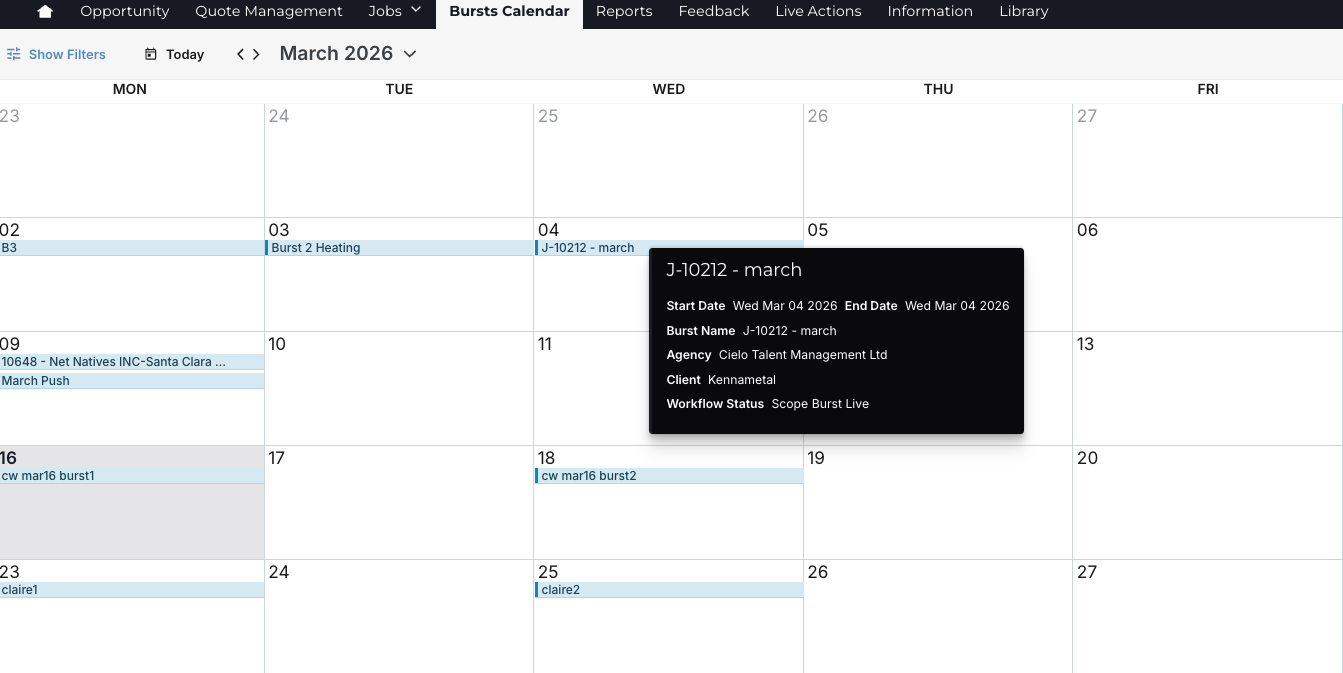
- Hover over an event to quickly see key details about the scheduled activity.
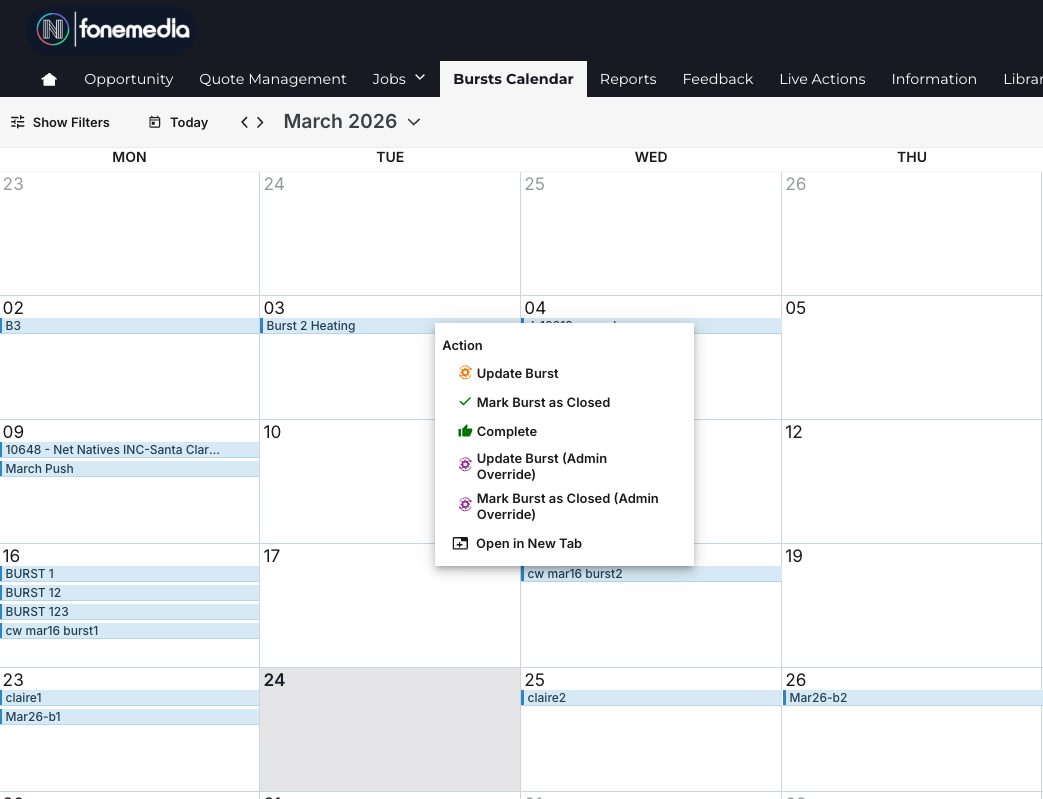
- Right-click an event or detail to see the available workflow actions. You can click and update the workflow right in the calendar, eliminating the need to navigate back to the project or brief where the event is located.
These enhancements reduce wait times, keep data in sync across views, and give teams a more efficient way to manage bookings and schedules.
Using Filters
Filters help users focus on the most relevant activities.
Common filter options may include:
- Date range: manage the date ranges you want to view using the date dropdown.
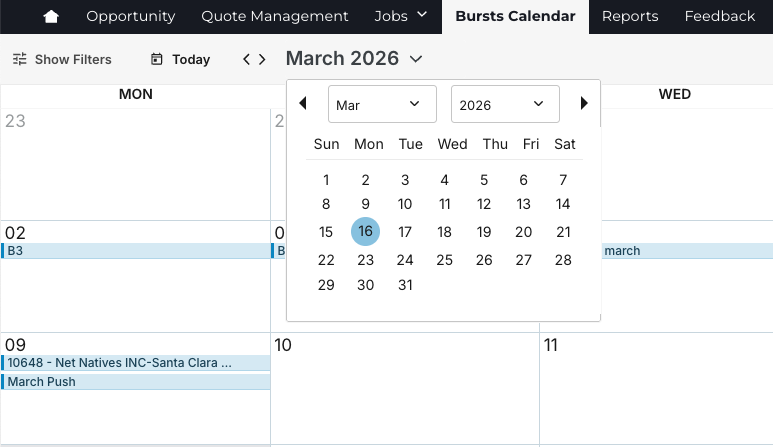
You can also adjust the calendar view to display a month, three months, a week, a full year, and more.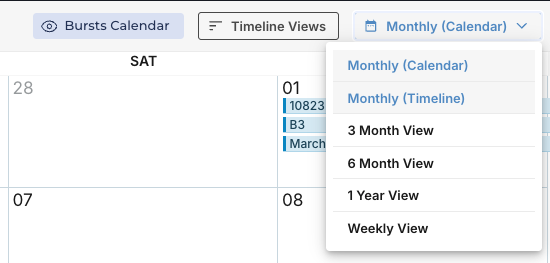
- Project type or campaign category: Click a filter option to narrow the items displayed in the Calendar. Filters are configurable and can be built by an admin to fit your needs.
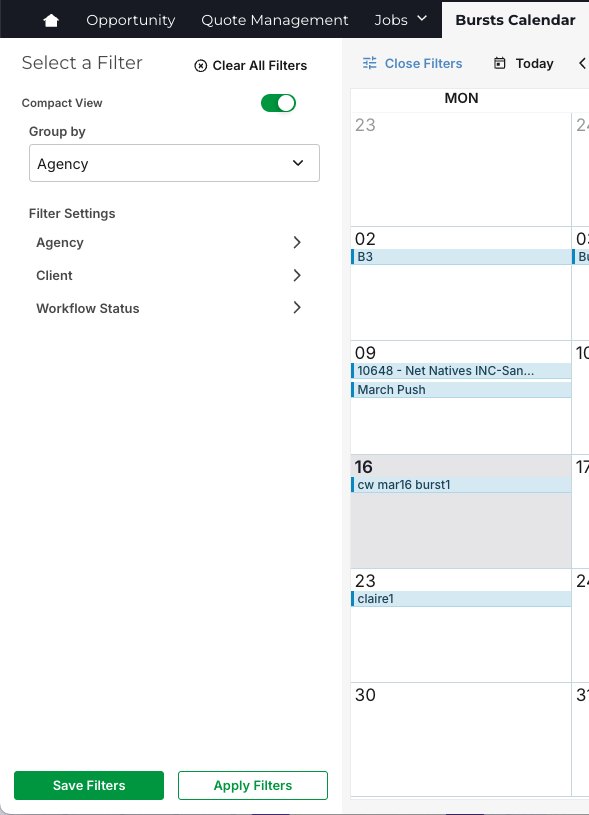
- Assigned user or team: You can create filters to select the user or team assigned to a project or campaign.
- Status or workflow stage: Filter items in the calendar by their workflow stage.
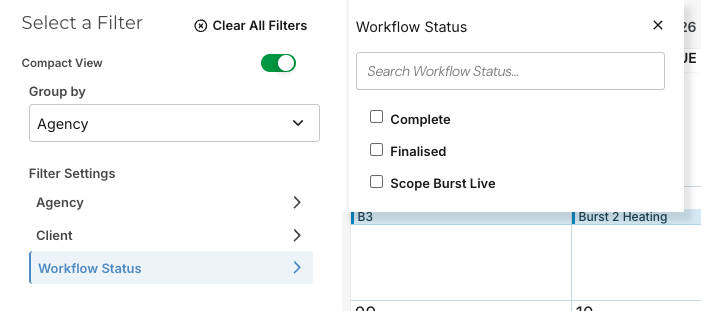
Filters can be expanded or collapsed as configured to improve calendar performance and usability.
Best Practices
To get the most value from the Marketing Calendar:
- Ensure key projects and tasks have accurate start and end dates
- Use consistent metadata tagging to support filtering and reporting
- Regularly review upcoming activity to identify scheduling risks
- Use workflow actions to keep calendar information current
- Limit overly broad filters to improve performance and clarity
Was this article helpful?
That’s Great!
Thank you for your feedback
Sorry! We couldn't be helpful
Thank you for your feedback
Feedback sent
We appreciate your effort and will try to fix the article