Home Page
The Form View Config admin tool controls what users see when they open a list of forms on the front end. Whether a list appears within a Workflow section, as a standalone top navigation item, or within a Project section, the Form View Config determines the content returned.
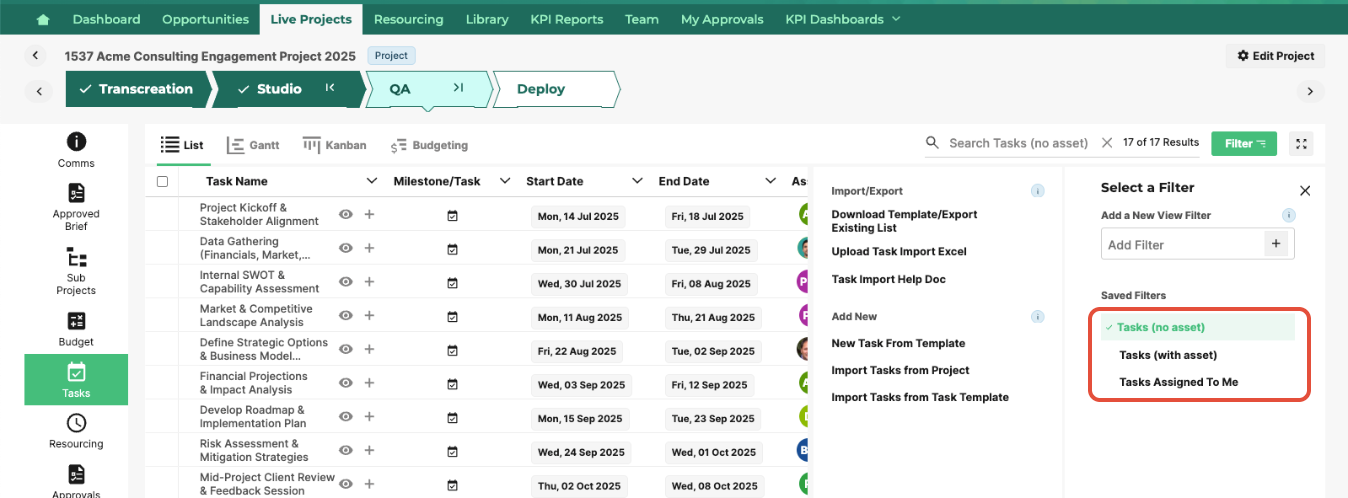
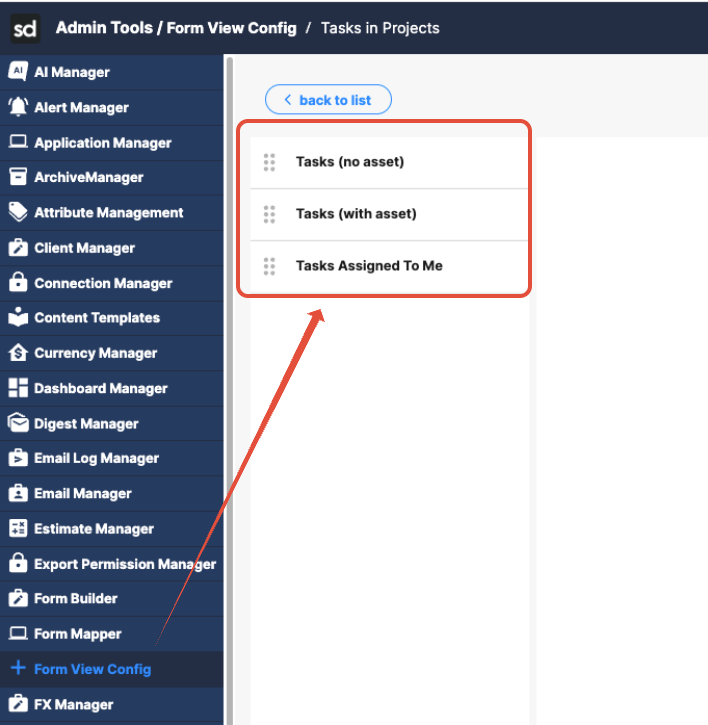
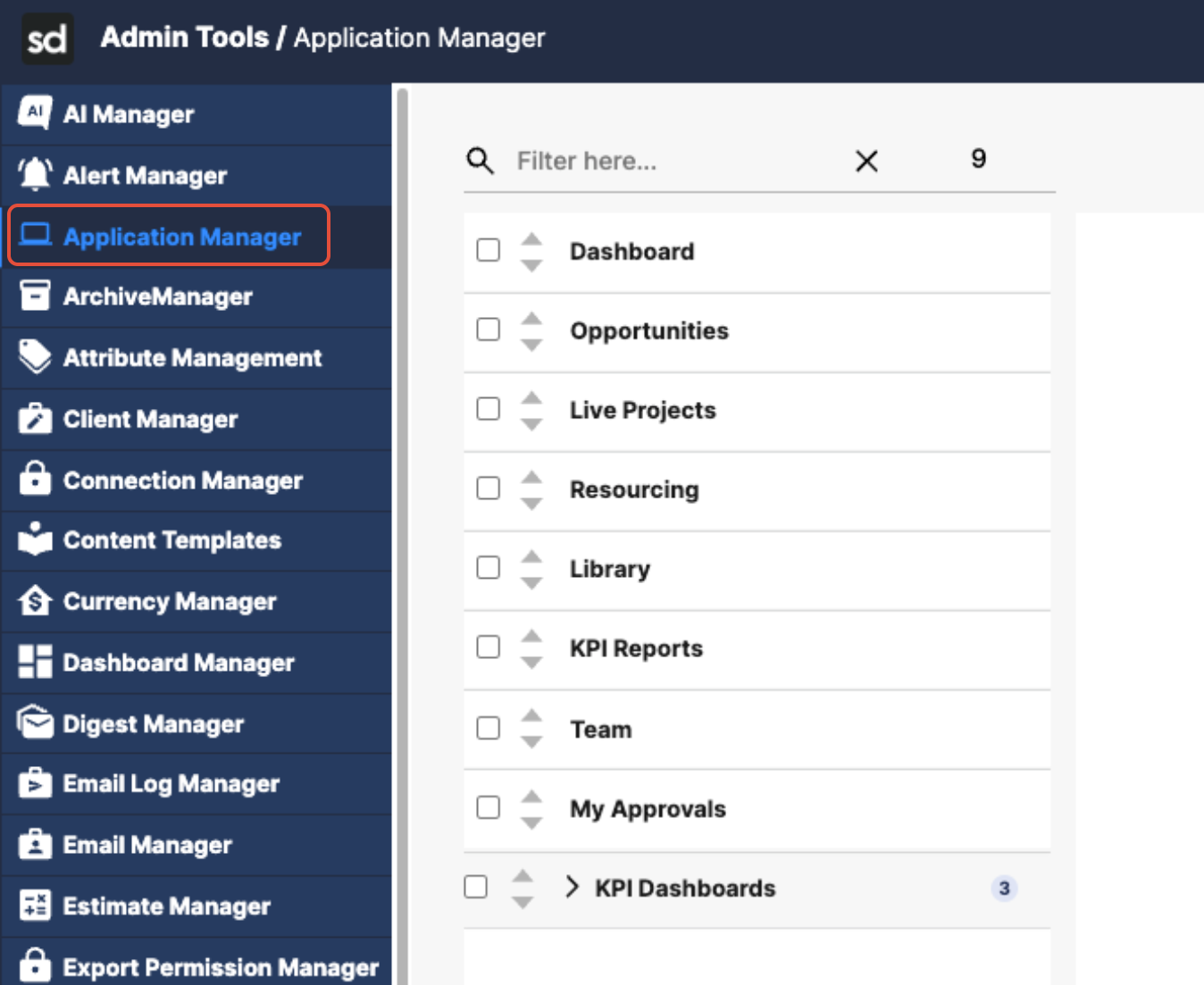
For example, the form view configs you create can be linked to a form list section that appears in the main nav via the application manager.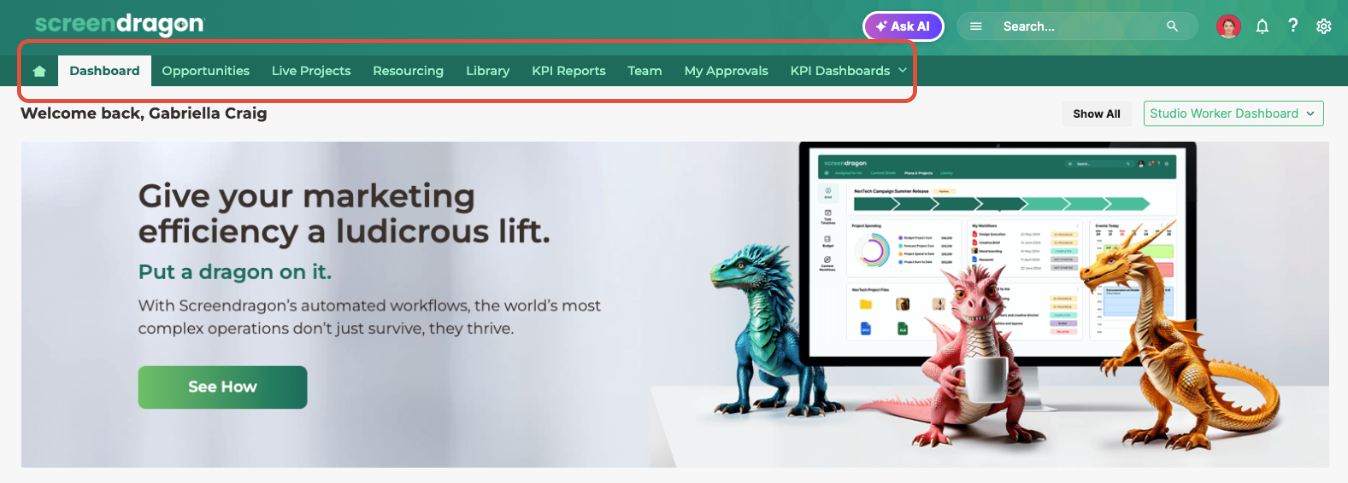
Each Form View Config contains one or more views. These views define the lists available to users on the front end, along with the configuration behind each list. Each view references a FormList. The Form List determines which columns of data appear.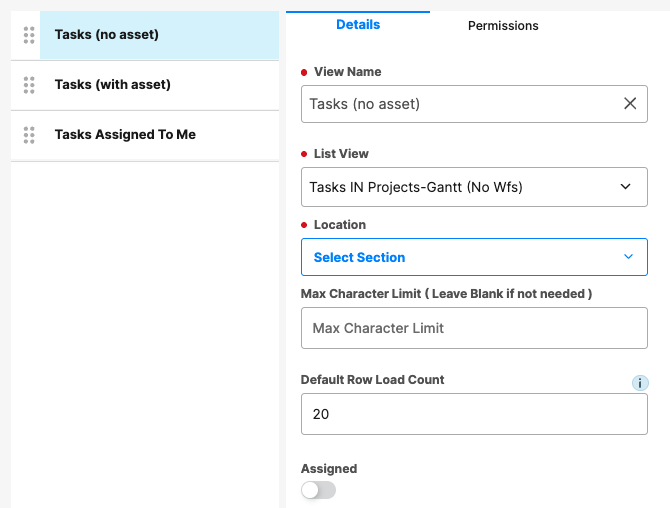
The Form View Config also determines the data displayed and who can see it. 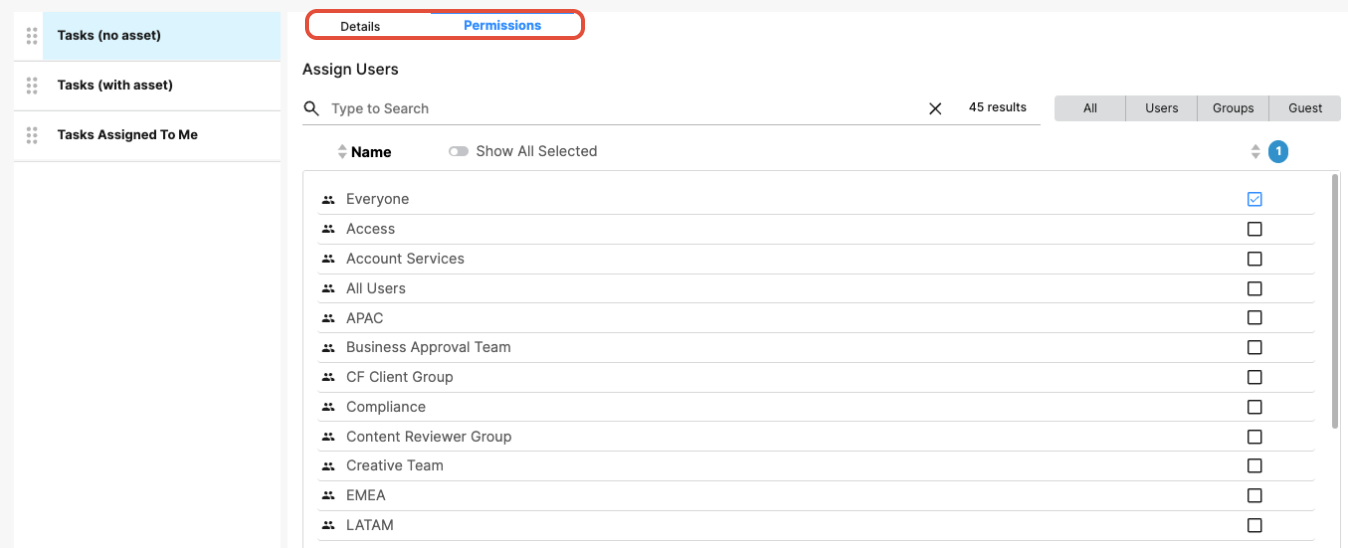
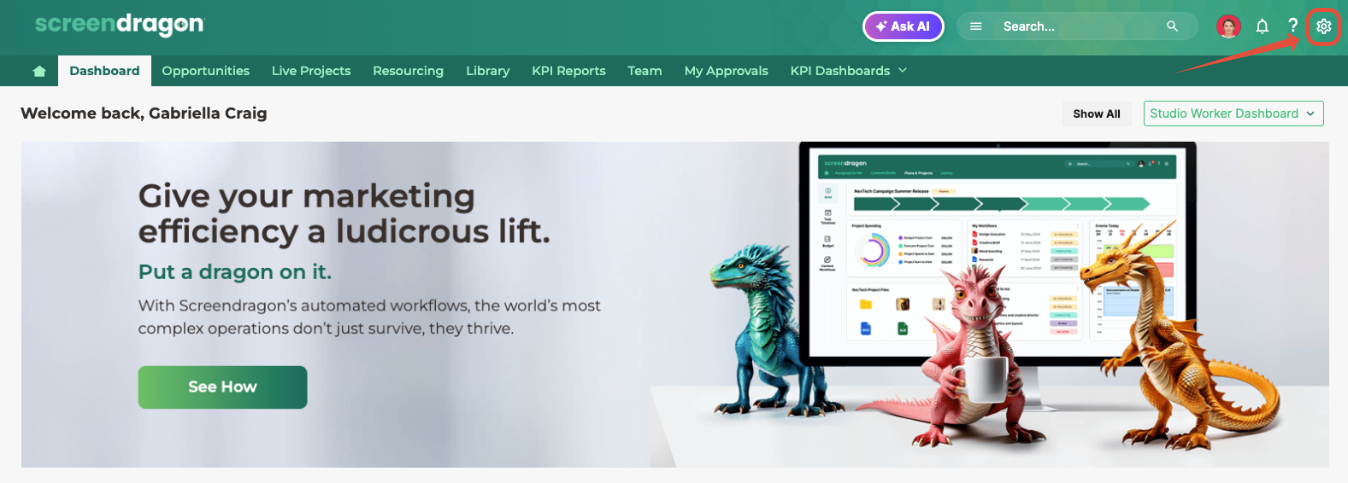
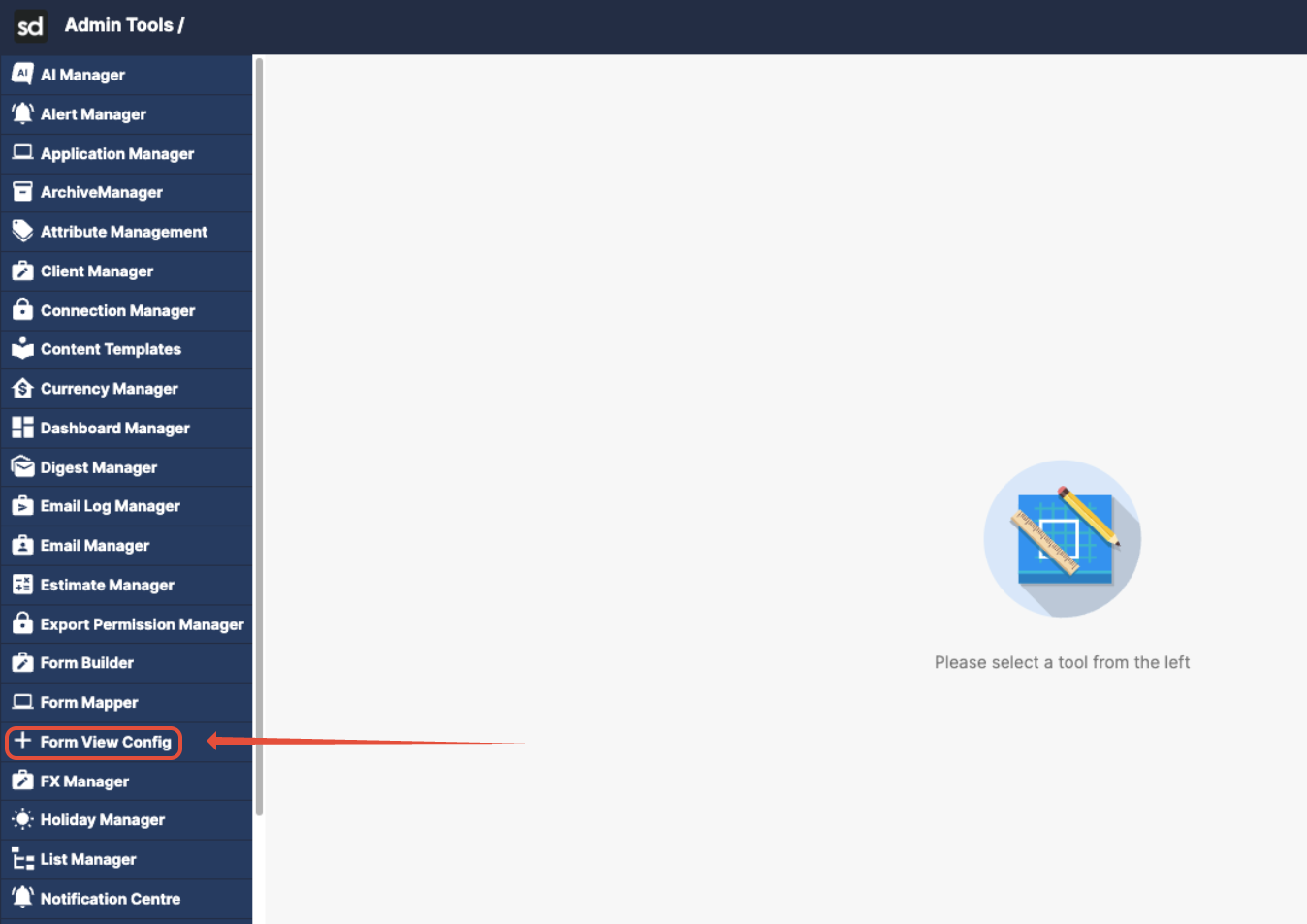
The Form View Config is accessed through the Admin Tools menu. When you open it, you see all Form View Configs in the system, each showing the number of views it contains. You can open, clone, reorder, or edit existing views.
Next Step: Identify which form view configuration is used on the front end.
Was this article helpful?
That’s Great!
Thank you for your feedback
Sorry! We couldn't be helpful
Thank you for your feedback
Feedback sent
We appreciate your effort and will try to fix the article