Screendragon can streamline the transition of token users into fully provisioned system users, removing the need for manual admin intervention.
Note: You must create the triggers before you can leverage this conversion. For details on creating triggers, click here.
Converting a Token User
In the Admin area, navigate to the left-hand menu and click Workflow Builder.
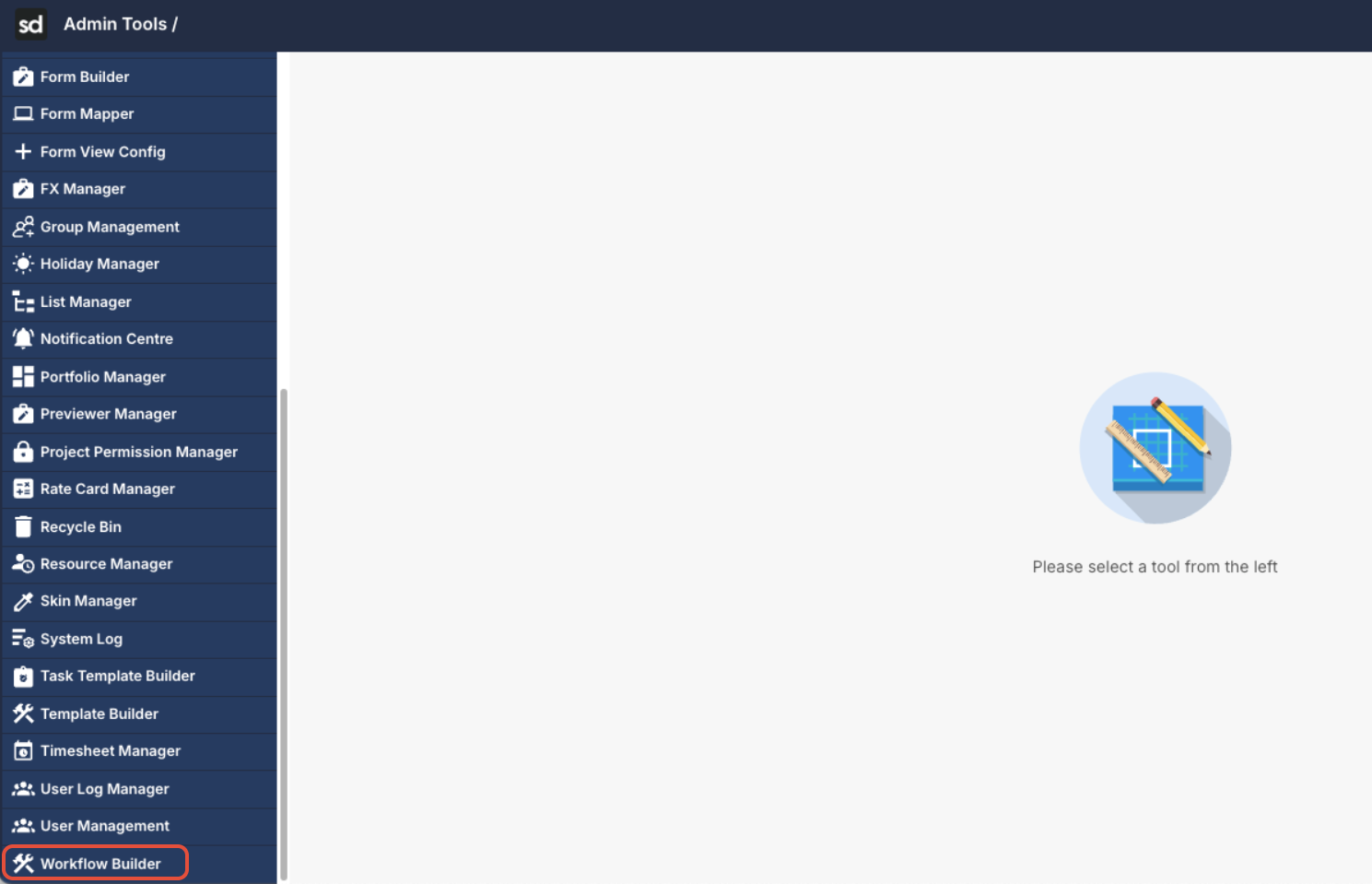
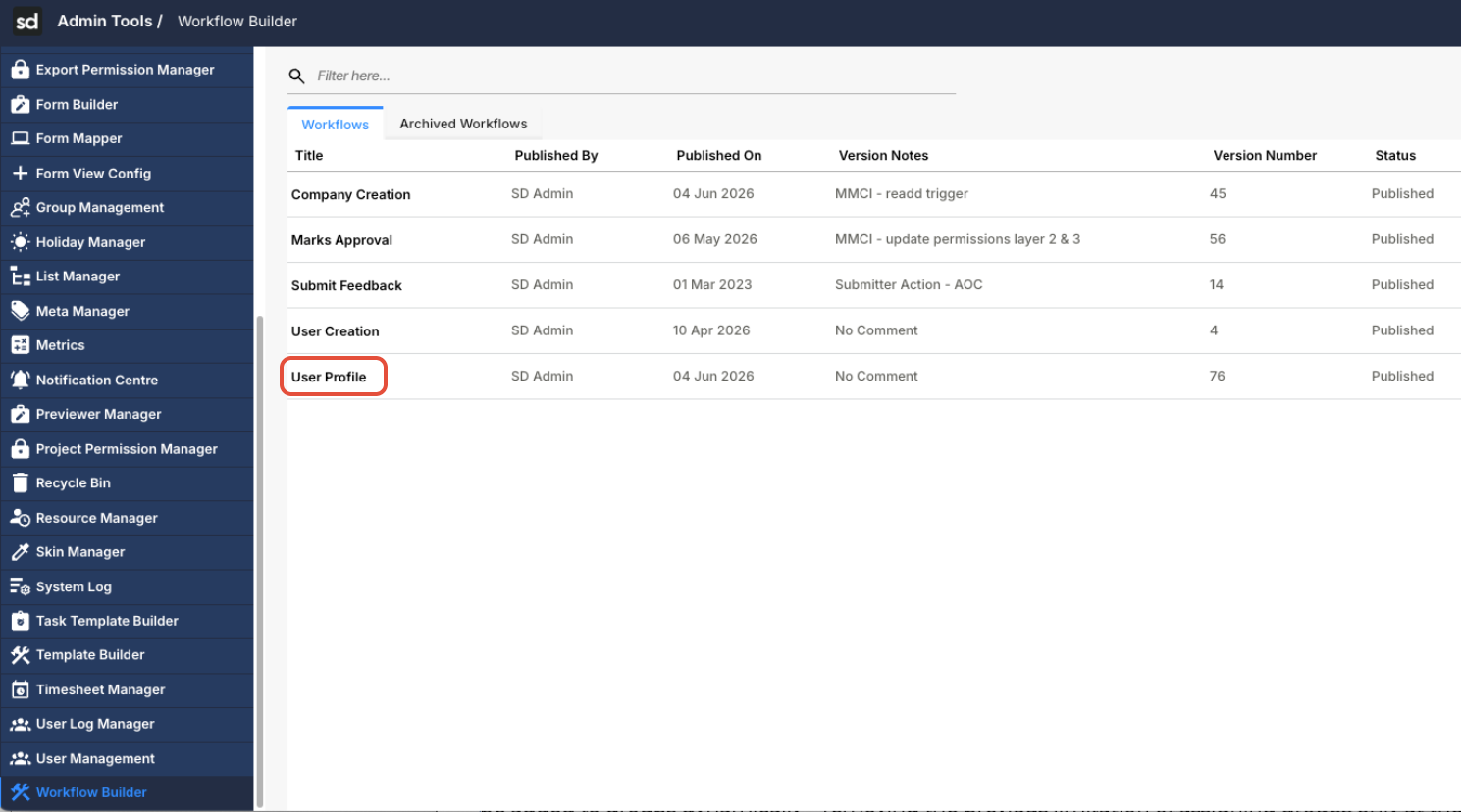
- Select the workflow from the list to open its diagram.
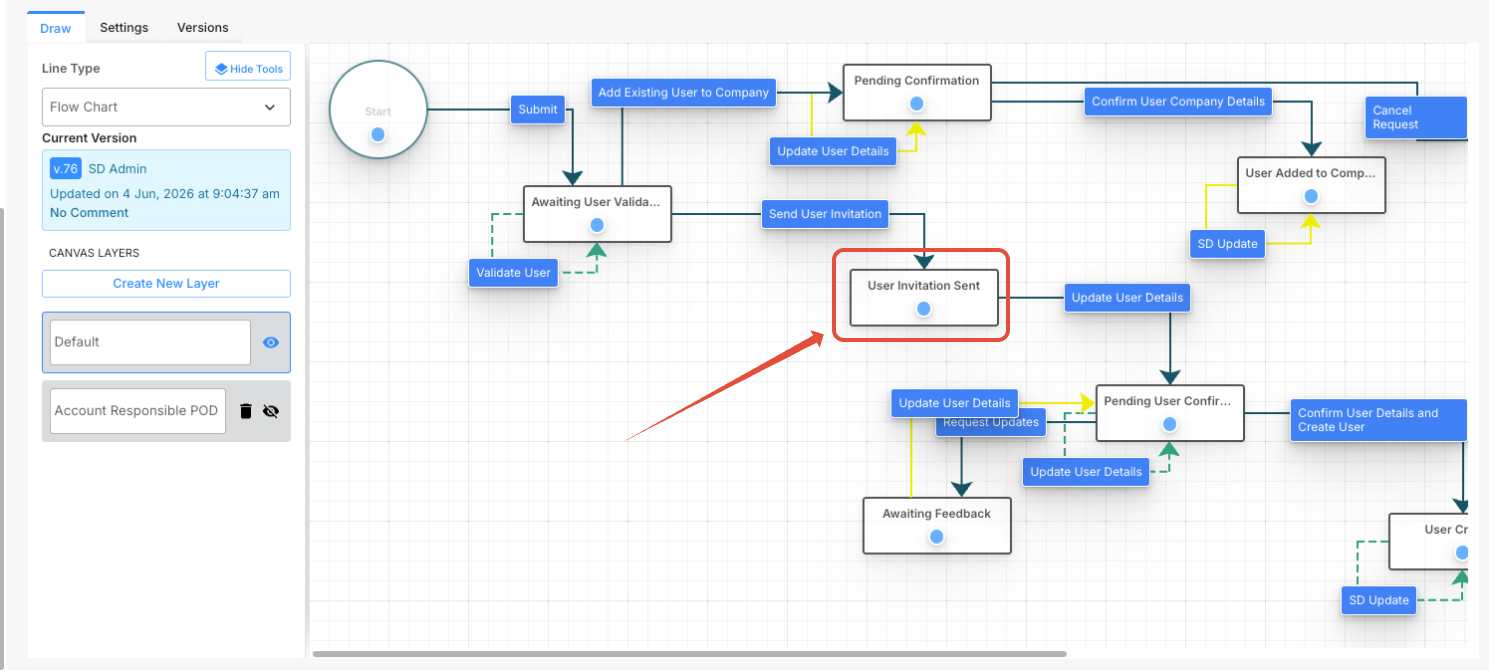
- Select a step in the workflow diagram to open its details. It must be a step that includes a Token User trigger.
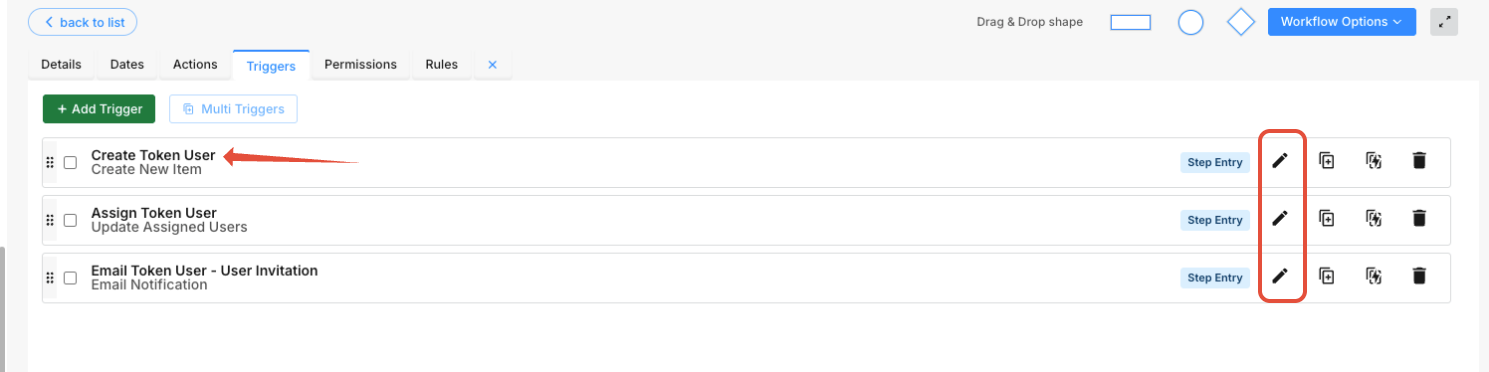
- Then, navigate to Triggers and create a trigger that uses the Create Token User action. If that trigger is already created, click the Edit icon next to the trigger to review its configuration.
- Link the trigger to the appropriate form that users will complete. In the Mapper field, select the appropriate mapper for the trigger. This mapper defines how form data is processed.
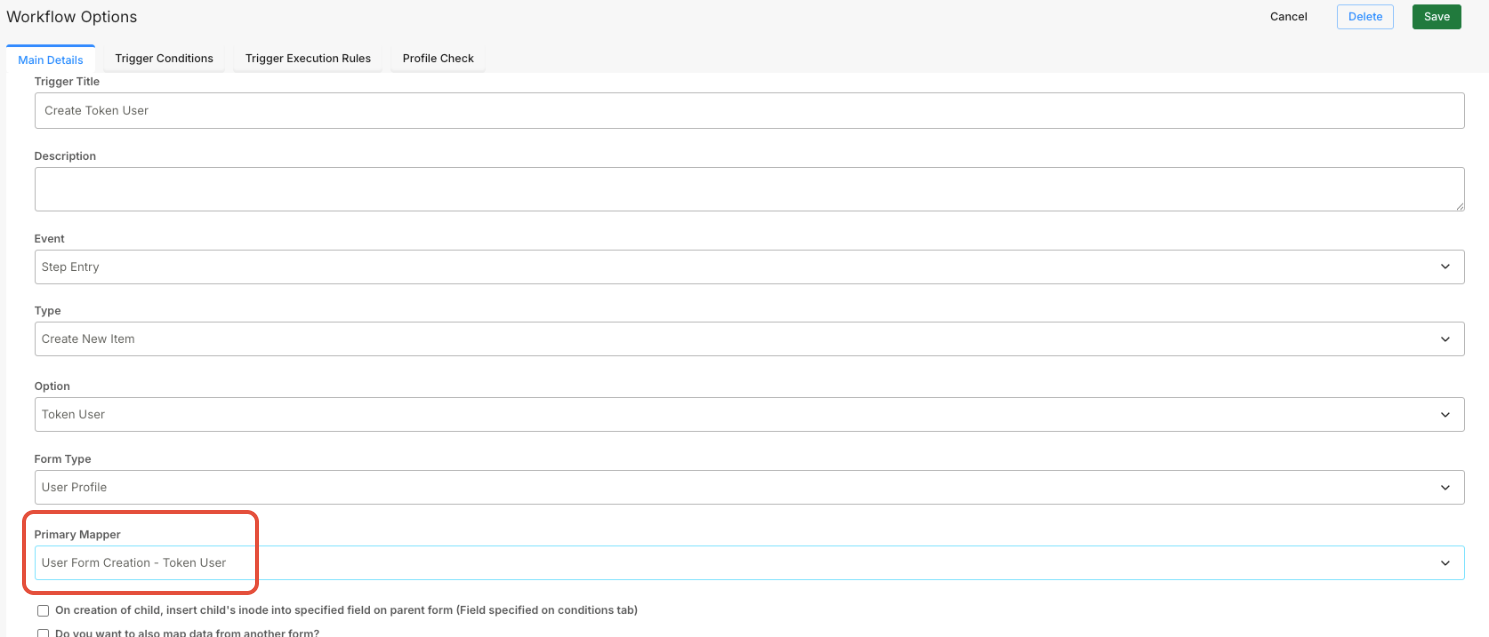
- Verify that the mapper is configured to map the required form fields. Click here to review the Form Mapper.
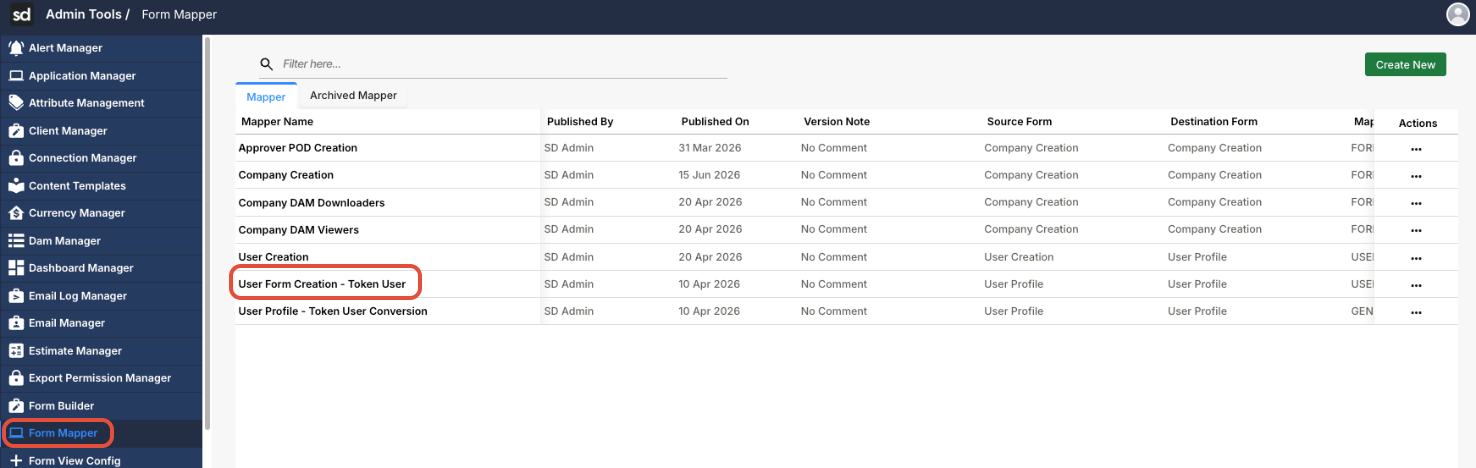
- When the trigger runs, it reads the information submitted through the front-end form. The mapper uses the submitted form values to populate the corresponding fields needed to create the token user.
- Save the trigger configuration, then test the form submission to confirm the token user is created with the expected information.
Convert a Token User to a Full User
- Navigate to the Workflow and locate the next workflow step.
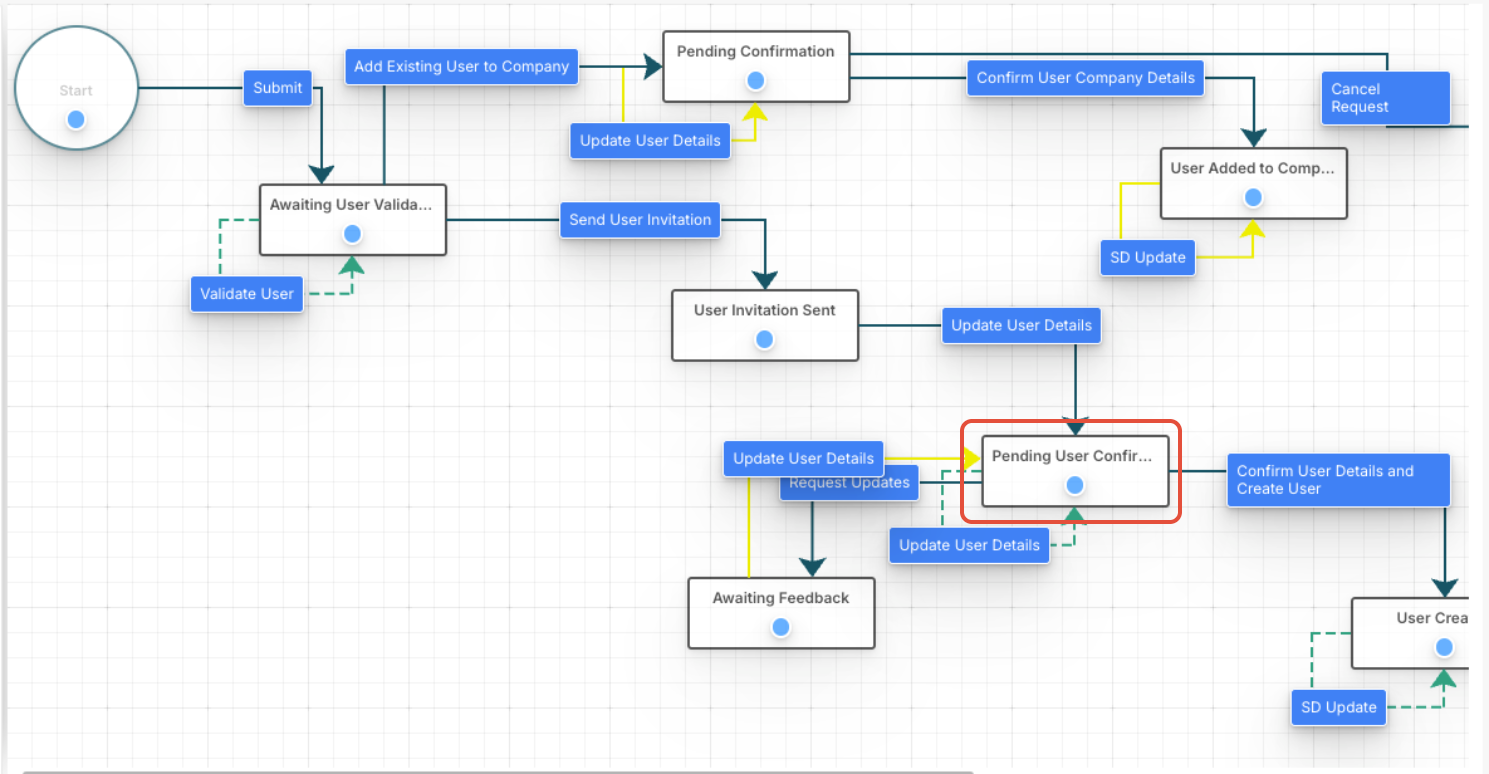
- Add or edit the Convert Token User trigger for this step.
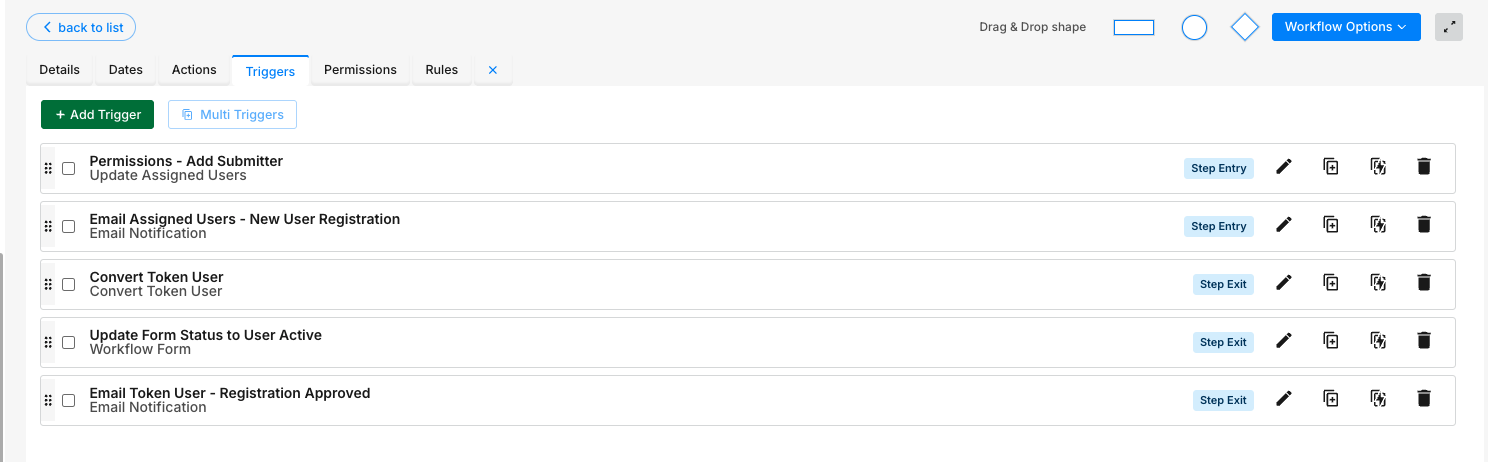
- Ensure the trigger is configured to run when the user completes the confirmation process.
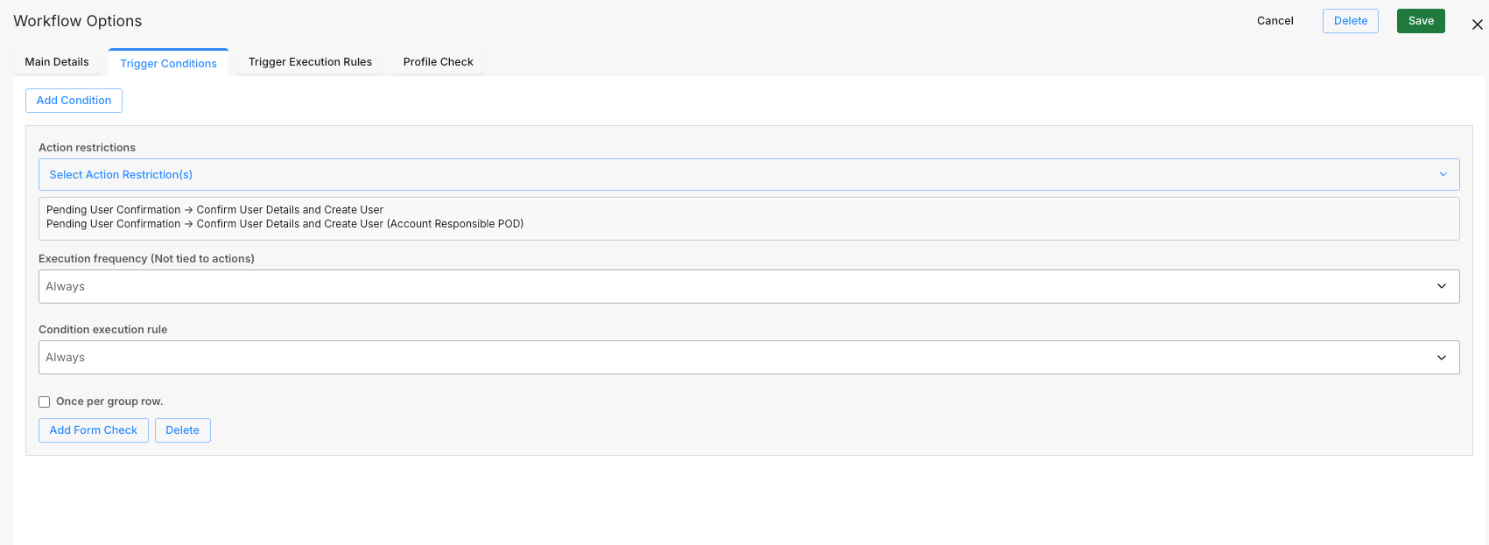
- When the trigger runs, it retrieves the information the user submitted during registration.
- The trigger converts the token user into a full system user.
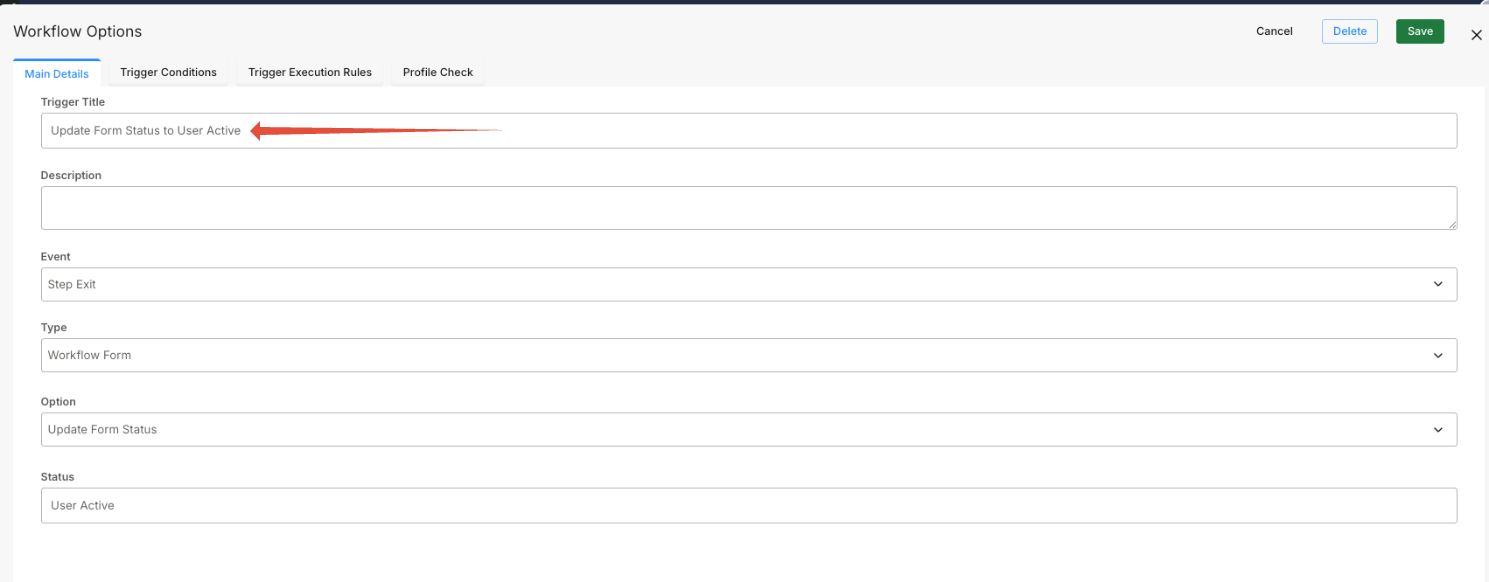
- Once converted, the user receives full access to the site based on their assigned permissions and can sign in using their account.
- Save the trigger configuration and test the workflow to verify that the token user is successfully converted into a full user after confirmation.
Was this article helpful?
That’s Great!
Thank you for your feedback
Sorry! We couldn't be helpful
Thank you for your feedback
Feedback sent
We appreciate your effort and will try to fix the article