Project Currency
TABLE OF CONTENTS
Organizations operating across multiple regions often need to manage project budgets, estimates, and financial reporting in different currencies. Project-level currency management allows administrators and project owners to define a base currency for a project while supporting conversions from other currencies used by external vendors, regional teams, or finance systems.
This functionality ensures that all financial data—such as estimates, budgets, and cost tracking—can be consistently reported while still accommodating localized currency inputs.
Base Currency
Each project has a Base Currency, which represents the primary currency used for financial reporting within that project.
The base currency determines:
- The currency used in budgets
- The currency used in financial reporting
- The currency used in resource cost calculations
- The default currency that is displayed in projects.
All currency conversions are calculated relative to this base currency.
Project Financial Conversions
- Navigate to a project.
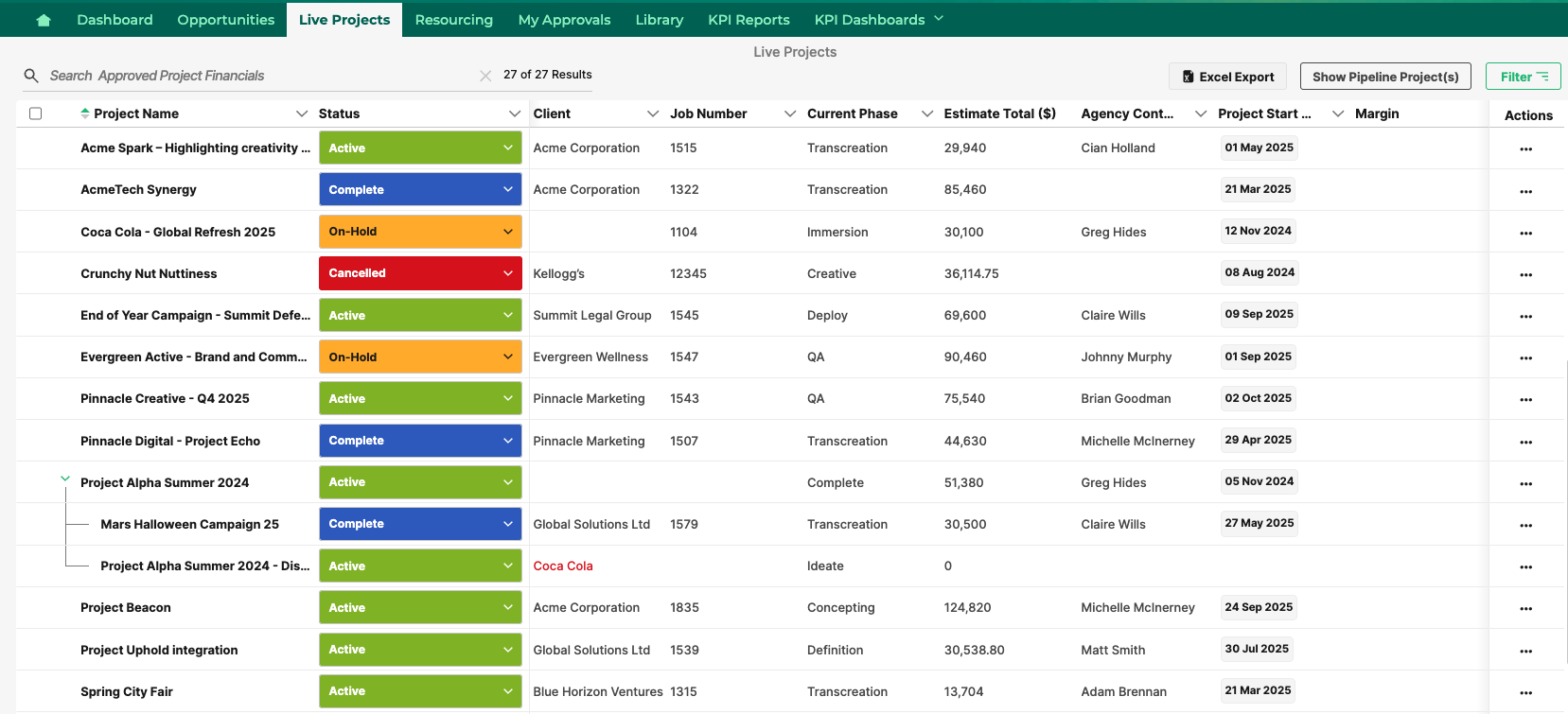
- Within a project, navigate to the Budget module located in the left sidebar.
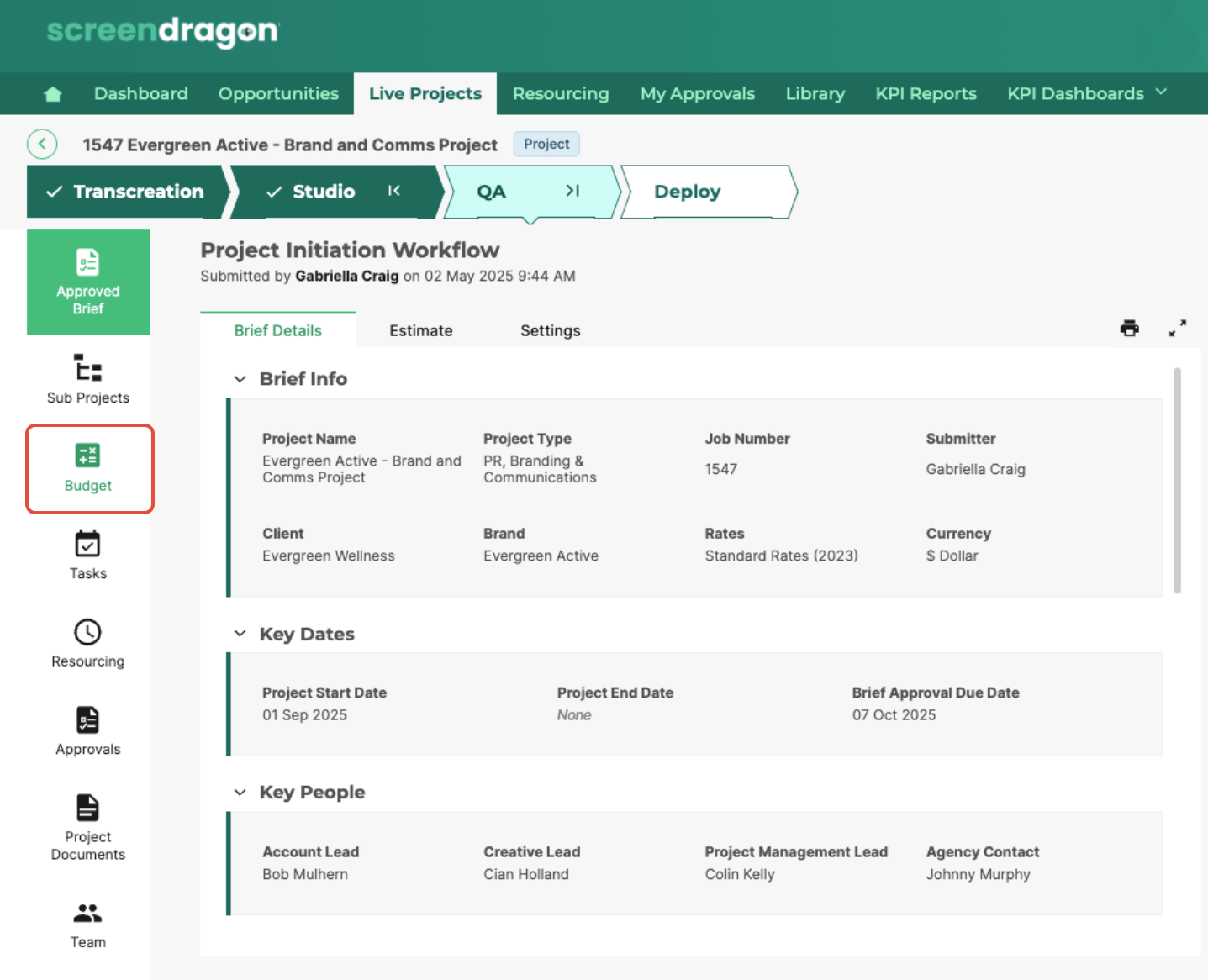
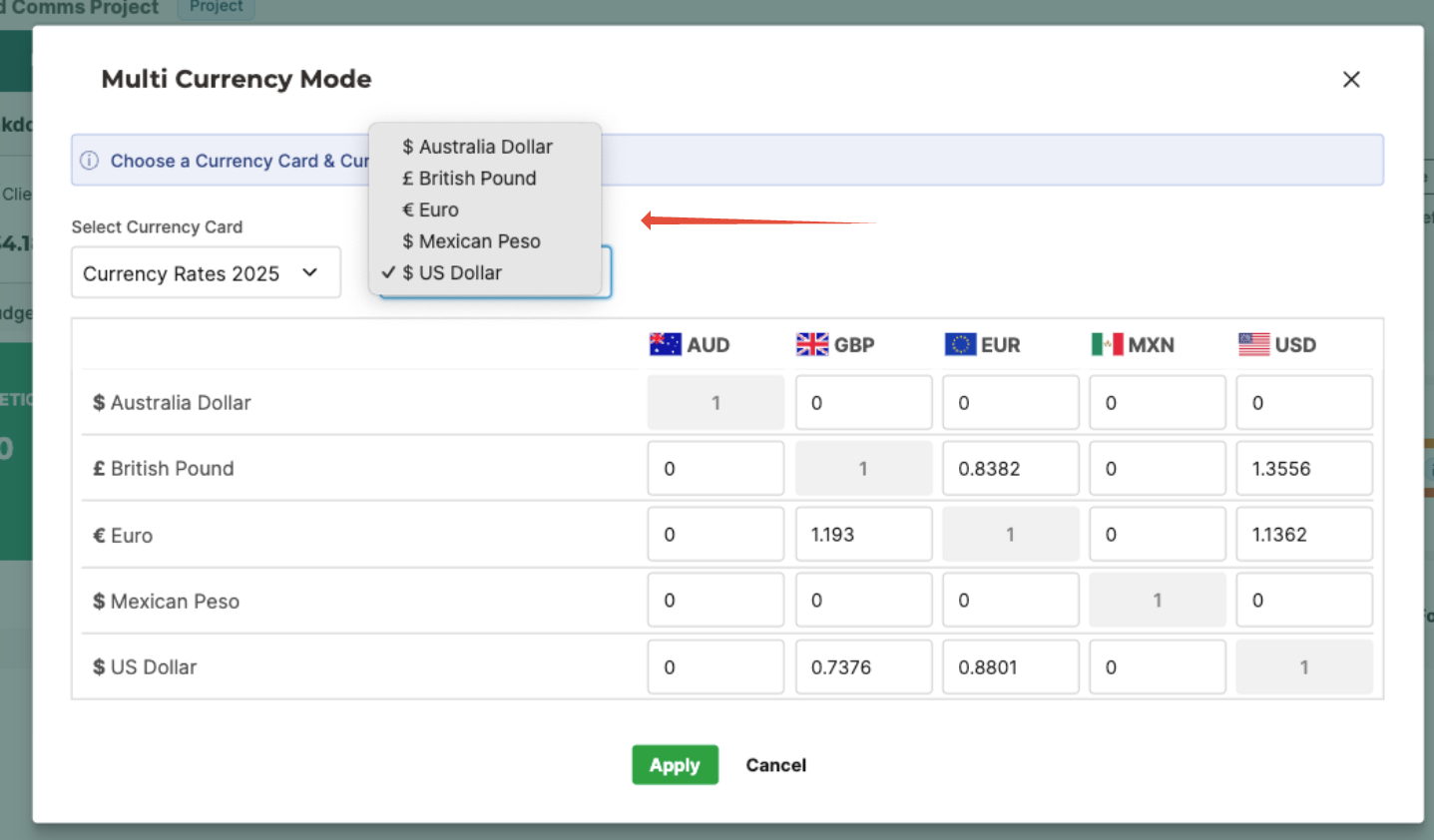
- Click Apply FX Rate to open the Multi Currency Mode dialog box.
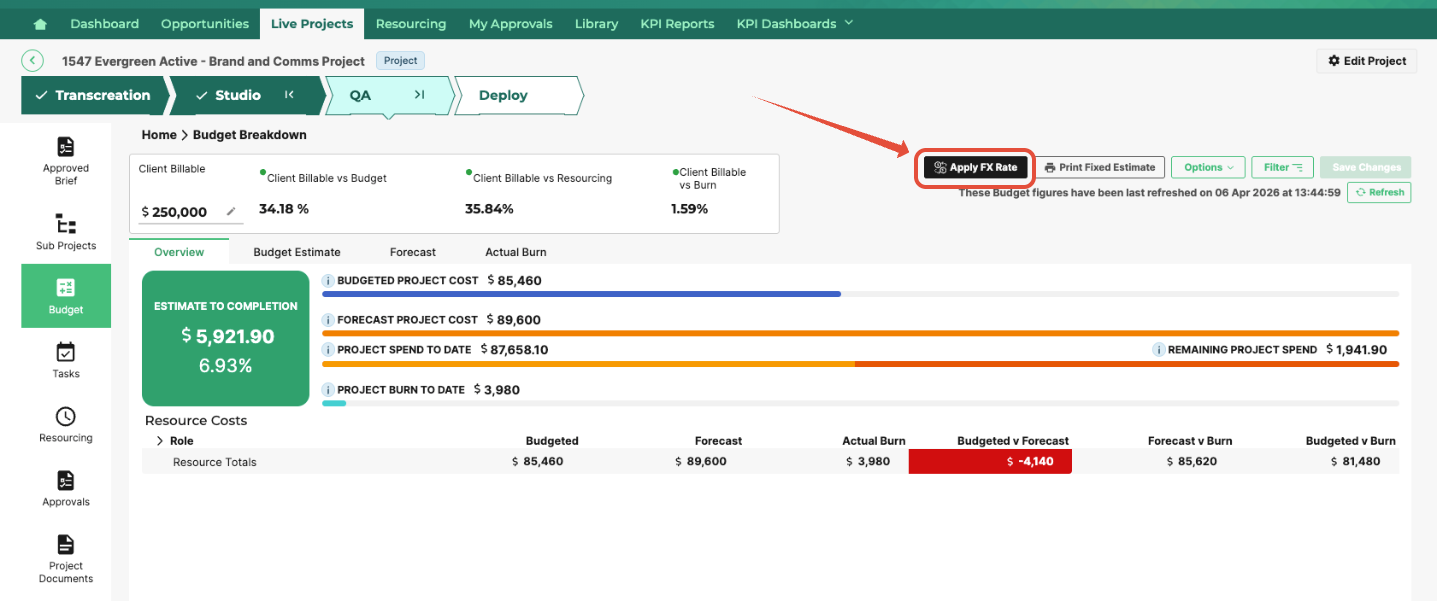
- Click the Select Currency dropdown.
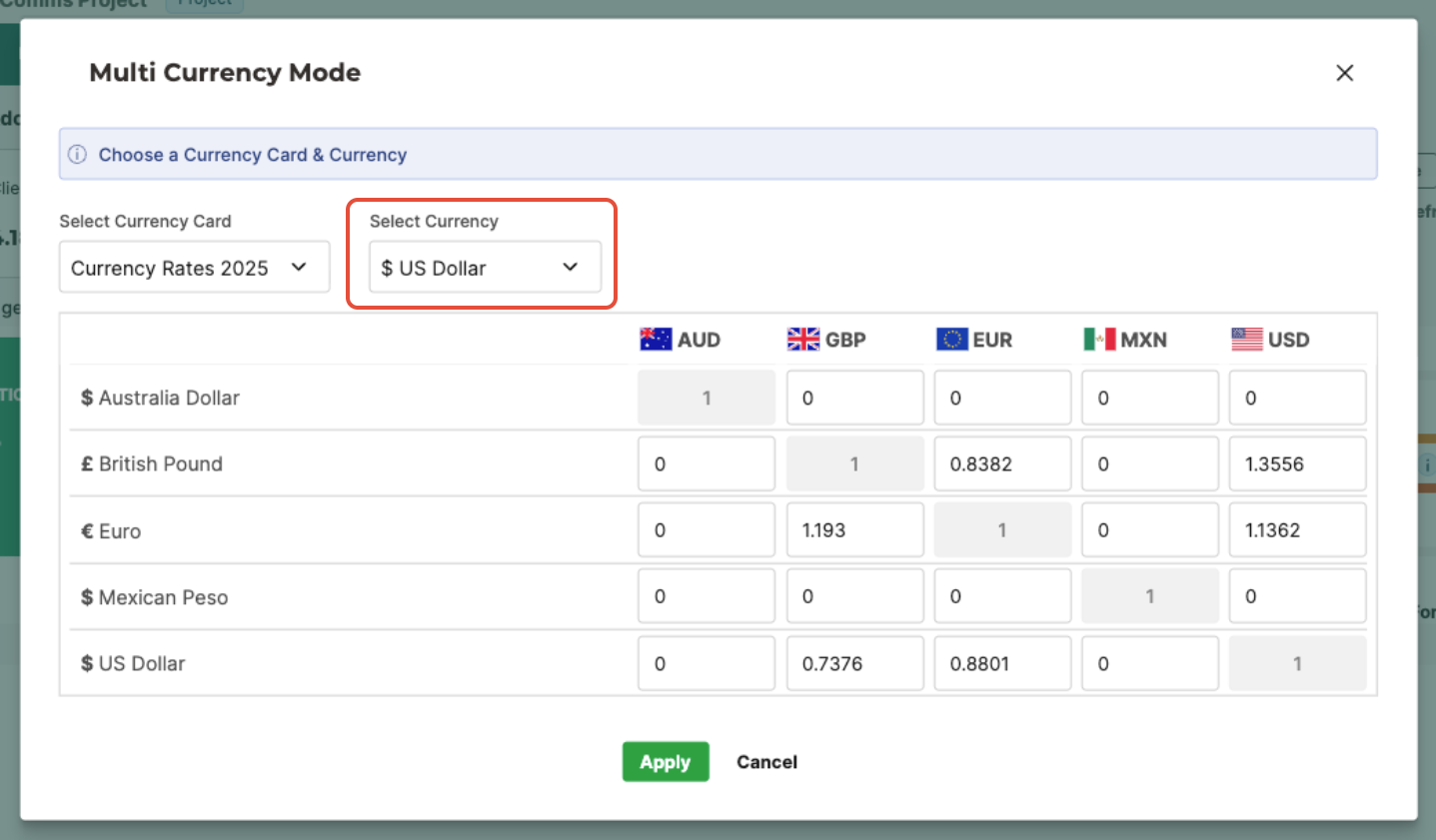
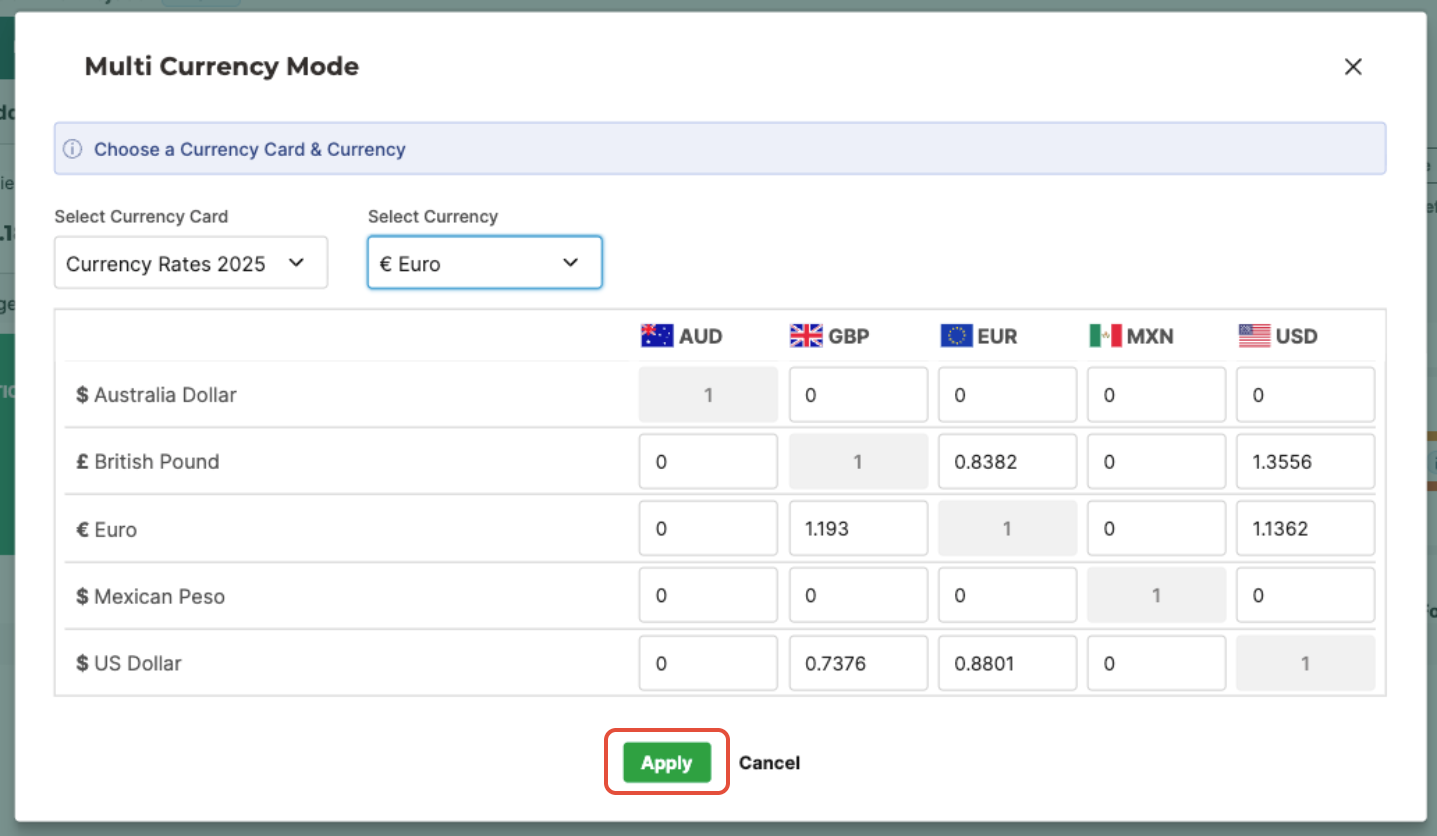
- Choose the currency in which you want your totals to be displayed.
- Then click Apply to convert the budget breakdown to a different currency.
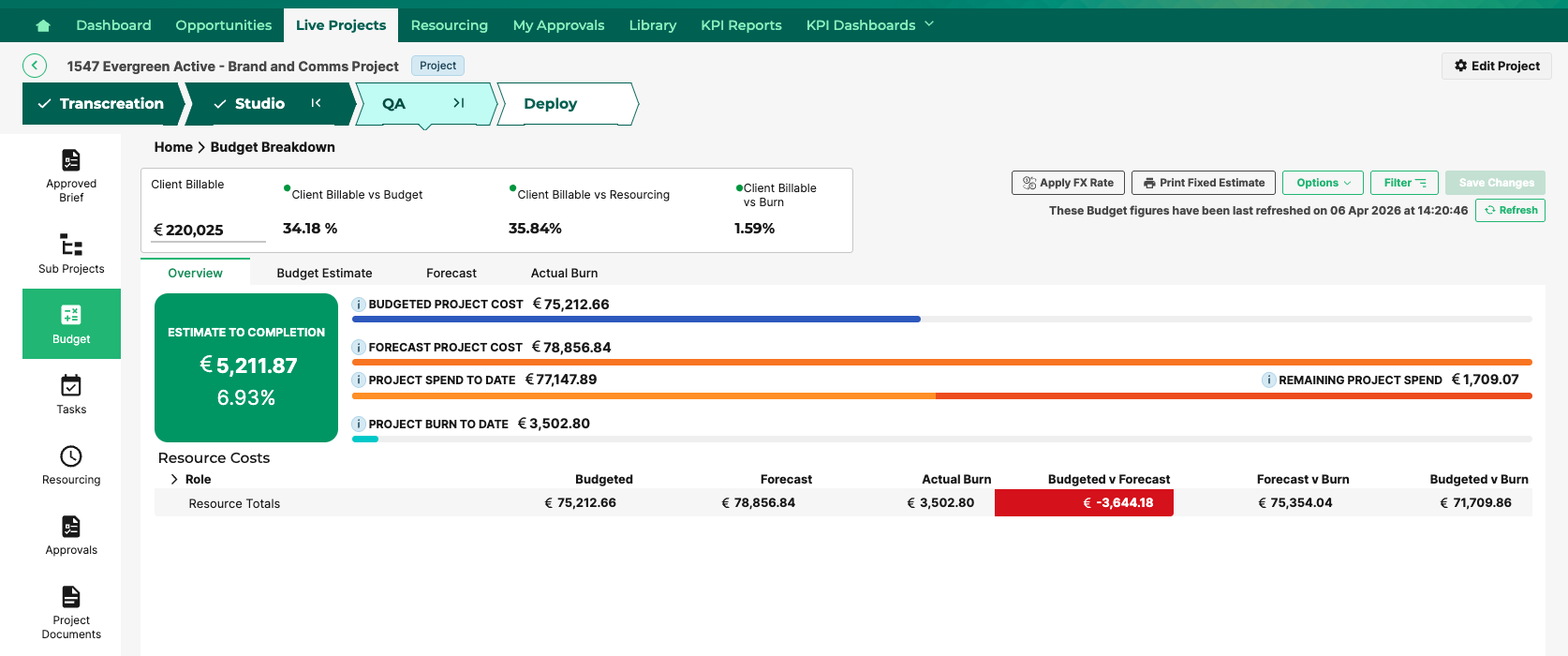
Project-level currency conversion enables organizations to manage global projects while maintaining financial accuracy. By defining a base currency, configuring exchange rates, and controlling conversion timing, teams can ensure that estimates, budgets, and reports remain consistent across regions and vendors.
Was this article helpful?
That’s Great!
Thank you for your feedback
Sorry! We couldn't be helpful
Thank you for your feedback
Feedback sent
We appreciate your effort and will try to fix the article