Home Page
Attribute Management Overview
The Attribute Management Admin Tool provides centralized control over the lists of values that populate form fields such as dropdowns, radio buttons, and checkboxes.
The Attribute Management tool serves as a centralized, controlled source of metadata, reducing inconsistencies such as variations in naming conventions (e.g., US / USA / United States). This standardization enhances the system’s ability to filter, categorize, and group attributes with greater accuracy and efficiency.
As with all administrative tools, it can be accessed by selecting the cog icon located in the upper-right corner of the main interface.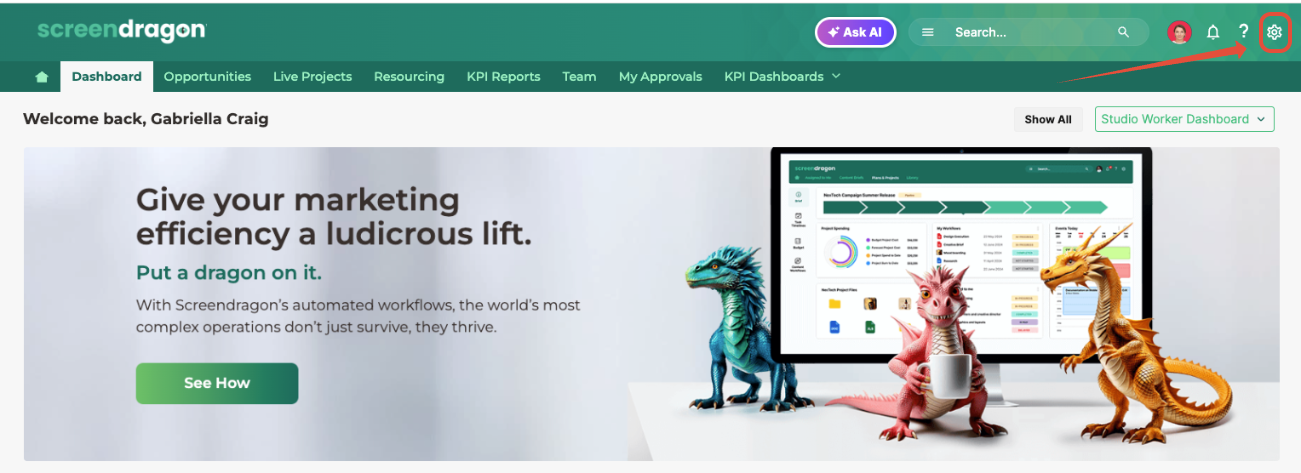
This action opens the Admin Tools page in a new browser tab. From the left-hand navigation panel, select Attribute Management to proceed.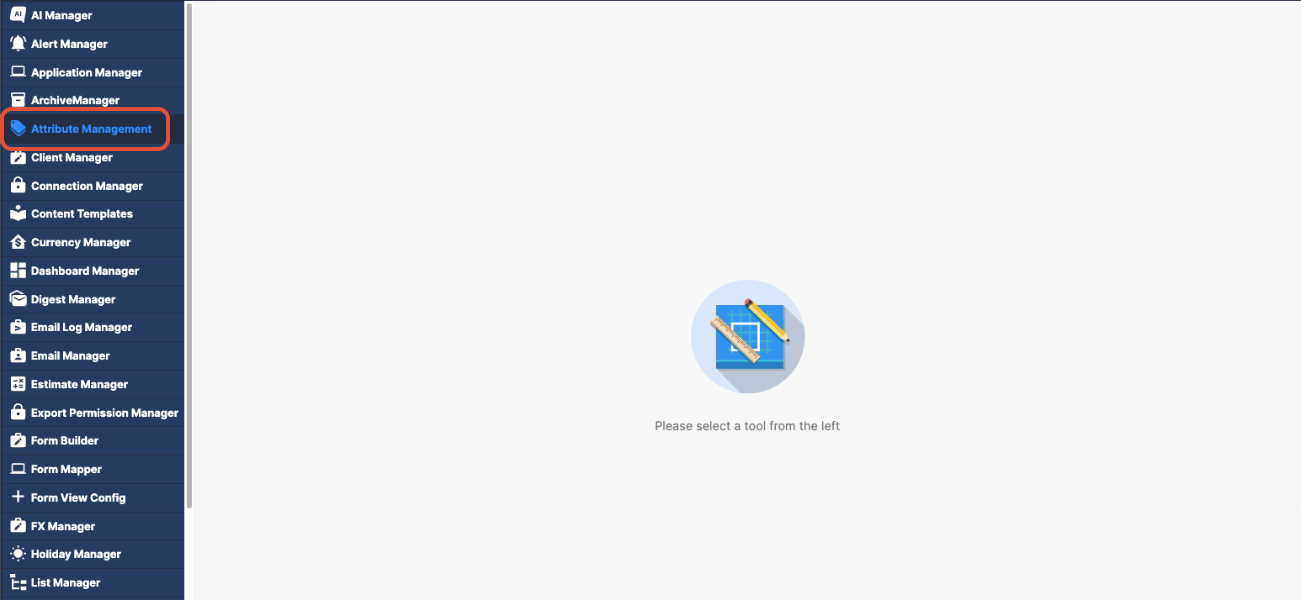
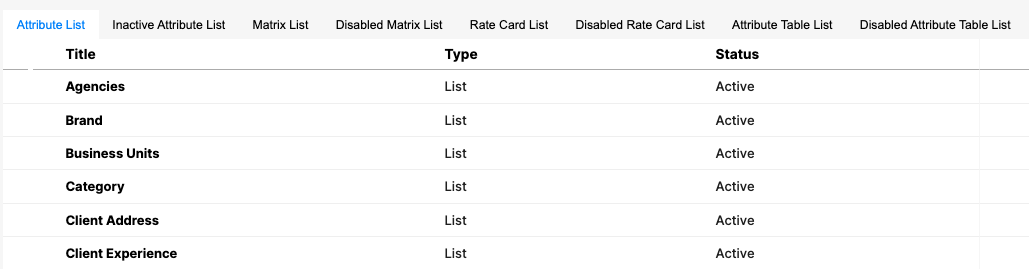
Within the Attribute Management interface, multiple tabs are available—each representing a distinct category or type of attribute data utilized throughout the system.
The interface includes multiple tabs, each corresponding to a specific category of attribute data:
Attribute List
Inactive Attribute List
Matrix List
Disabled Matrix List
Rate Card List
Disabled Rate Card List
Attribute Table List
Disabled Attribute Table List
Step 1: Create an Attribute List
Step 2: Create an Attribute Matrix
Step 3: Adding Attributes to a Matrix
Was this article helpful?
That’s Great!
Thank you for your feedback
Sorry! We couldn't be helpful
Thank you for your feedback
Feedback sent
We appreciate your effort and will try to fix the article