The Remove Estimate Form Tasks automatically remove tasks from a workflow. This is useful when a project or workflow is canceled, reset, or no longer requires an estimate.
When estimate tasks are removed, the associated budget and forecast values are also cleared to ensure financial data remains accurate.
Before You Begin
To configure this trigger, you must:
- Have permission to edit workflows.
- Be using a workflow that includes an Estimate.
Add the Remove Estimate Form Tasks Trigger
- Open the workflow you want to edit and navigate to the step where estimate tasks should be removed.
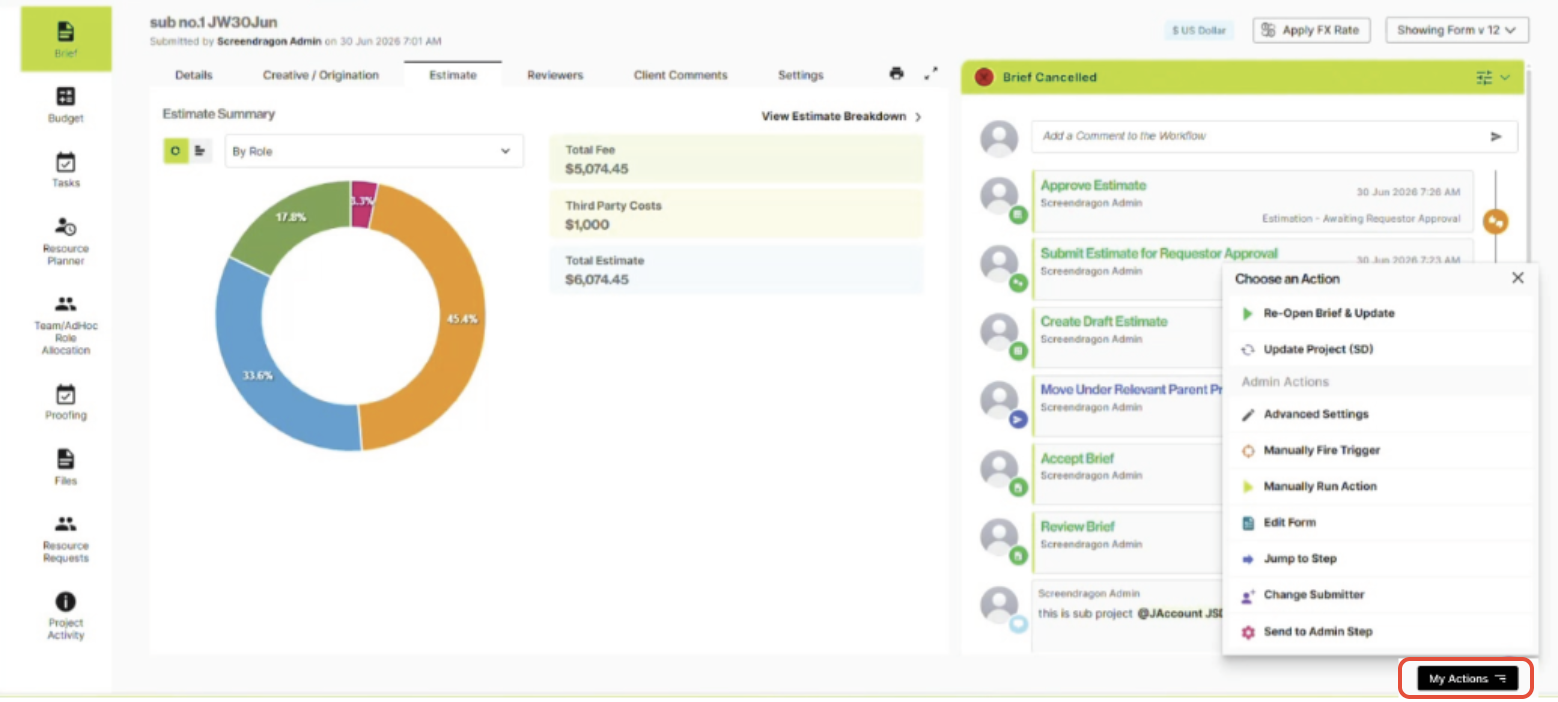
- Click My Actions located at the bottom right of the screen to open the actions menu.
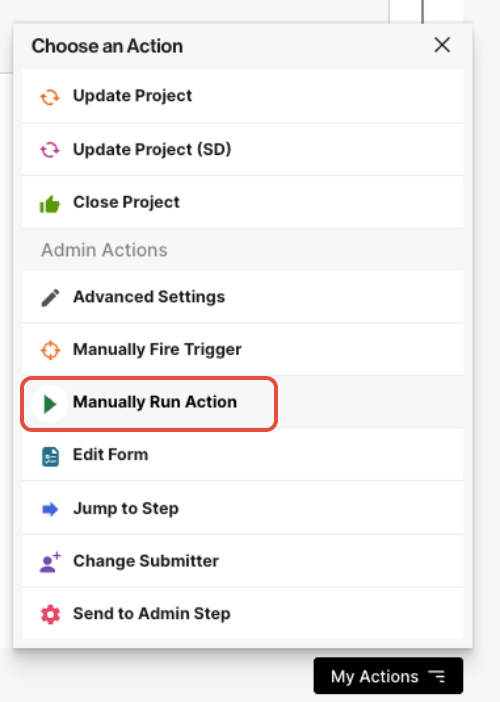
- Then, select Manually Run Action to open the action configuration dialog.
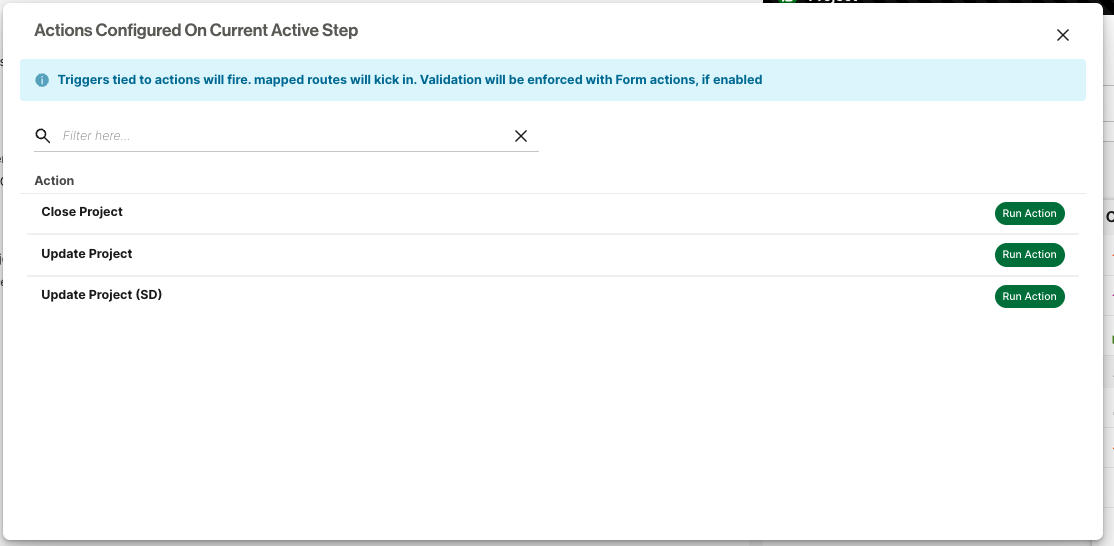
- In the Actions Configured On Current Active Step dialog, click Run Action.
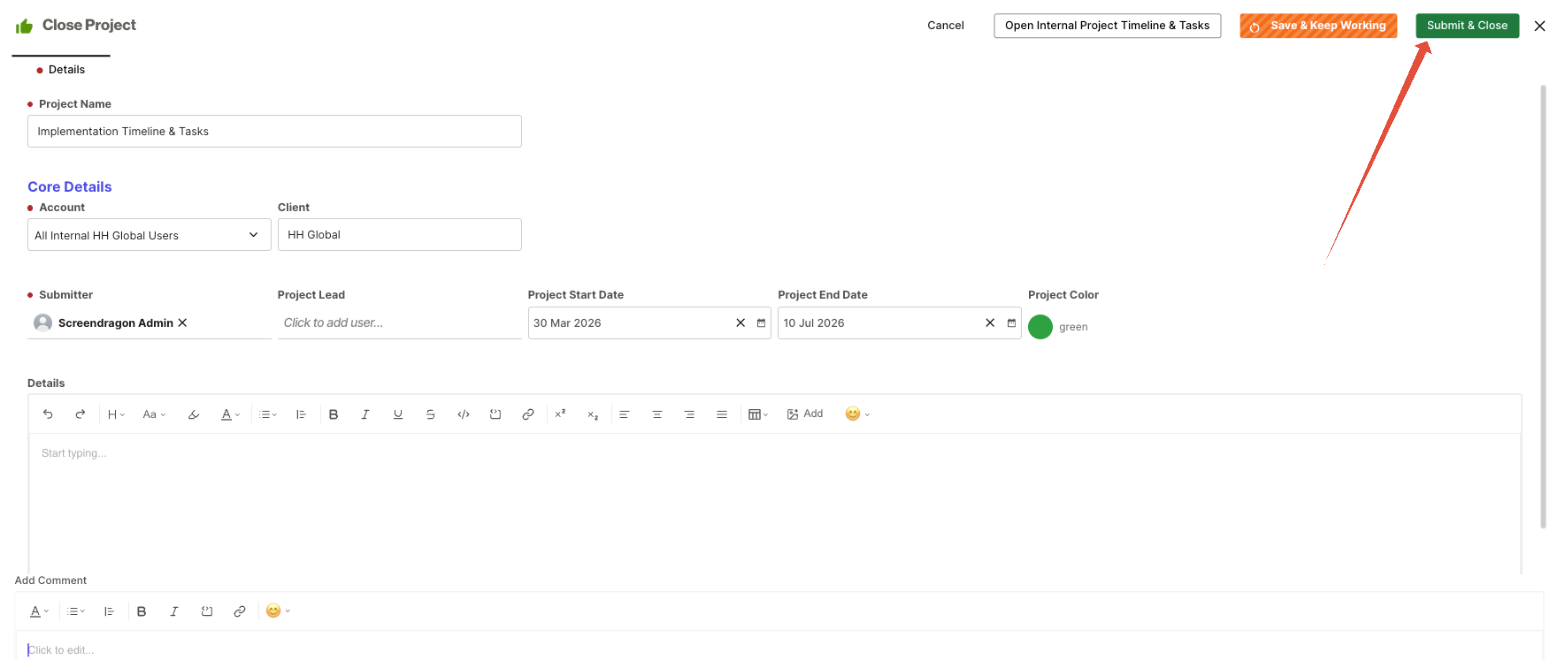
- Click Submit to confirm and execute the action.
- After the action completes, navigate to the Estimates tab and confirm the indicated tasks have been removed from the estimate.
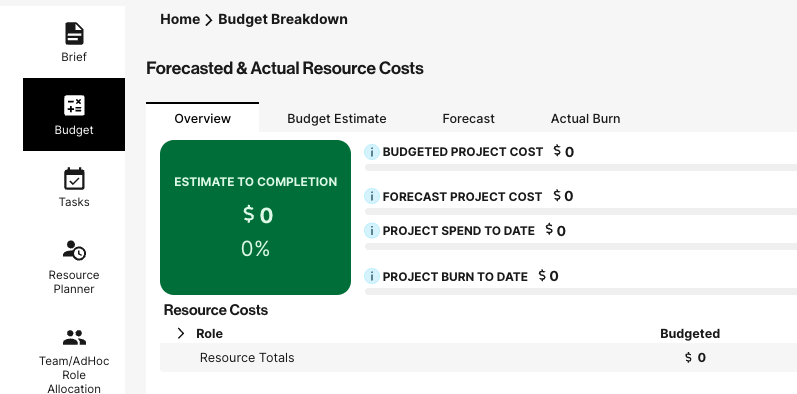
- Then navigate to the Budget icon in the left navigation panel and confirm that all cost fields are now $0.
Was this article helpful?
That’s Great!
Thank you for your feedback
Sorry! We couldn't be helpful
Thank you for your feedback
Feedback sent
We appreciate your effort and will try to fix the article