Task Views
TABLE OF CONTENTS
- Overview
- Getting Started
- Enhanced Layout and Performance Controls
- Grouping View Enhancements
- Limitations & Notes
Overview
These enhancements provide users with improved configuration options, clearer visual grouping, and better performance when managing lists, tasks, and workflows.
Getting Started
Navigate to the List View feature, which is enabled under a tab called My Approvals, but Grouping or Kanban can be enabled for any of the supported fields in your Screendragon instance.
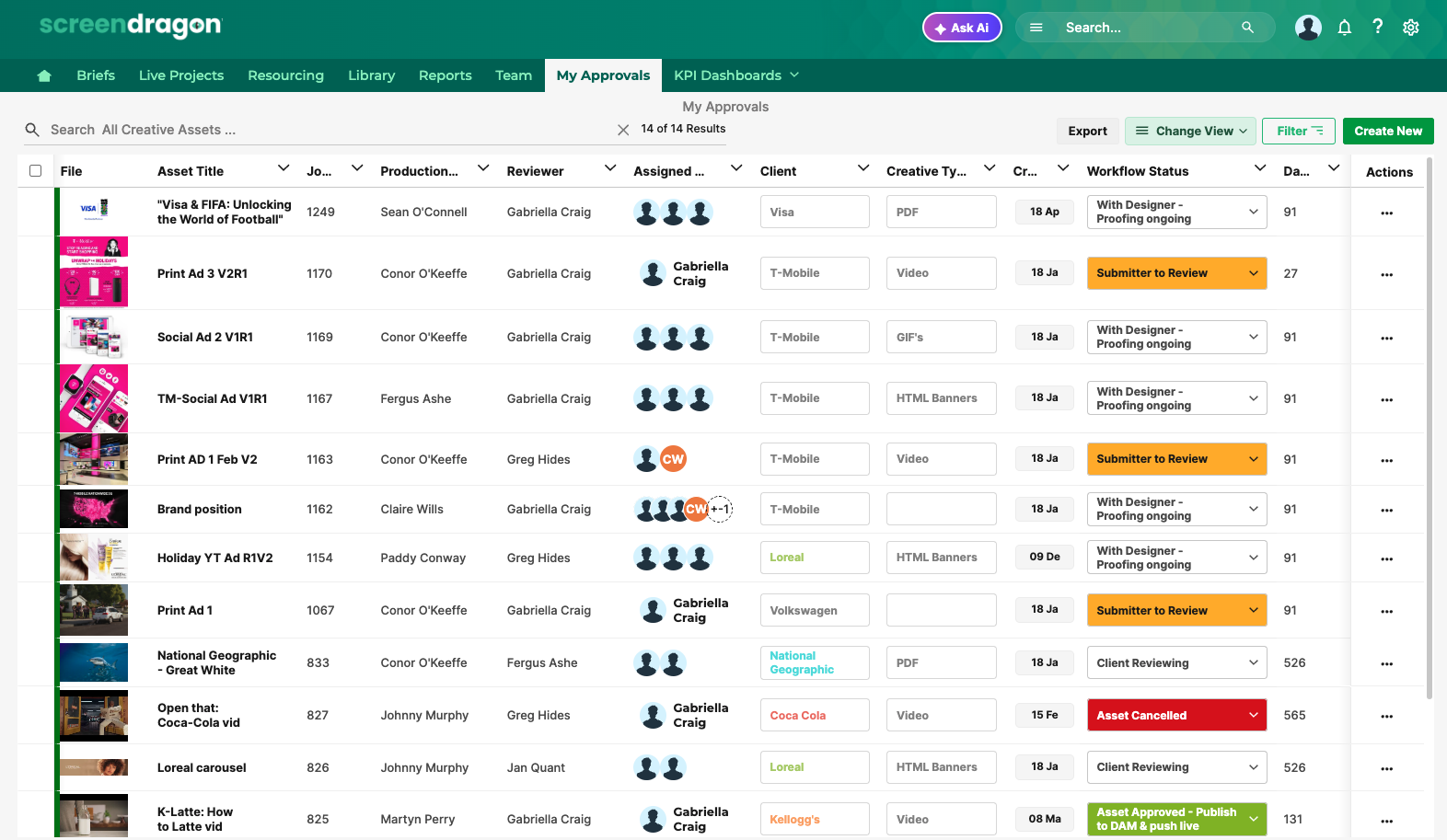
Use the Sort dropdown to control result ordering.
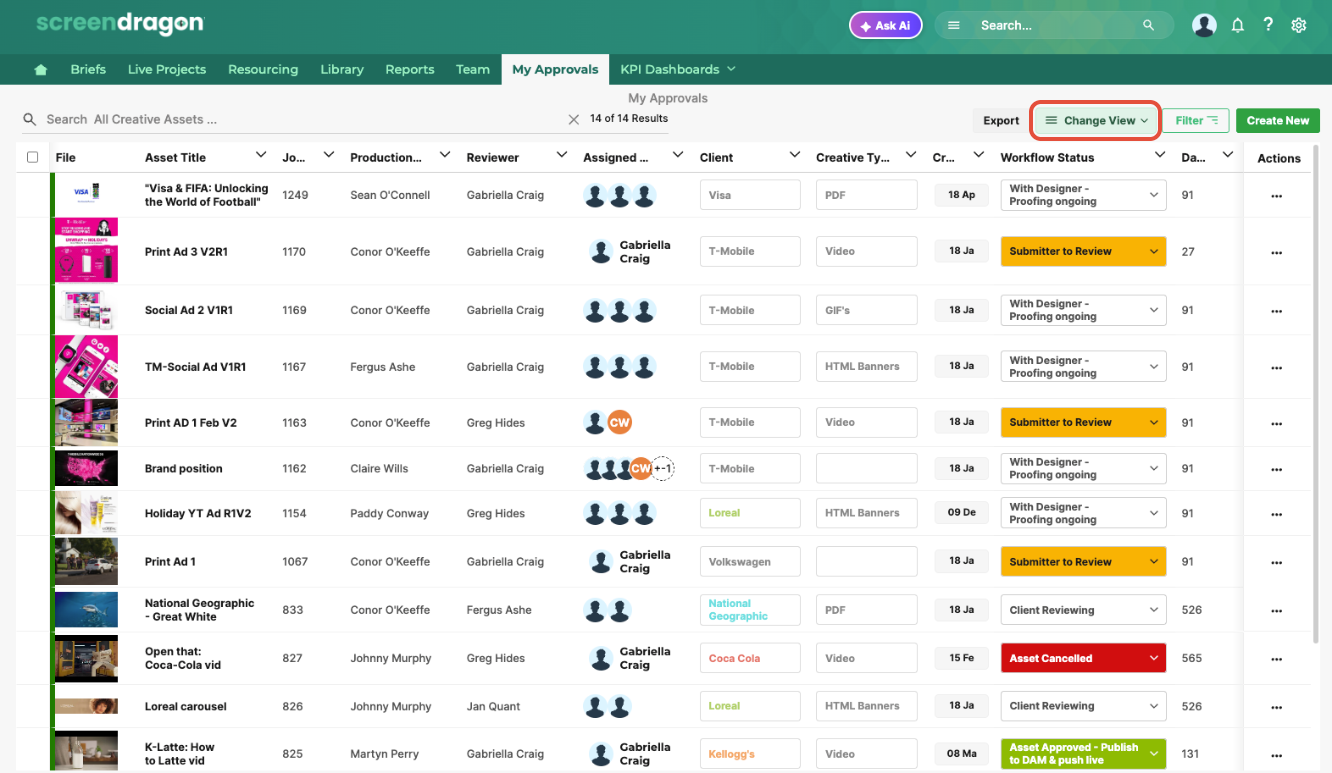
Select the grouping or kanban option you want to use. Click Apply to change the view.
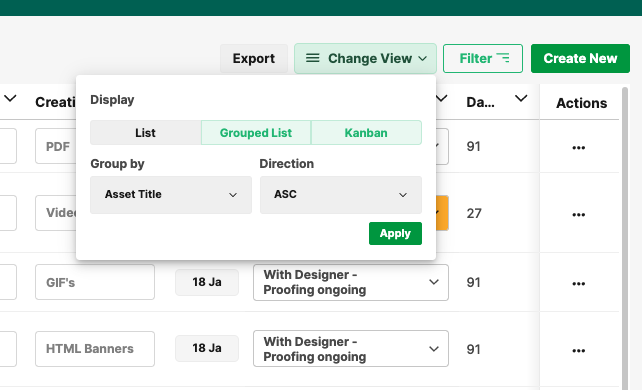
View your list with enhanced layout and performance controls.
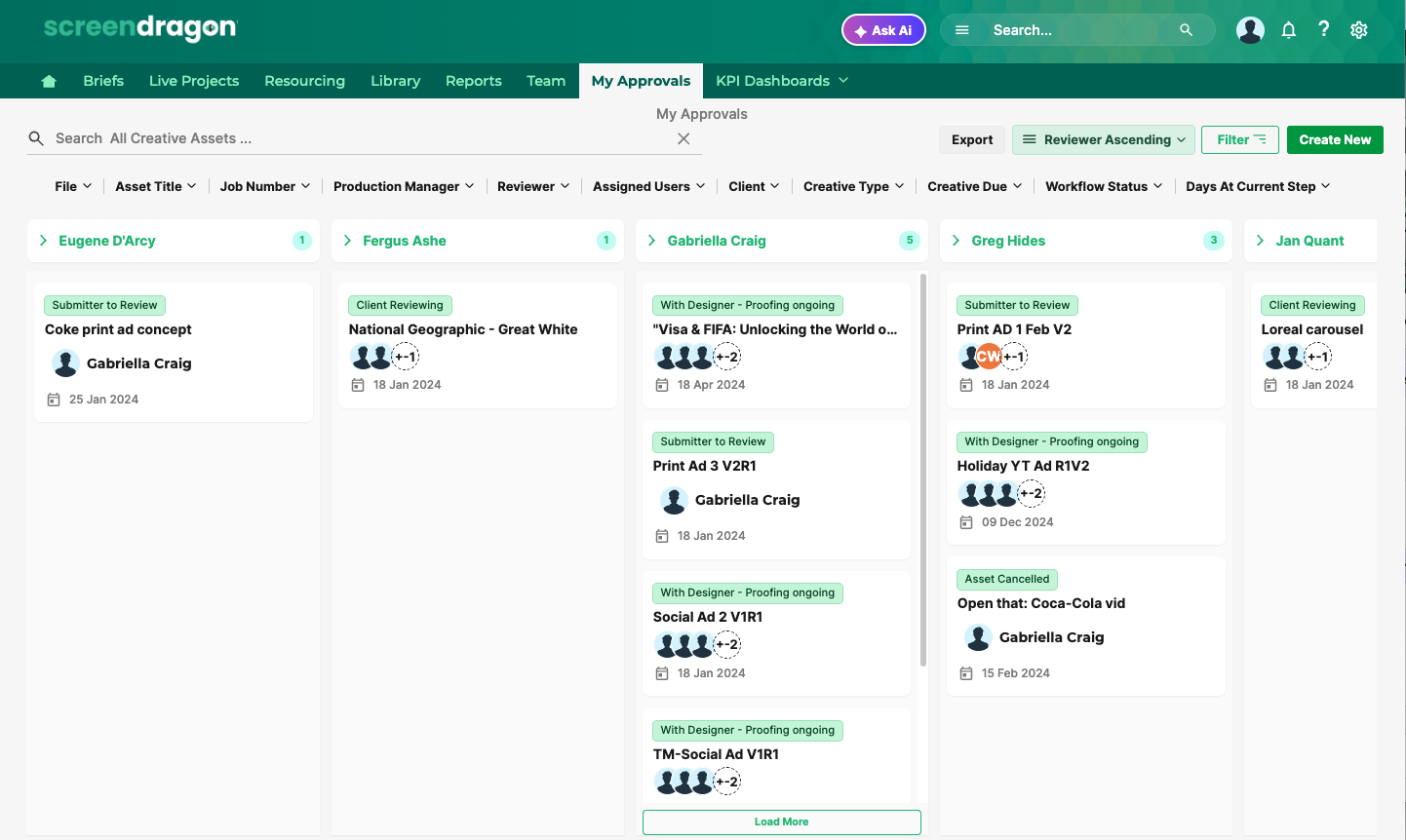
Enhanced Layout and Performance Controls
Grouping and Kanban Options
Views that can be enabled:
Grouping by various field types to organize list data more effectively.
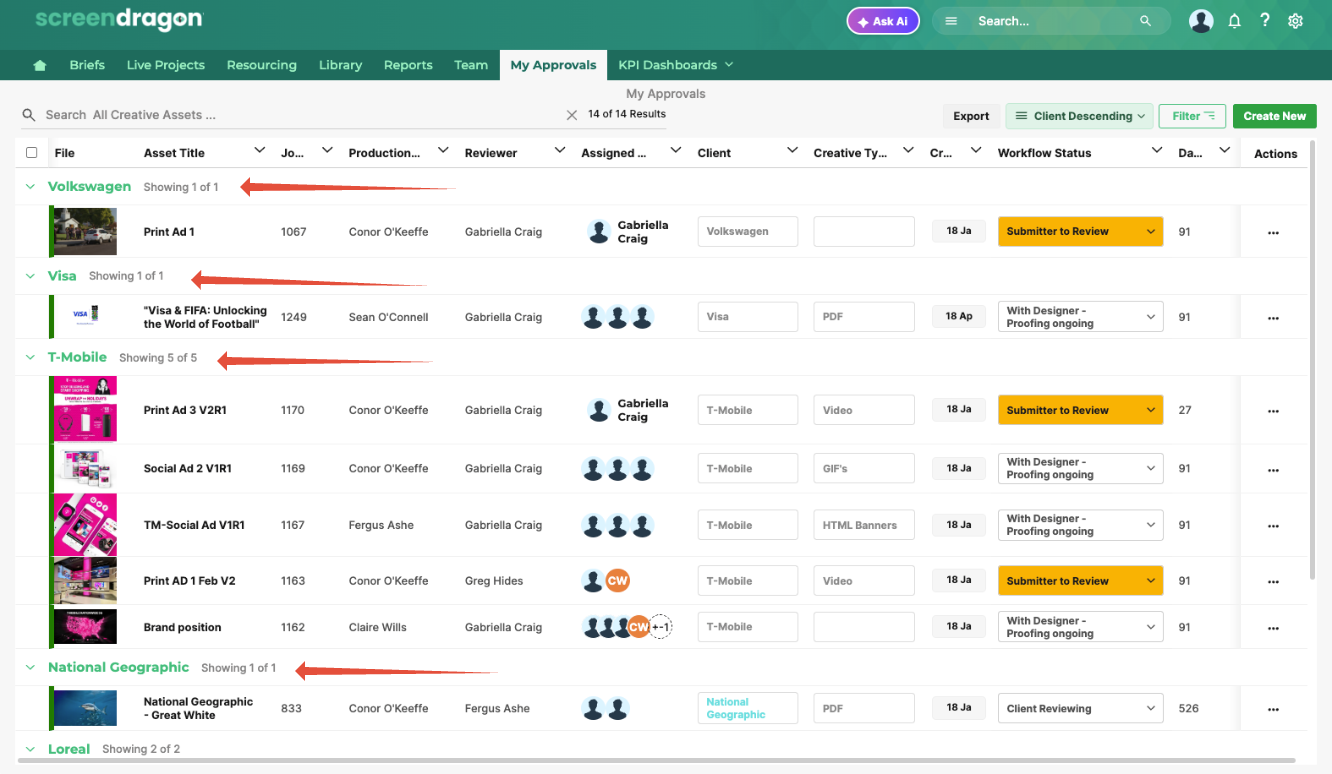
Kanban views for visualizing workflow stages or other categorizations.
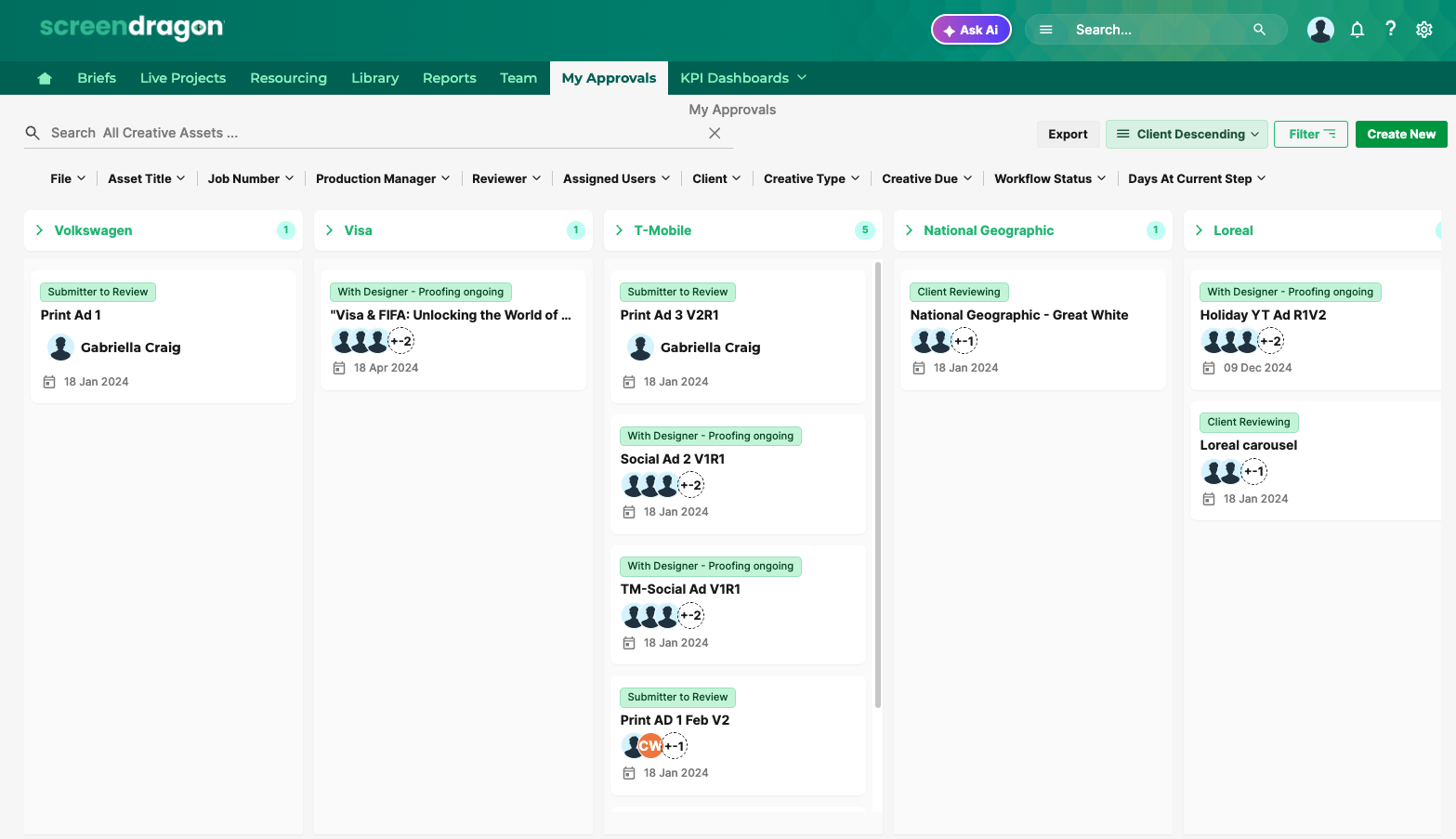
These options provide more dynamic and intuitive ways to manage project data directly from the List View.
List Manager Configuration
Grouping and Kanban views are configured within the List Manager.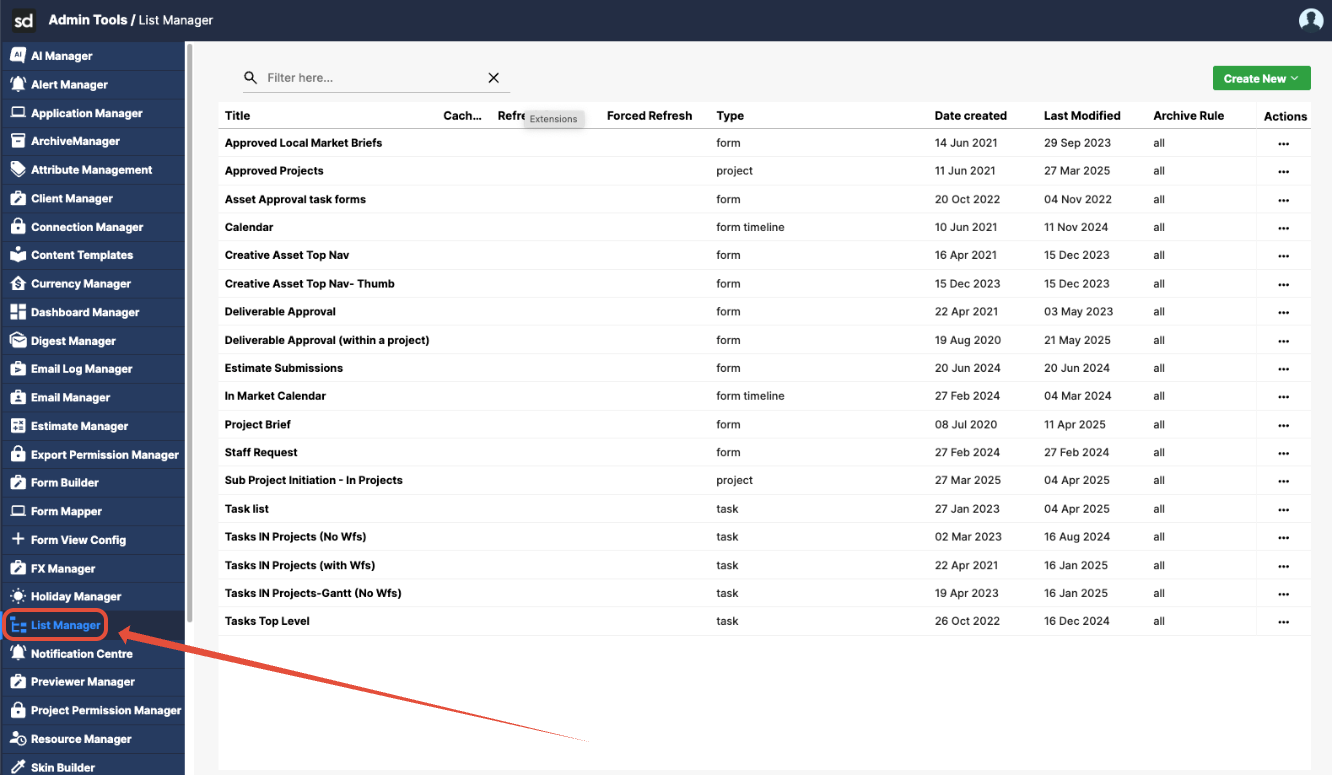
- Settings are applied per column, allowing customization based on the data relevant to each use case.
- Unsupported Field Types: Specific fields, such as
inode, are not supported for grouping or Kanban view configuration.
Tip: For best results, use categorical or status-type fields for grouping and Kanban views.
Consistent Result Sorting
To ensure consistency:
- Items within each group or list will follow the sort order applied to the columns.
- This guarantees a uniform and predictable layout across views.
Enhanced List/Group Sorting Options
A new sorting dropdown has been added to:
- Allow users to sort data by available columns dynamically.
- Apply sorting at the list or group level for more straightforward navigation and review.
Phase Management Support
Grouping and Kanban views now support Projects and Workflows that include phase-specific data:
- Users can group by phase, enabling better tracking and visualization of work progress across various project stages.
Grouping View Enhancements
Several usability improvements have been introduced within grouped views to support better performance and clarity:
Load More Per Group
Users can now load additional records for each group on demand.
This improves performance while still allowing access to complete datasets.
Count Per Group
A count of items within each group is now displayed.
Helps users understand the workload or volume associated with each group at a glance.
Default Load of 5 Records
For optimal load times and readability, each group initially loads five records.
Additional items can be loaded as needed via the Load More function.
Limitations & Notes
Grouping and Kanban views are only available for supported field types.
Inode and similar system-level fields are not eligible for grouping.
These settings must be configured by users with permission to access the List Manager.
Was this article helpful?
That’s Great!
Thank you for your feedback
Sorry! We couldn't be helpful
Thank you for your feedback
Feedback sent
We appreciate your effort and will try to fix the article