This explains how to configure a workflow action to support multiple users and groups. By adding multiple user and group permission fields to a workflow action, you can grant access to several users or groups simultaneously instead of limiting permissions to a single recipient. This provides greater flexibility when designing workflows and helps ensure the appropriate users and teams have access to complete their assigned tasks.
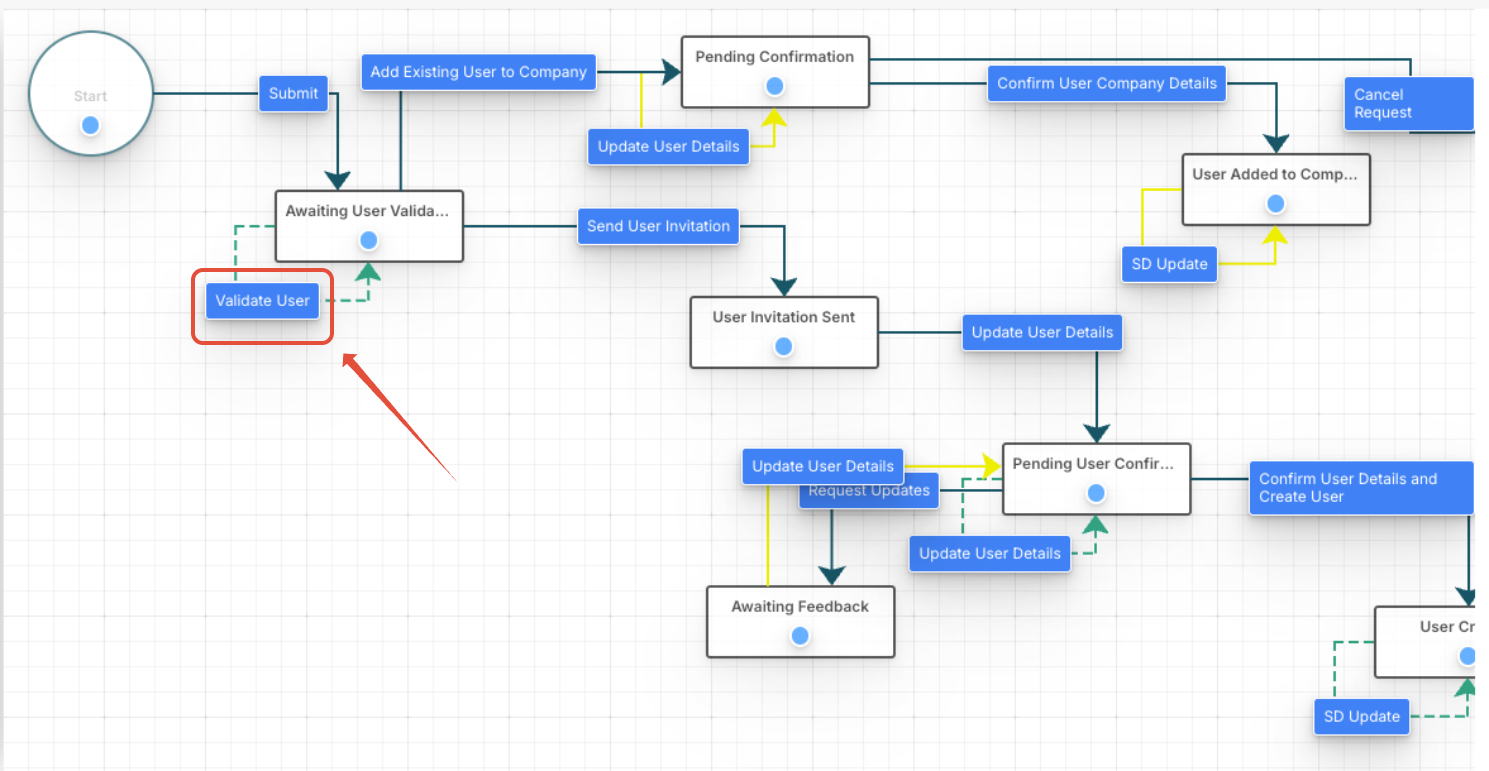
- Navigate to the workflow diagram and select the action you want to configure.
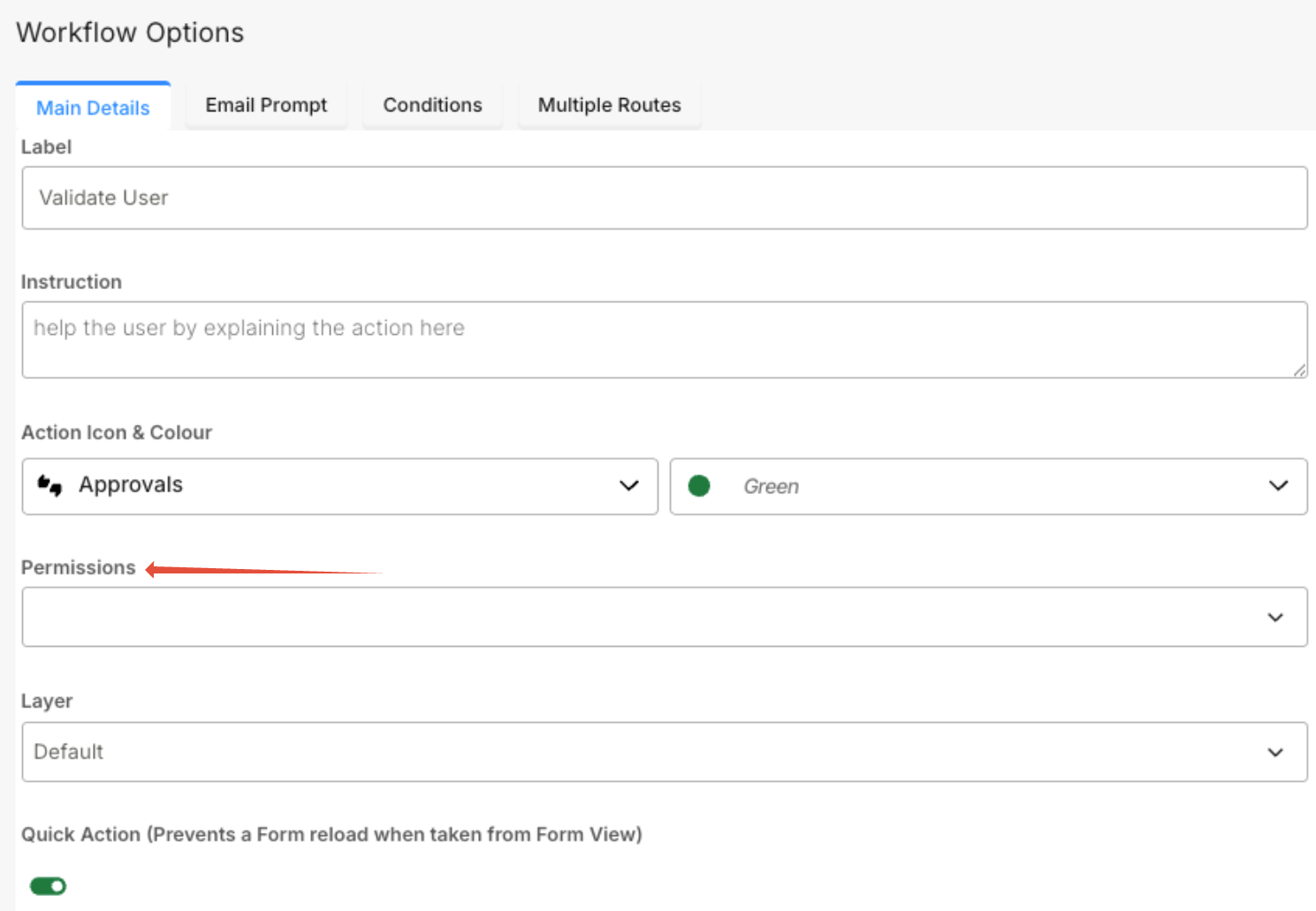
- In the Workflow Options panel, locate the Permissions dropdown.
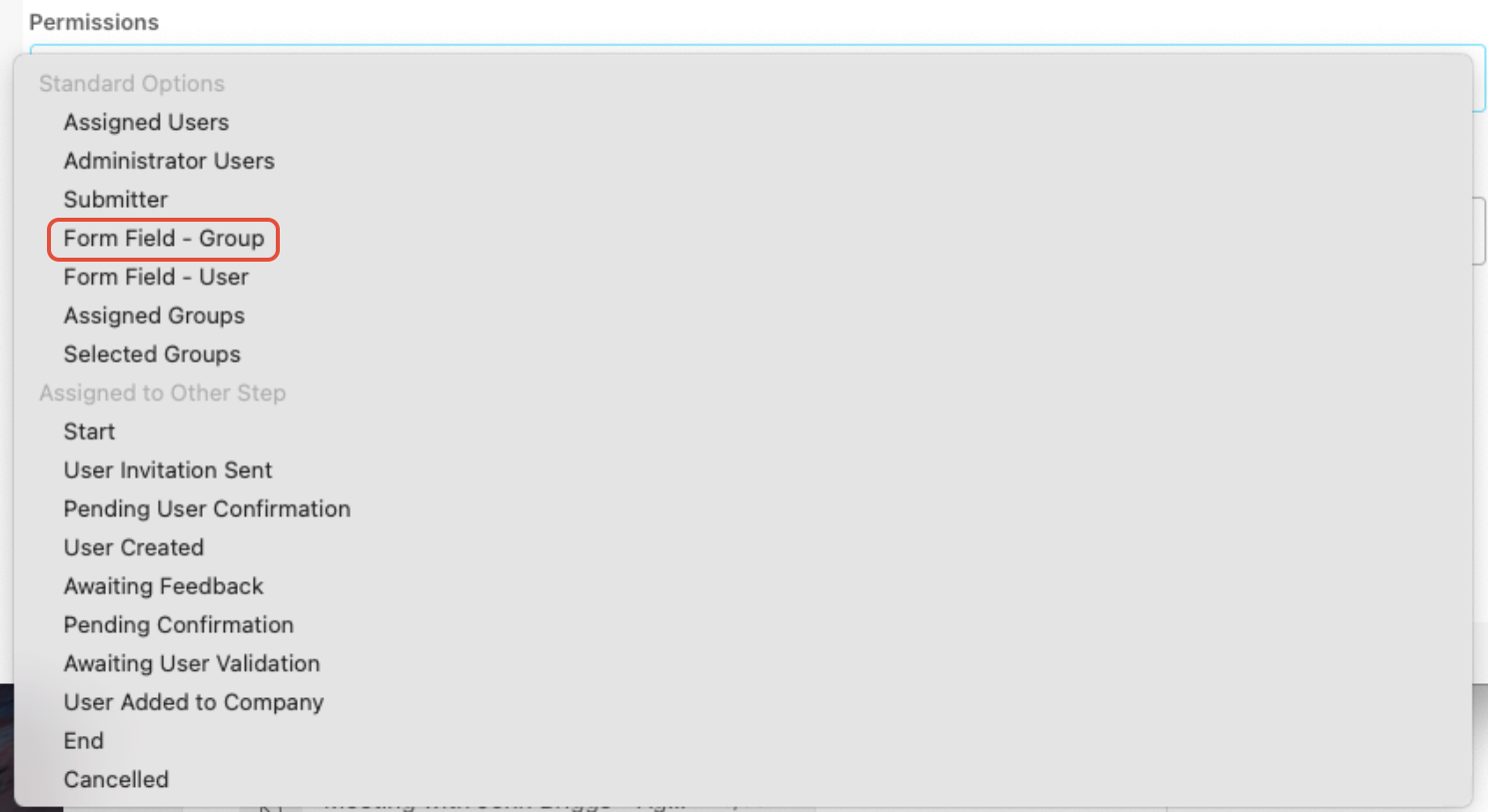
- Select Form Field – Group as the permission type.
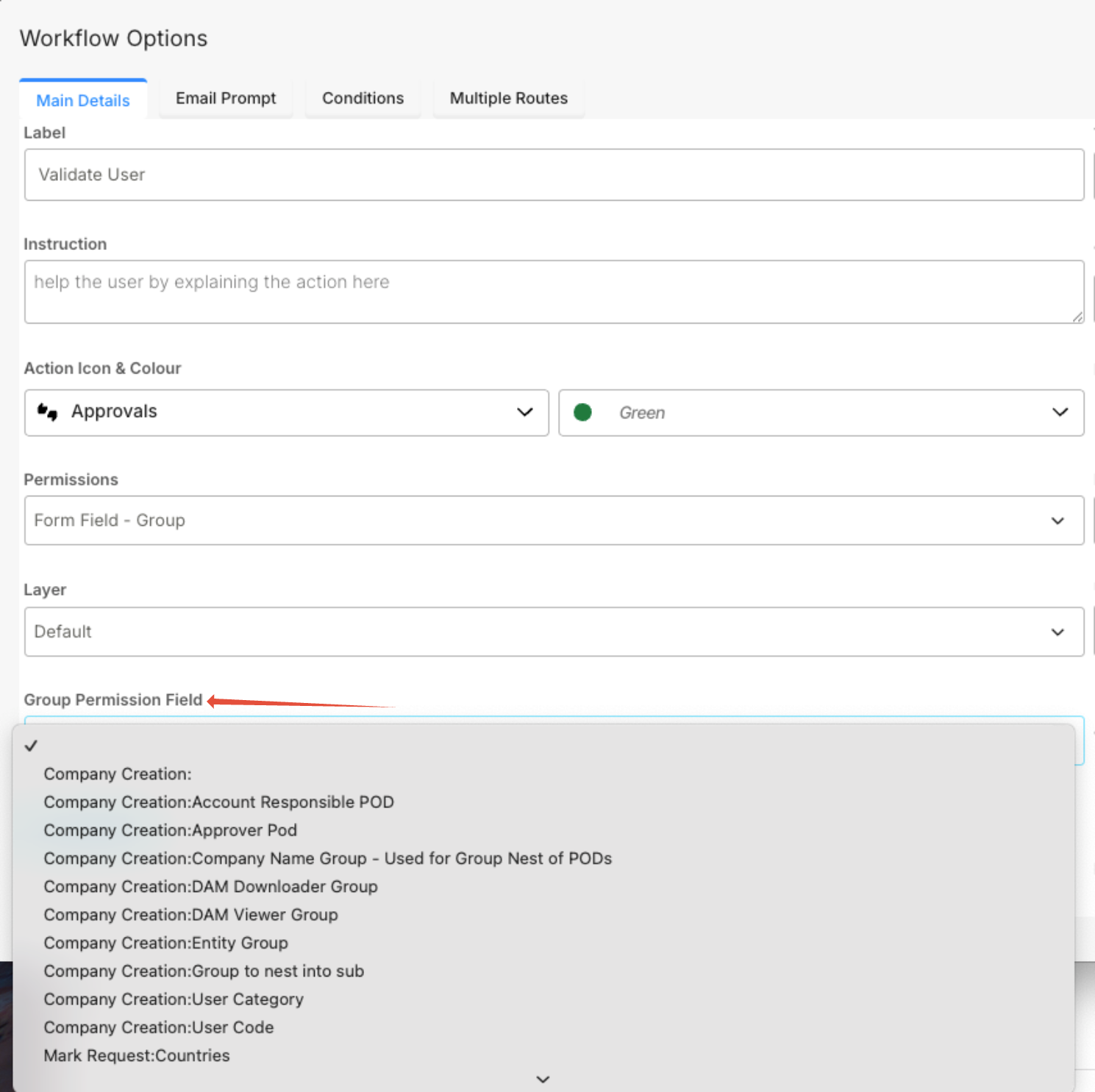
- In the Group Permission Field dropdown, select the appropriate field to include permissions for multiple groups.
- Save the workflow changes.
Result: Users assigned to the group will have permission to validate the user at this workflow step.
Was this article helpful?
That’s Great!
Thank you for your feedback
Sorry! We couldn't be helpful
Thank you for your feedback
Feedback sent
We appreciate your effort and will try to fix the article