Overview
TABLE OF CONTENTS
- Overview
- Parent Tasks
- Creating Parent/Child tasks in an Estimate
- Using Parent/Child tasks in Task Templates
- Creating Project Tasks from an Estimate
- Benefits
Estimates and Task Templates now support parent/child task structures, allowing teams to organize related tasks into a hierarchy that more closely reflects how work will be delivered within a project.
Instead of creating each estimate line as an independent task, you can group individual tasks beneath a parent task. When you use the estimate or Task Template to create project tasks, it retains the same parent/child structure.
This provides greater consistency between estimating, task planning, and project delivery.
What are parent and child tasks?
Parent Tasks
A parent task is a higher-level task that contains one or more related child tasks. Child tasks represent the individual pieces of work that make up the larger parent task.
For example:
Task A
↳ Client Engagement
↳ Client Engagement
↳ Content Studios
In this example, Task A is the parent task, while the three tasks beneath it are child tasks.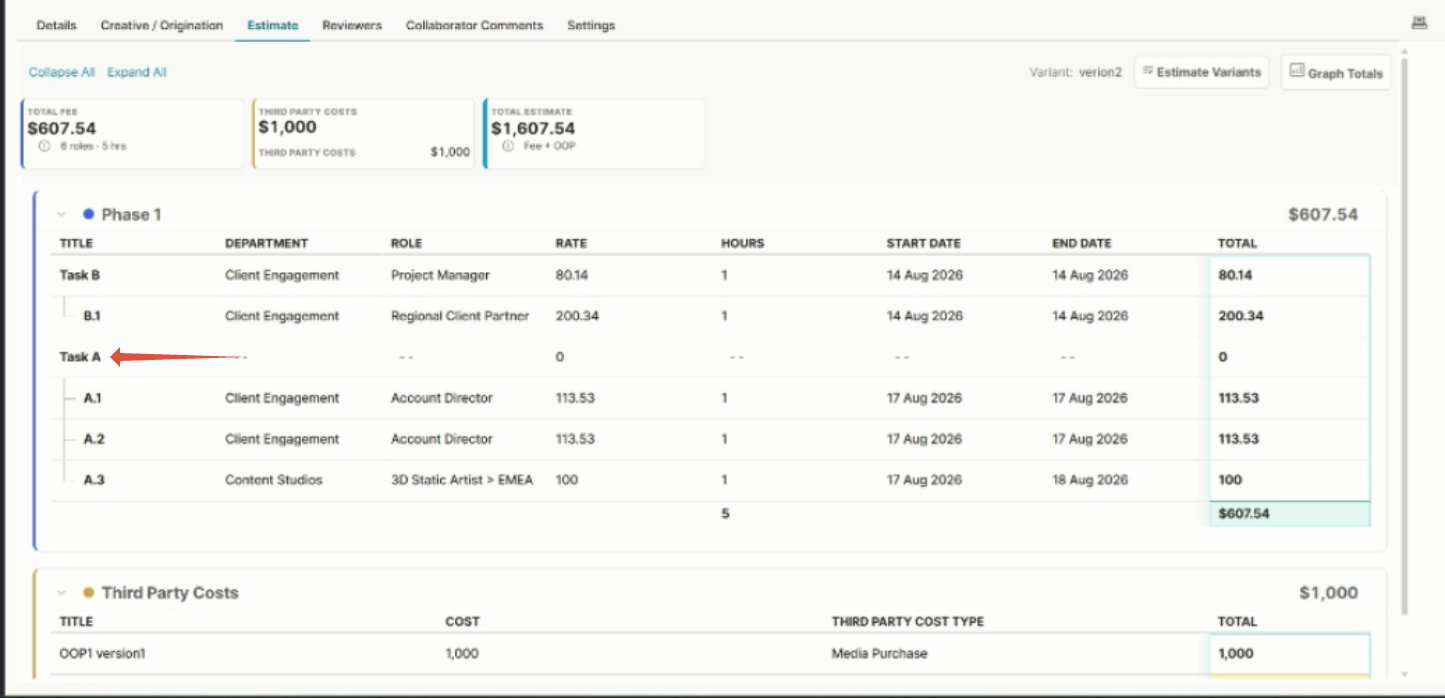
Creating Parent/Child tasks in an Estimate
When you build or edit an estimate, you can arrange tasks into a parent/child hierarchy.
- Navigate to a project with estimates (or create a new one) and add the required tasks to the estimate.
- Position the child task beneath its intended parent task.
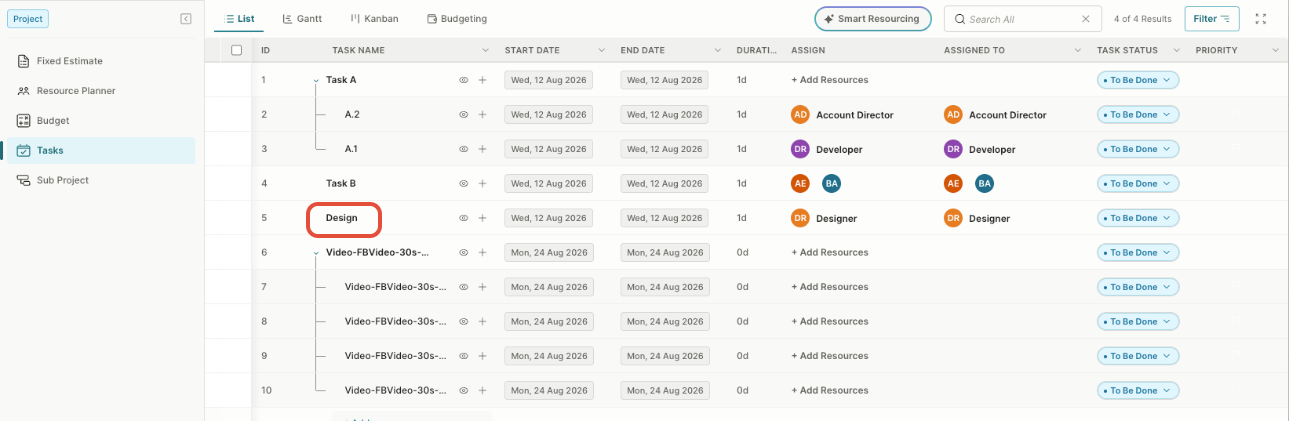
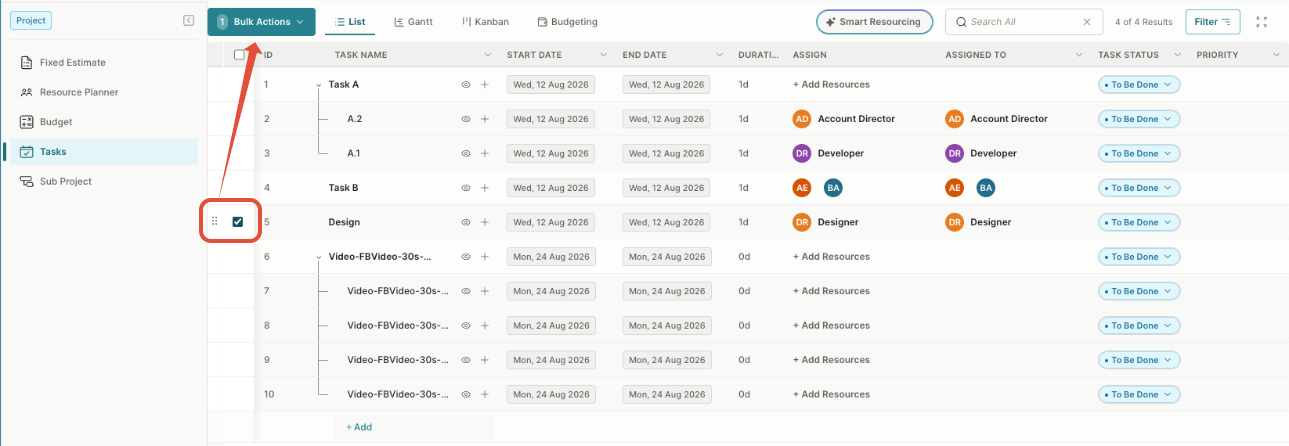
- Click the box next to the task to create the child relationship. (This activiates the Bulk Actions drop-down, which controls the indent or outdent of the task as required.)
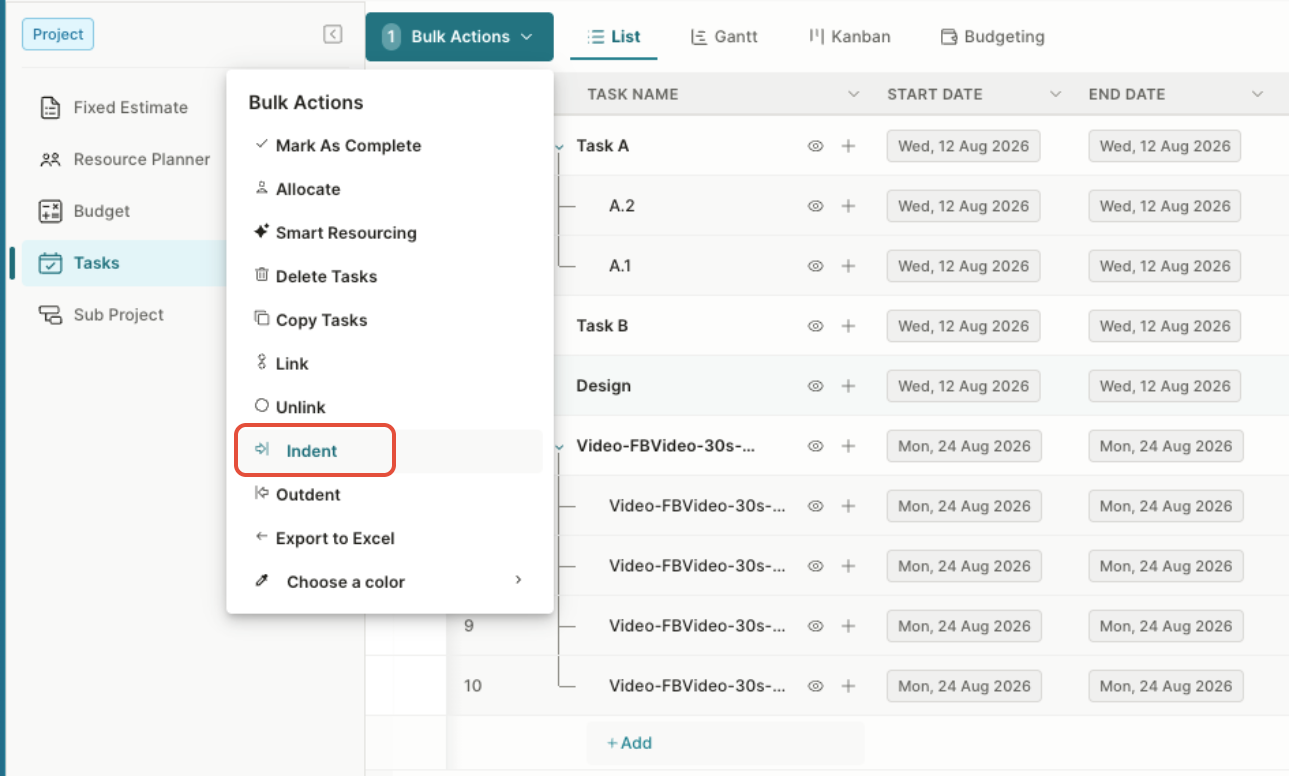
- Click Bulk Actions and then click Indent.
- Repeat the process for additional child tasks.
Child tasks appear indented beneath their parent, making the relationship visible directly within the estimate.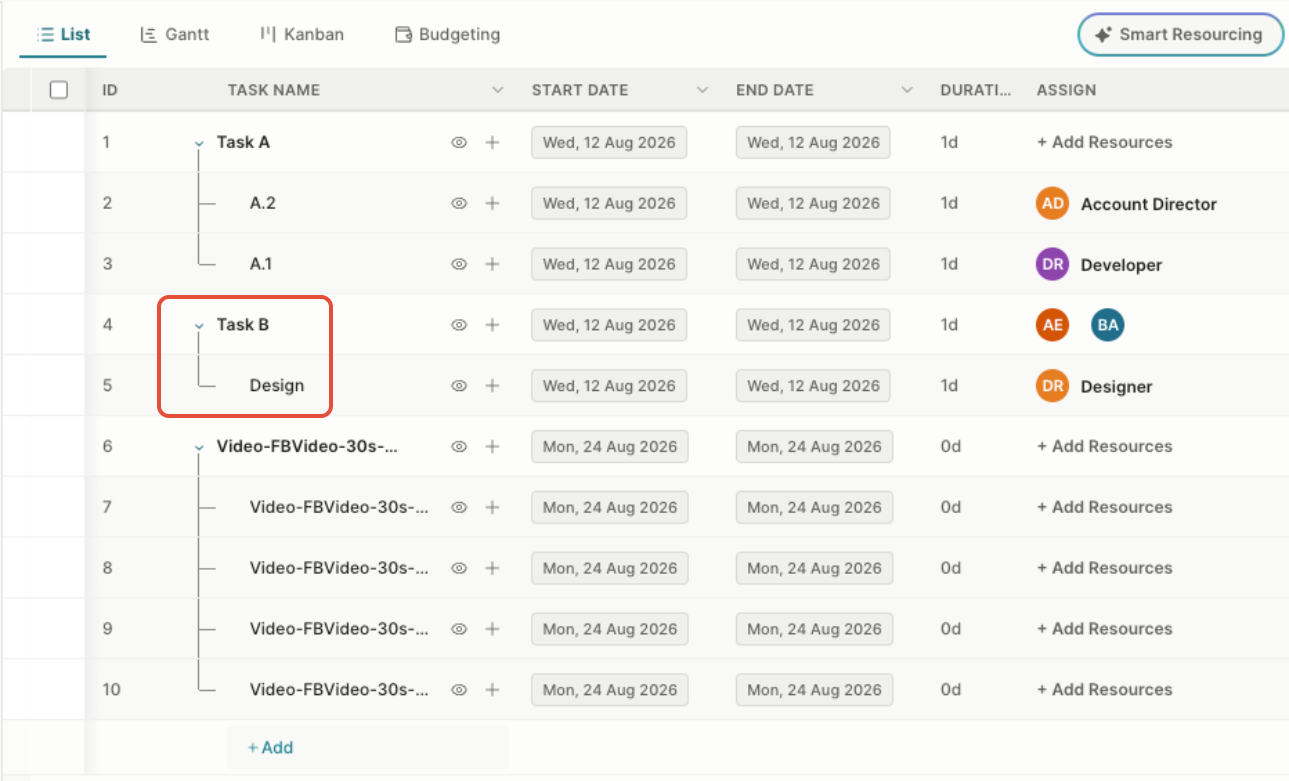
Tip: Structure the estimate according to how you want the tasks to appear when they are created within the project.
Using Parent/Child tasks in Task Templates
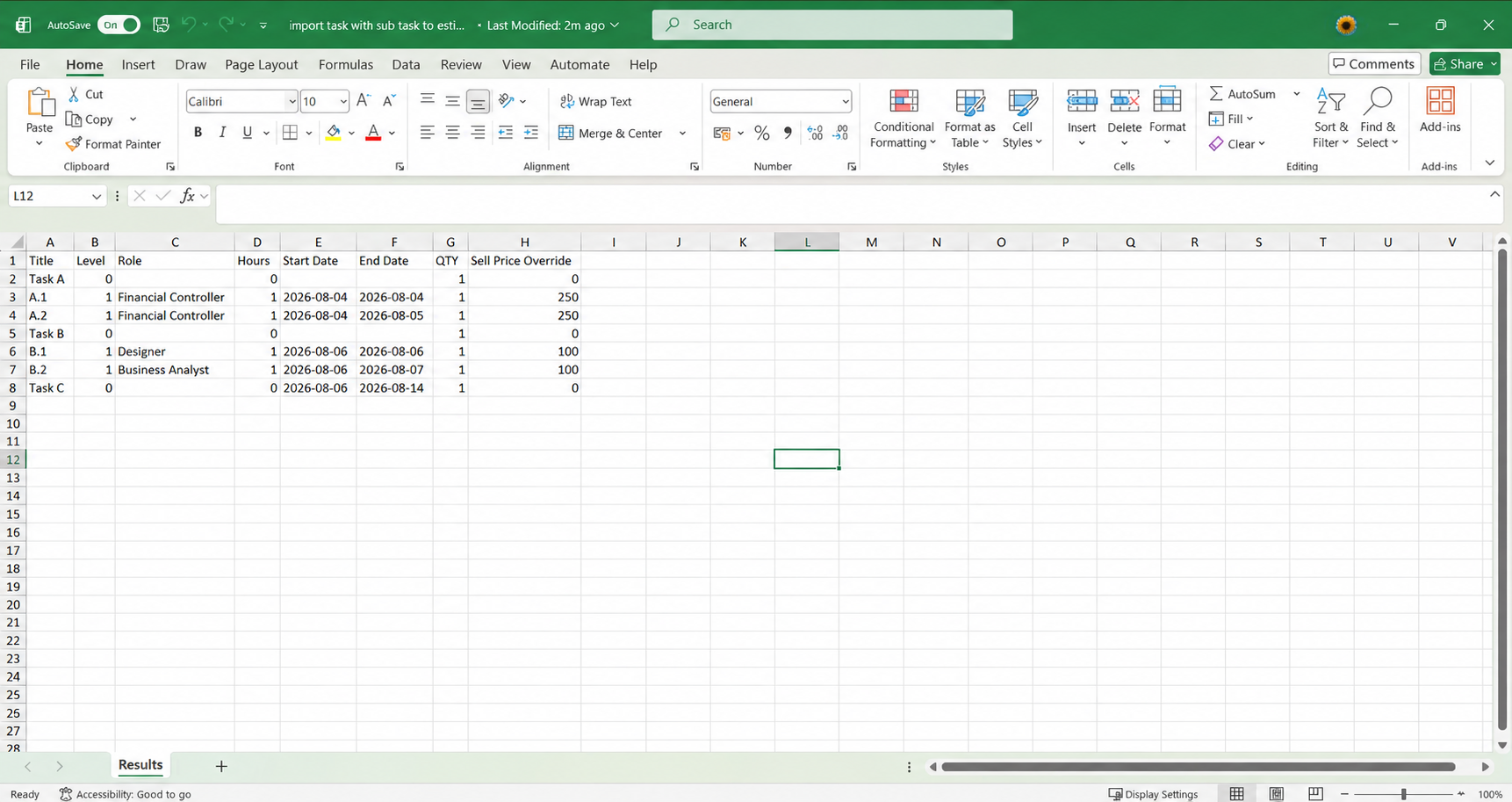
Task Templates also support parent/child structures, so you can configure commonly used task hierarchies once and reuse them in estimates. When you import tasks from a supported template, Screendragon retains the hierarchy between the parent and child tasks. This lets you add larger or predefined task structures without recreating each parent/child relationship.
For example, a Task Template could contain:
Task A
↳ A.1
↳ A.2
Task B
↳ B.1
Creating Project Tasks from an Estimate
When you import a template with an estimate containing parent/child tasks to create project tasks, Screendragon preserves the hierarchy defined in the estimate.
Task A
↳ A.1
↳ A.2
↳ A.3
Task B
↳ B.1
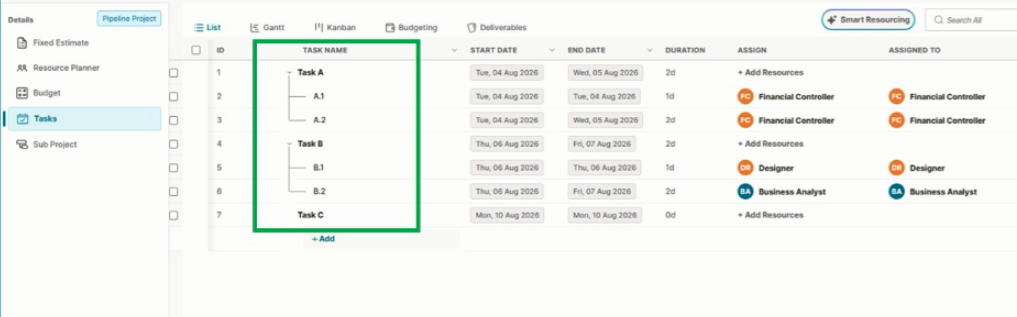
This creates the corresponding structure in the project's Tasks module, with A.1, A.2, and A.3 displayed beneath Task A, and B.1 beneath Task B.
This means the work breakdown established during estimating can flow directly into project execution without requiring the project team to manually recreate the task hierarchy.
Benefits
Parent/child task support provides a clearer way to structure detailed estimates and reusable Task Templates. It helps teams maintain the relationship between high-level deliverables and the individual tasks required to complete them, while keeping the task structure consistent from estimate creation through project delivery.
Was this article helpful?
That’s Great!
Thank you for your feedback
Sorry! We couldn't be helpful
Thank you for your feedback
Feedback sent
We appreciate your effort and will try to fix the article