Resourcing Workflows
TABLE OF CONTENTS
- Resourcing Workflows
- Overview
- How Resourcing Workflows Work
- Workflow Steps and Advancement
- Advancing Through Steps
- Automatic Resource Item Generation
- Example Use Case
Overview
Resourcing Workflows in Screendragon allow teams to automate the creation, review, and approval of resource requests through a structured workflow.
Instead of manually creating resource allocations, project managers and operations teams can configure workflows that automatically generate resource items based on predefined trigger conditions. This ensures that the right people are scheduled at the right time, with greater consistency and control.
Resourcing Workflows help teams:
- Standardize how resourcing requests are handled
- Reduce manual data entry and administrative effort
- Improve visibility across project planning
- Ensure approvals and allocations follow defined governance
- Automatically create resource items when conditions are met
For organizations managing multiple projects, phases, or service lines, Resourcing Workflows provide a scalable way to control and automate resource planning.
How Resourcing Workflows Work
A Resourcing Workflow follows the same structured step-based logic as other workflows in Screendragon, but is specifically designed to support resource planning and allocation.
At a high level, the process works as follows:
- A workflow is triggered (manually or automatically).
- The workflow advances through configured steps.
- Trigger conditions determine when resource items should be generated.
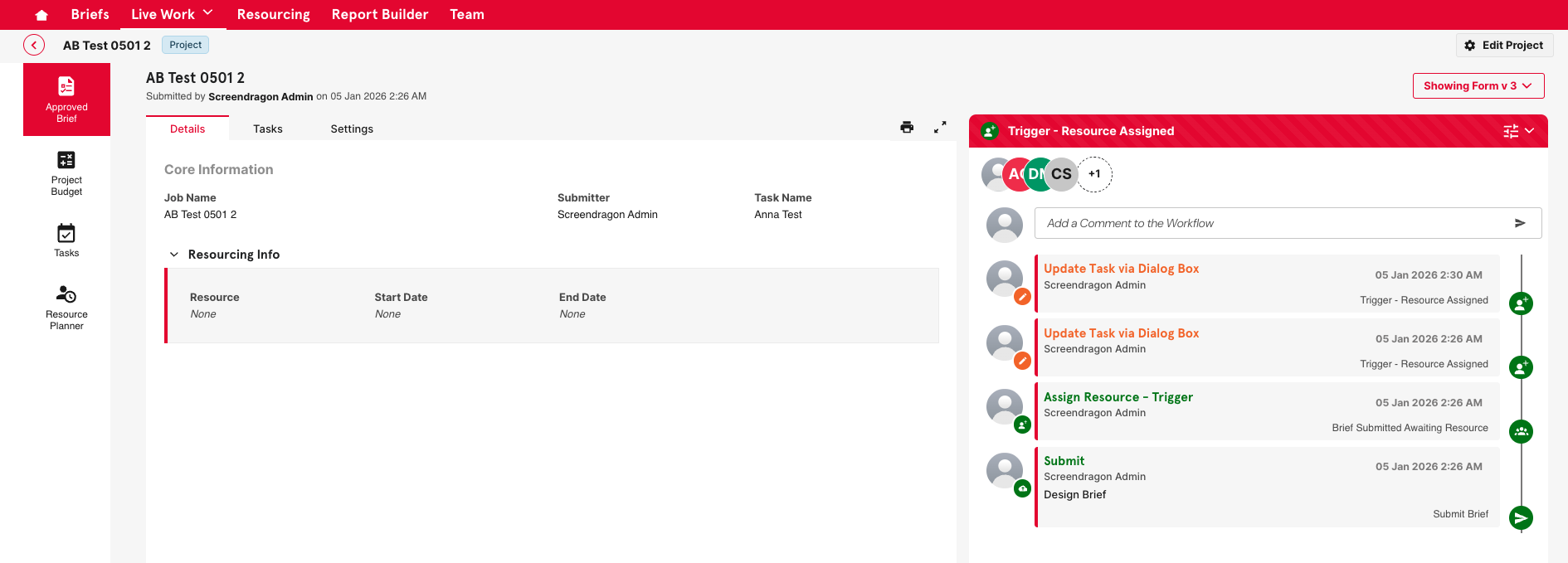
- Resource items are automatically created and appear in the Resource Planner.
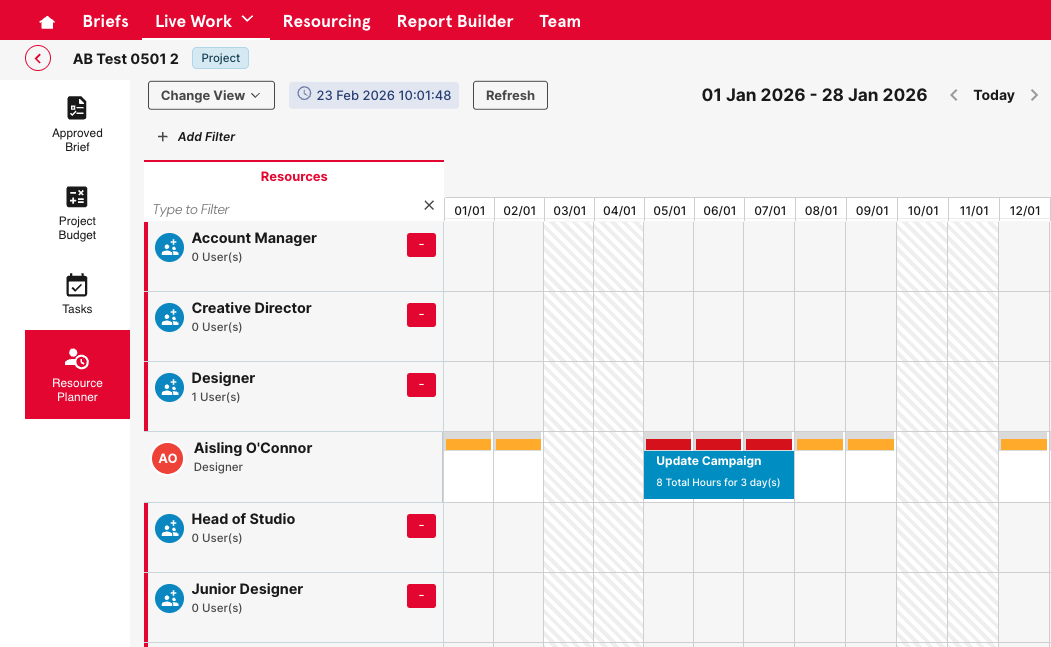
- Users review, approve, or adjust allocations as needed.
Workflow Steps and Advancement
Resourcing Workflows are built using step-based progression.
Each workflow consists of:
- Defined workflow steps (e.g., Draft, Review, Approval, Confirmed)
- Assigned users or groups responsible for each step
- Action buttons that move the workflow forward
- Optional rule-based logic to automate step transitions
Advancing Through Steps
A workflow advances when a user performs an action (such as Approve, Submit, or Confirm). 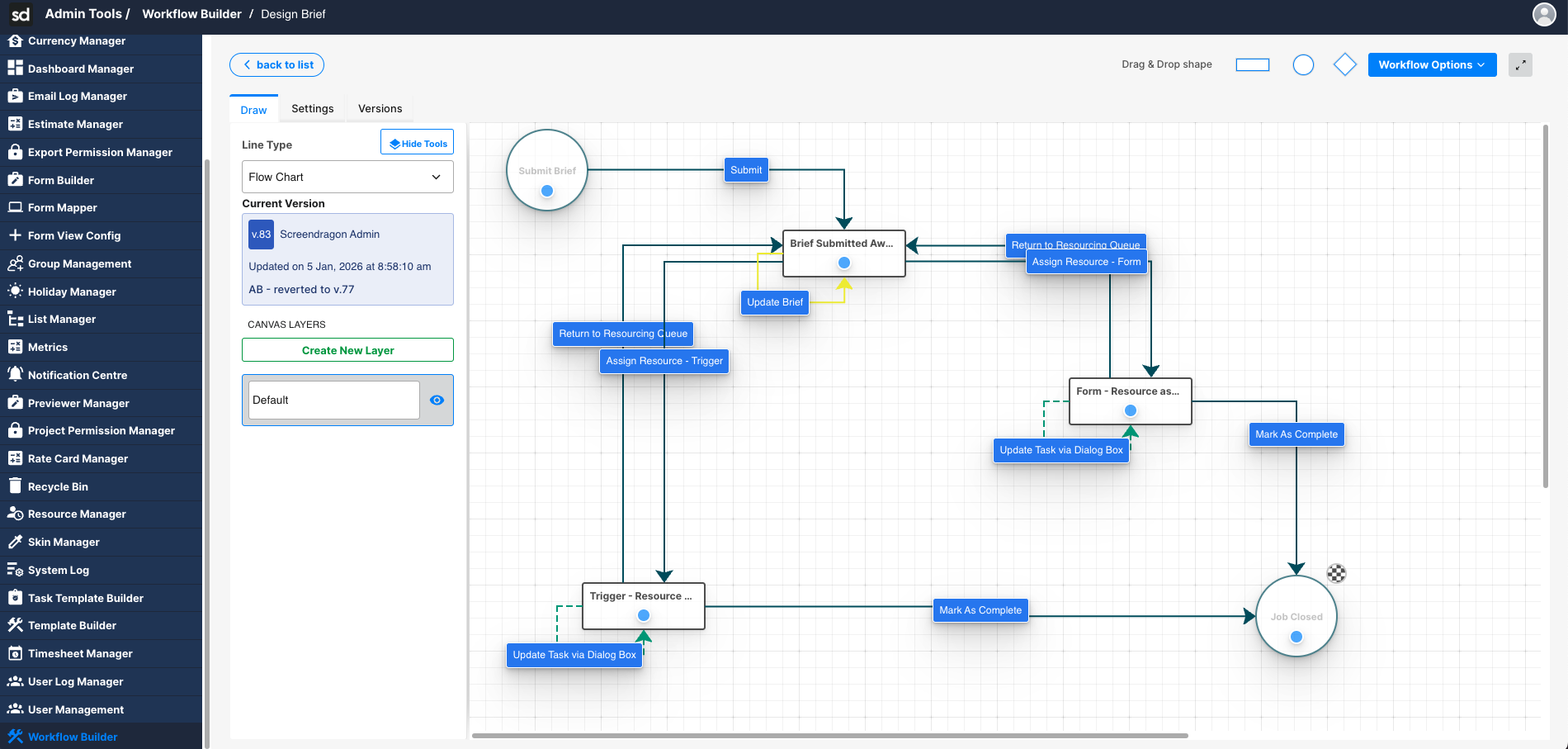
Depending on the configuration:
- Actions may be manual (a user clicks a button).
- Actions may be automated via triggers.
- Group actions may allow multiple users to complete a step.
Each step can be configured to trigger additional logic, including the automatic generation of resource items.
Click here for information on building a Workflow.
Automatic Resource Item Generation
One of the most powerful features of Resourcing Workflows is the ability to automatically create resource items based on trigger conditions.
Example Use Case
Scenario: A project is created and moves from “Submit Brief” to “Brief Submitted/Awaiting Resource.”
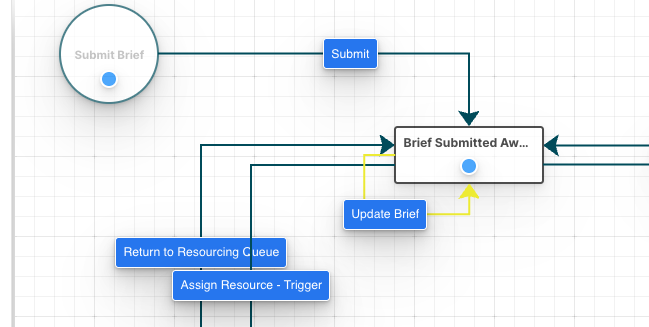
When the Submit Brief action is taken:
The workflow advances to the “Brief Submitted Awaiting Resource” step.

A trigger condition detects this status change.
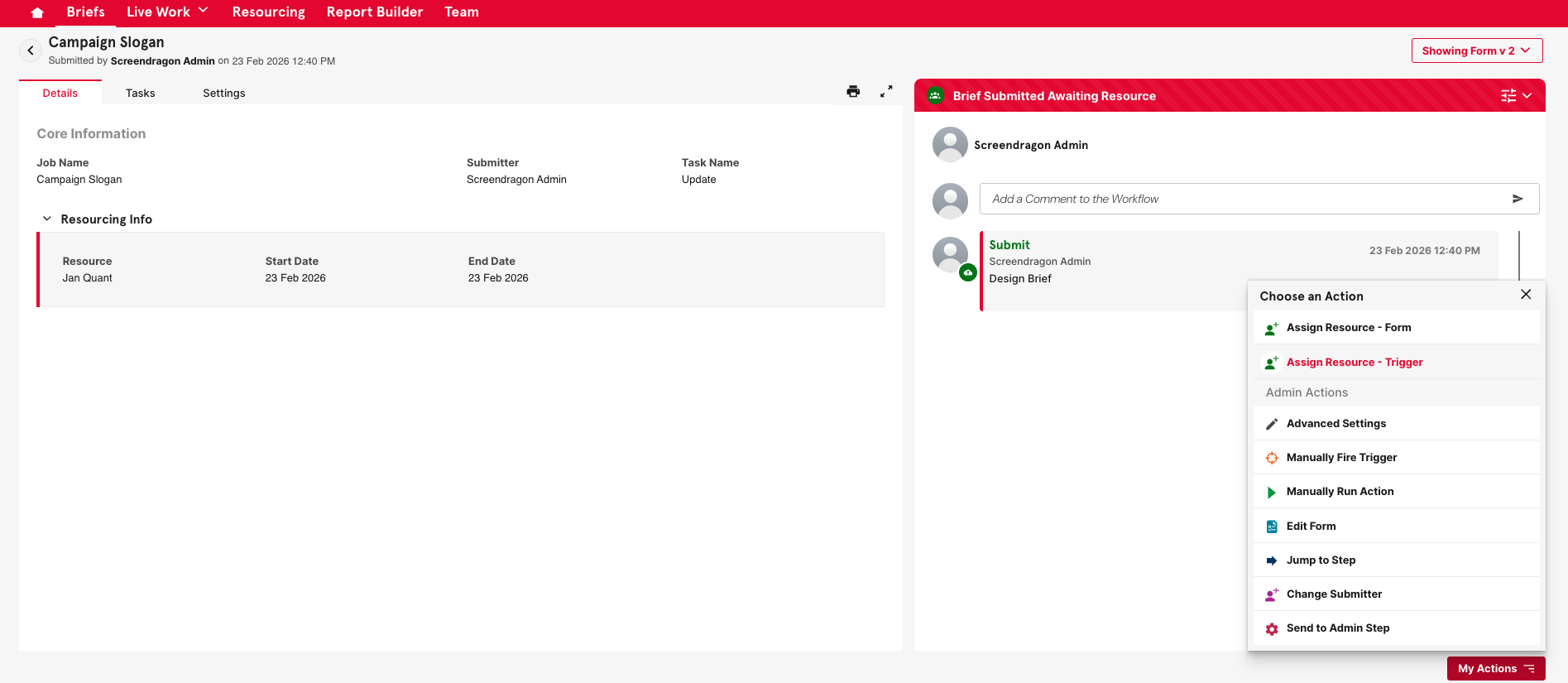
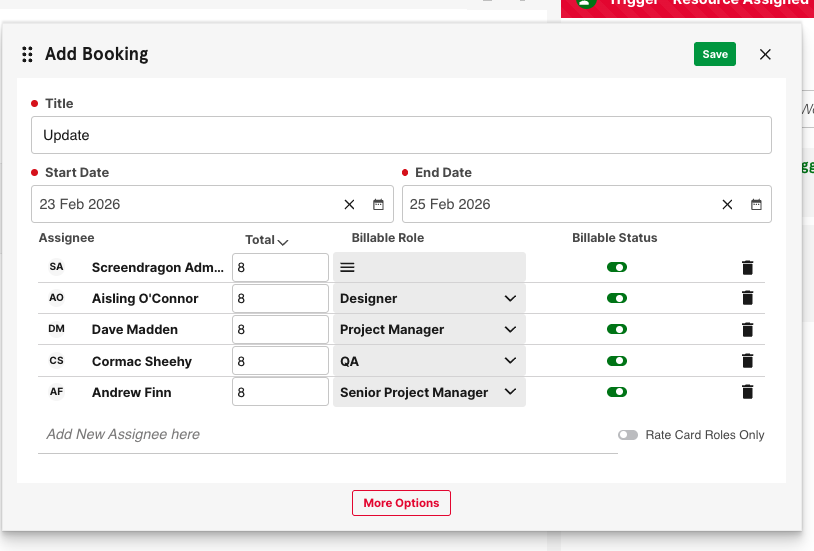
Now you can assign resources in the workflow, which are automatically created for:
Designer (20 hours)
Project Manager (15 hours)
QA (10 hours)
These resources appear immediately in the Workflow as assigned to the brief.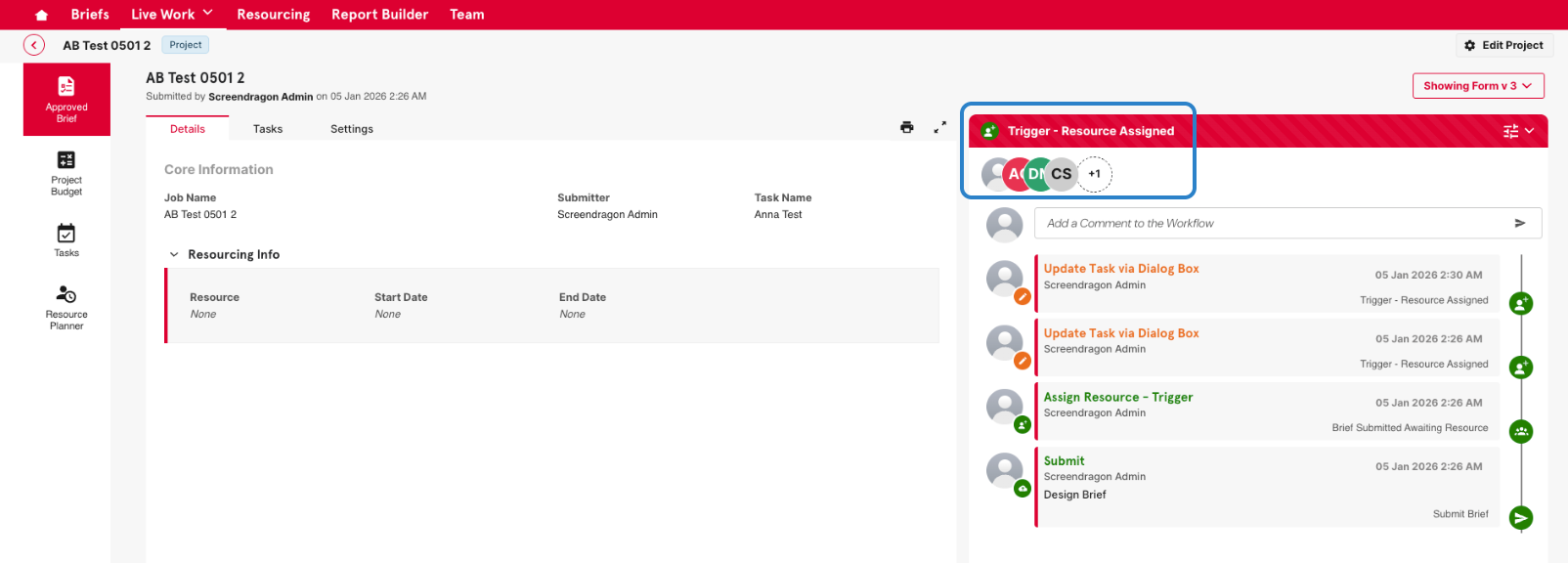
They are also reflected Resource Planner, ready for allocation and scheduling.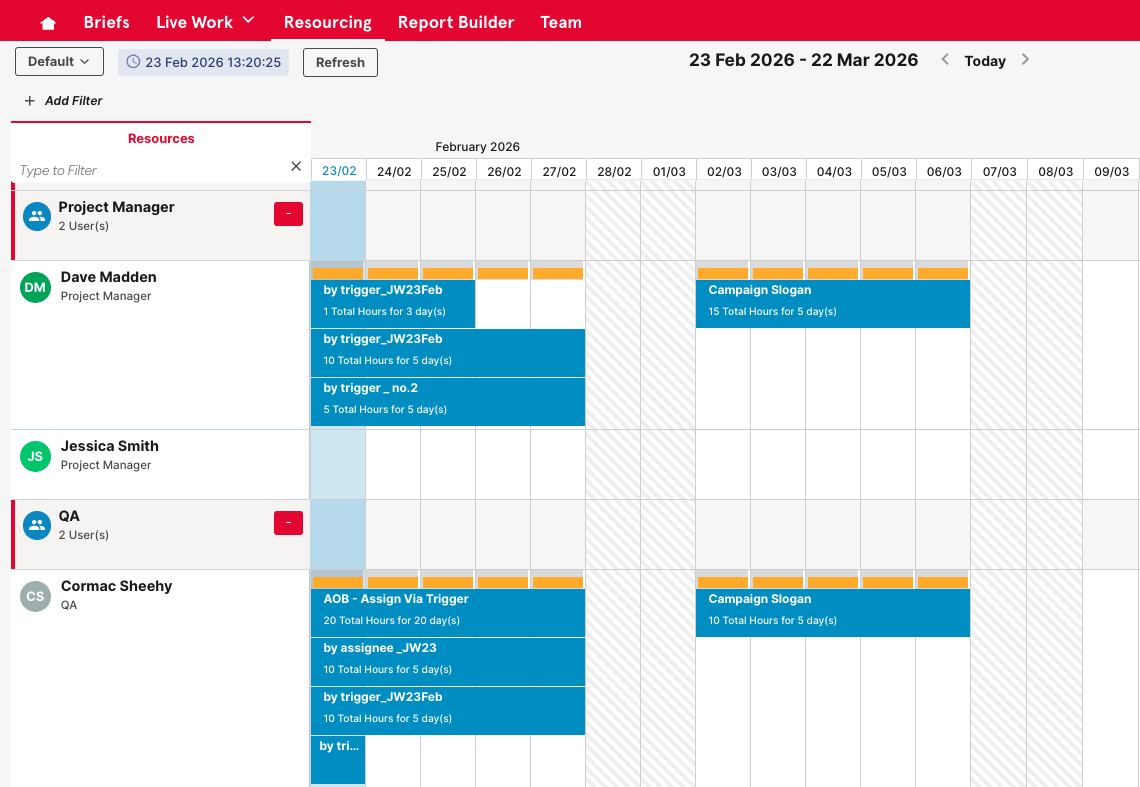
Benefits to Screendragon Users
Resourcing Workflows provide measurable operational advantages:
- Automation – Eliminates repetitive resourcing setup tasks
- Accuracy – Reduces errors caused by manual creation
- Governance – Ensures approvals occur before resourcing begins
- Visibility – Connects workflow progression directly to planning
- Scalability – Supports complex, multi-team resourcing models
By linking workflow logic with resource generation, teams can align operational processes with capacity planning in a seamless, automated way.
Best Practices
To get the most from Resourcing Workflows:
- Clearly define trigger conditions before building automation
- Keep step names aligned with operational milestones
- Test resource generation in staging before deploying live
- Use reporting to validate that resource items are created as expected
- Document workflow logic for transparency and training
Was this article helpful?
That’s Great!
Thank you for your feedback
Sorry! We couldn't be helpful
Thank you for your feedback
Feedback sent
We appreciate your effort and will try to fix the article